A faceless channel is any channel where the "creator" is never on camera — a
voice, a script, and a sequence of visuals do the work a talking head usually
does. Scary-story channels, history explainers, mythology retellings,
did-you-know facts, motivation pages — none of them show a person, and several
of the biggest channels in those niches post multiple times a week without one.
The bottleneck was never the lack of a face. It's that scripting, sourcing
consistent art, recording a voiceover, timing captions, and cutting it all
together used to take hours per episode, or $50-200 per video if you hired it
out. An AI faceless video generator exists to collapse that whole chain
into one generation. Here's what's actually happening when you use one, and
what separates a good one from a template-filler.
TL;DR — A real AI faceless video generator plans an original script,
renders visually consistent scenes, synthesizes one narration track, times
captions to the measured length of that narration (not a guess), and
composes the result into a finished vertical video. Before you pick one,
check whether the script is actually original per run, whether the art
stays consistent across scenes, and whether you get any signal — like a
hook score — on whether an episode is worth posting before it eats your
upload slot for the week.
What's actually happening under the hood
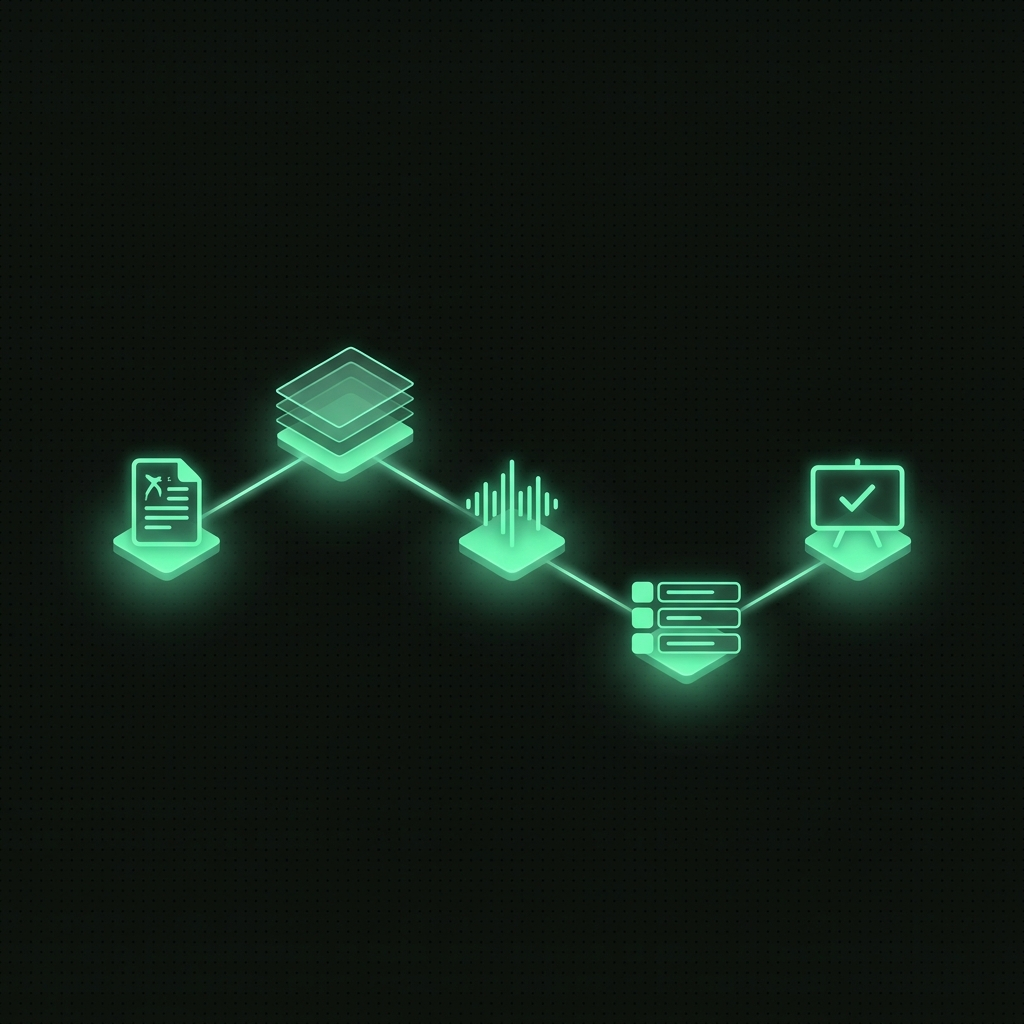
Strip away the marketing and a faceless-video generation is a pipeline with
five real steps, run in order:
- Planning. A topic and a niche go in; a scene-by-scene script comes out
— usually 6-10 beats, each one short enough to narrate in a few seconds.
This is the step that determines whether the channel feels original or
like everyone else's AI slop: a planner that reuses the same three story
shapes will produce videos that all sound the same by episode five.
- Visuals. Each scene gets its own generated image, held to one art
style (dark comic, photoreal, anime ink, watercolor — whatever the channel
picked) so episode 12 looks like it belongs to the same show as episode 1.
- Narration. One voice reads the whole script as a single track — not
sentence-by-sentence stitched clips, which is what produces the
robotic pacing you can hear in a lot of AI faceless content.
- Captions, timed to reality. The narration's actual rendered duration
gets measured, and every caption cue and scene length is rescaled to that
real clock. Skip this step and you get captions that drift out of sync by
the second half of the video — a giveaway that the pipeline is templated,
not measured.
- Compose. Scenes, voice, and captions get muxed into one finished
9:16 MP4, ready to review.
That's the honest version of "AI generates your faceless videos." No step is
magic; each one is a specific, checkable piece of engineering.
Five things worth checking before you pick one
Is the script actually original, or a mad-lib? A lot of tools take a
handful of story templates and swap in keywords. Ask for two episodes on
adjacent topics in the same niche and read both — if the structure is
identical beat-for-beat, that's a template, not a script.
Does the art stay consistent scene to scene? A story where the visual
style flips between photoreal and cartoon halfway through reads as broken,
not stylistic. Consistency across 6-10 scenes in one run is a harder problem
than a single hero image, and it's usually where cheaper tools cut corners.
Is the voice one continuous take? Stitched-together sentence clips have
audible seams — a slightly different pace or tone every few seconds. A single
narration pass sounds like one performance because it is one.
Are captions timed to the real audio, or to an estimate? This is the
detail that actually shows up on-screen. If a tool doesn't measure the
narration before laying out captions, drift compounds over the length of the
episode.
Do you get a signal before you spend your upload slot? A channel can only
post so often before audience fatigue sets in. A tool that hands you a
finished MP4 with zero indication of whether the hook works is asking you to
gamble the slot. A tool that scores Hook and Retention before you decide to
post lets you skip the weak ones.
How HeyDreaming's faceless pipeline works
HeyDreaming's faceless video generator runs
exactly the five steps above, not an abbreviated version. Pick one of 10 story
niches and one of 4 art styles once — the planner keeps every future episode
on-brand. Pick a narrator from 30 voices. Each generation writes an original
6-10 scene script, renders consistent scene art in your chosen style,
synthesizes one narration track, measures its real length, rescales every
scene and caption cue to that measured clock, then composes the finished
vertical MP4 — and every episode comes back with a Hook and Retention score
before it reaches your feed.
Two things worth being direct about, because overselling a tool wastes your
time more than underselling it: captions in the current version are
sentence-block, rescaled to the real audio — not word-by-word karaoke
timing. And publishing is manual — HeyDreaming scores and hands you the file;
you're still the one who hits publish on YouTube, Instagram, or TikTok.
Anything claiming to auto-post to those platforms today is claiming an
integration that doesn't exist yet, here or anywhere else that's honest about it.
Where this actually saves time
The time faceless creators lose isn't the idea — it's redoing the same seven
steps by hand every single episode. Collapsing planning, visuals, voice,
captions, and compose into one generation doesn't remove your judgment from
the process; you still edit the script before rendering and you still decide
what ships. What it removes is the hours of manual assembly between "I have
an idea" and "I have a graded episode ready to review." A failed or sample
render also refunds its stamped credits automatically, so a keyless or
rate-limited run never quietly eats your quota.
If you're evaluating tools in this category, run the same topic through two
or three of them and compare the scripts, the visual consistency across
scenes, and whether you get any pre-publish signal at all. That comparison
tells you more in five minutes than any feature list.
Pick a niche, pick a voice — start your first series
and see the pipeline run end to end.