The Canvas is where HeyDreaming stops being a single prompt box and starts being
a pipeline. You wire nodes together — a prompt, a reference image, an
image-to-video step, voice, subtitles, a composer — and the graph decides what
runs. It's how you build a repeatable ad-video workflow instead of rolling the
dice on one generation at a time.
Two things were quietly getting in the way. You couldn't drop your own
footage onto a reference node — only paste a URL — and if you refreshed the tab
mid-build, the board was gone. Both are fixed in today's update.
Upload your own footage, right on the node
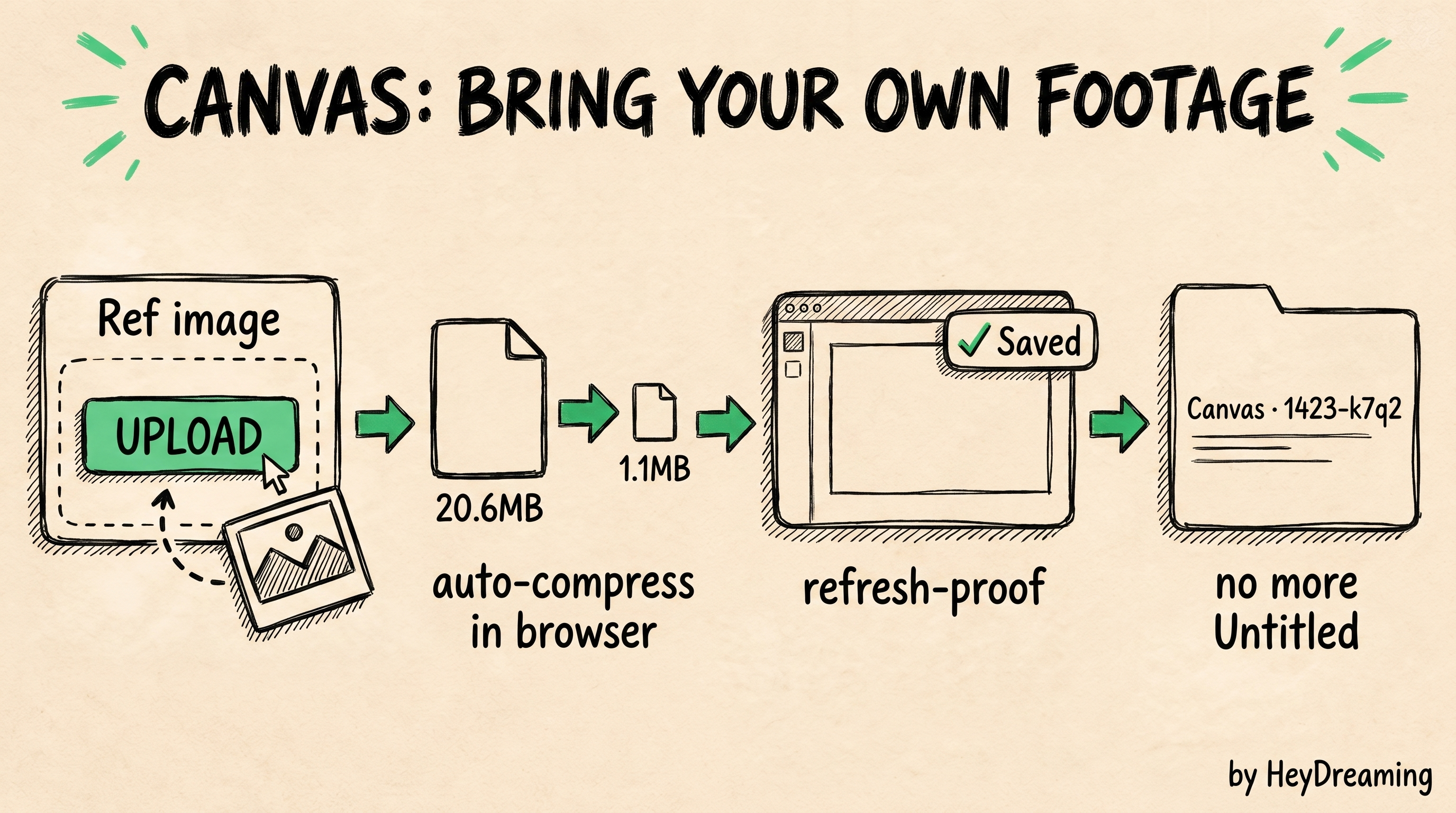
The Ref image and Ref video nodes now have a real upload button. Click
it, pick a file, and the node grabs it — your product shot, a model photo, a
clothing flatlay, a reference clip you want a generation to echo. The URL field
stays as a manual fallback, but you no longer have to host the file somewhere
first just to feed it into the graph.
This is the part of the workflow that was always a little awkward. The whole
point of a reference node is "make it look like this" — your product, your
model, your brand. Until now that meant getting a public URL for every asset.
Now the asset goes straight from your disk into the node, gets stored against
your account, and is wired into the run.
It matters most for the reference-driven templates — model try-on, product
showcase, brand-consistent shots — where the generation is supposed to be
anchored to something real you already own.
Big files compress before they ever leave your browser
Phone and camera images are routinely 15–25MB. Uploading those raw is slow, and
it burns through size limits for no reason — a 20MB photo and a 1MB photo carry
the same visual information once they're sized for a video frame.
So images over 10MB now get downscaled and re-encoded in your browser before
the upload starts. In testing, a 20.6MB image left the browser as a 1.1MB
JPEG — same usable detail, a fraction of the bytes, and the upload finishes
almost instantly. The button tells you what happened (Compressed 20.6MB → 1.1MB) so nothing is hidden. If a file is already small, or compressing it
wouldn't actually help, it's left untouched. GIFs are never recompressed, so
animation survives.
Video uploads go straight through (up to 100MB) — there's no reliable way to
re-encode video inside a browser without a heavy toolchain, so we don't pretend
to. You get a clear message if a clip is over the cap instead of a silent
failure.
Autosave: a refresh never costs you a board
Every change on the Canvas is now persisted as you work.
- Local draft. Your current board is mirrored to the browser, so a refresh,
an accidental back button, or a closed tab restores exactly where you left
off — "Restored unsaved draft."
- Cloud autosave. Once a board is saved as a named workflow, edits sync back
to your account on a debounce. The toolbar shows the state — Saving… / ✓
Saved — so you always know it's caught up. Open the workflow on another
machine and it's current.
And when you save without typing a name, you no longer get a pile of
indistinguishable "Untitled workflow" entries. Blank saves are auto-named with a
timestamp and a short random suffix — Canvas 2026-06-30 1423-k7q2 — so they
stay sortable and easy to tell apart.
We also nudged the node port handles so the connection dots line up with their
labels — a small thing, but wiring a graph should feel precise.
Why this fits the way HeyDreaming works
Our whole pitch is scored before you spend — every cut graded on Hook,
Retention, CTA, and Brand-fit before you put money behind it. That only works if
building a board is fast and lossless: drop in the real reference, run the graph,
read the scores, iterate. Friction in the build is friction in the loop.
Uploading your own footage closes the gap between "an AI generation" and "an ad
for my product." Autosave means the iteration loop survives a refresh. Both
are about the same thing — making the Canvas a place you actually build, not a
demo you're afraid to touch.
Open the Canvas tab, drop a template, and try uploading a product photo to a
reference node. It'll be compressed, stored, and wired in before you've finished
reading this sentence.