Vinted photo editor for clean backgrounds
A clean white or plain background behind the item you photographed. On White background the item is cut from your photo and no generative AI is used.
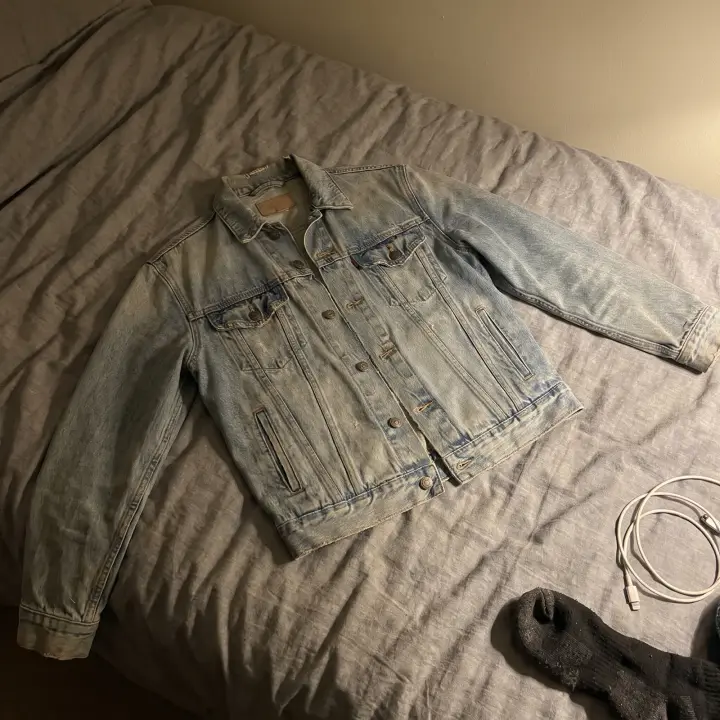 Before
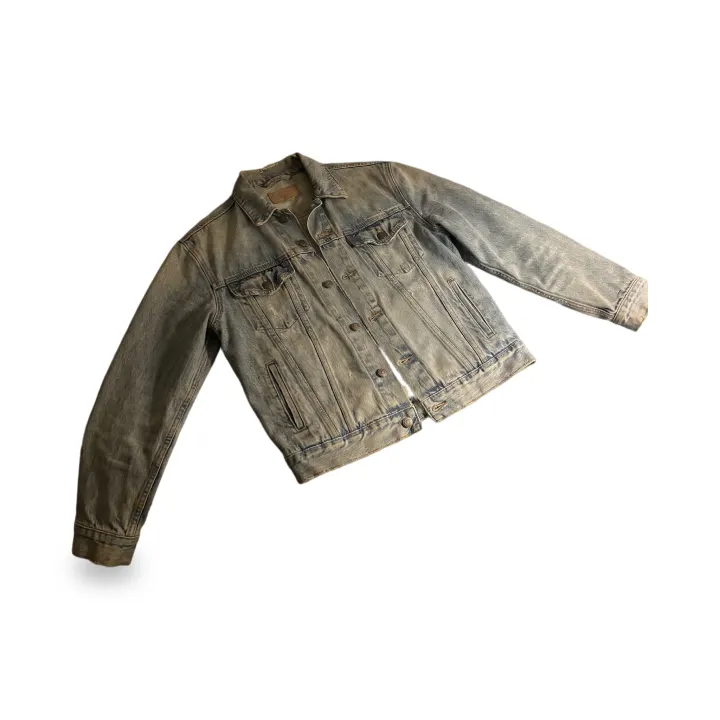 After
Photos (1–4)
Works best with one product per photo. Anything touching the product stays in the picture.
Background
Pure white (#FFFFFF), soft contact shadow, in seconds. Check the edges before downloading.
Aspect ratio
Free account · your photo stays on this page while you sign in with Google
No Google account? Sign in with email
Your edited photo appears here
Add product photos and press the button below. White backgrounds take seconds.
Honest listing photos
A cleaner background for your listing
The item comes from your photo
White background generates nothing: the item from your photo goes on pure white. With New scene the image model redraws a thin outline around the item, and see-through parts such as lace or mesh can be redrawn too, so compare before you list.
White background in seconds
White background does not use the image model at all: the item goes on pure white with a soft shadow, usually in a few seconds.
One look across your shop
White background gives every photo the same plain look. With New scene and 2–4 photos, each photo gets its own scene on the free plan. On Pro, Same scene for every photo puts them on one shared background when the photos were taken from the front; photos taken from above each get their own scene for now. If a shared scene can't be made, each photo gets its own.
5 free photos a day
Every account gets 5 free photo edits a day with no watermark. Pro raises it to 100 a day (up to 30 of them new scenes) when you list in bulk, and adds one ZIP download for a whole batch.
How it works
From floor photo to listing photo
01
Shoot the real item
One whole item per photo, in daylight, with some floor or wall around it. Label and flaw close-ups don't need editing: list those as they are.
02
Pick a background
White background (fastest) or New scene with one of the plain presets. The prompt only describes the background.
03
Generate
Sign in with Google when you press Generate. White takes seconds; a new scene takes a few minutes.
04
Compare, then list
Check the result against your original. If anything about the item looks different, use the original photo instead.
Can I edit my Vinted photos?
Read Vinted's own rule first. On listing photos its Catalog Rules say: "They have to represent the item as it is - no image editing is allowed." Taken literally, that covers a new background too, so editing a Vinted photo is your decision and your risk. What HeyDreaming does depends on the mode. The item is cut out of your photo and resized. With White background no generative AI is used. With New scene the model draws the background and redraws a thin outline of the item; see-through parts such as lace or mesh count as background and can be redrawn too. Depop, eBay and Poshmark have their own photo rules; check them before you list.
Optional
Tell buyers what you edited
Paste this into your listing description if you like. It is not required by us; check the platform's own rules.
Keep exploring
Explore More
Common questions
Vinted photo editing — FAQ
Is it allowed to edit photos on Vinted?
On photos, Vinted's Catalog Rules say: "They have to represent the item as it is - no image editing is allowed." They also have to be taken by you; stock photos are not allowed. Read literally, a new background is image editing, so the choice and the risk are yours. Read Vinted's current Catalog Rules before you list. HeyDreaming is not affiliated with Vinted, Depop, eBay or Poshmark.
What exactly does the editor change?
It depends on the mode. The item is cut out of your photo and resized to fit the frame; small separate pieces (a loose belt, one earring of a pair) can be dropped. On White background the image model isn't used. With New scene the image model draws the background and also redraws a thin outline of the item; parts the cut-out sees as see-through (lace, mesh, fringe) count as background and can be redrawn. Anything touching the item, such as a hanger or a hand, stays in the picture.
Can it remove wrinkles or put my clothes on a model?
No, and this page doesn't offer it. Removing wrinkles, adding a model or changing the item means an AI redraws the item, and the photo would no longer show what the buyer receives. Steam or iron the item and reshoot instead.
My photo is too dark. Can I brighten it?
The free Photo Enhancer tool auto-adjusts brightness and contrast of the whole photo in your browser and adds a slight colour boost (you can lower its strength). It doesn't redraw anything, but check that colours still match the real item before you list.
Should I say the photo was edited?
It's a good habit. You can paste a line like "Background replaced with an editing tool; item cut from my original photo (edges may be retouched)." into your description.
Does it work for Depop, eBay and Poshmark too?
Yes. The result is a normal image, square by default, that you upload like any photo. eBay also has its own background tool on its website and app; HeyDreaming is useful when you want the same plain look across many items or platforms.
How many photos can I do for free?
5 a day, with no watermark and no card. Up to 4 photos can go in one batch.
Clean up your next listing
5 free photos every day. White background uses no generative AI.
Edit a listing photoHeyDreaming is not affiliated with Vinted, Depop, eBay or Poshmark.