Car Photo Editing Cost: Per Photo, Per Vehicle and Review Time
Budget dealer listing photos as three costs: software, per-vehicle service packages and staff review time, with a fill-in formula for your lot.
By HeyDreaming
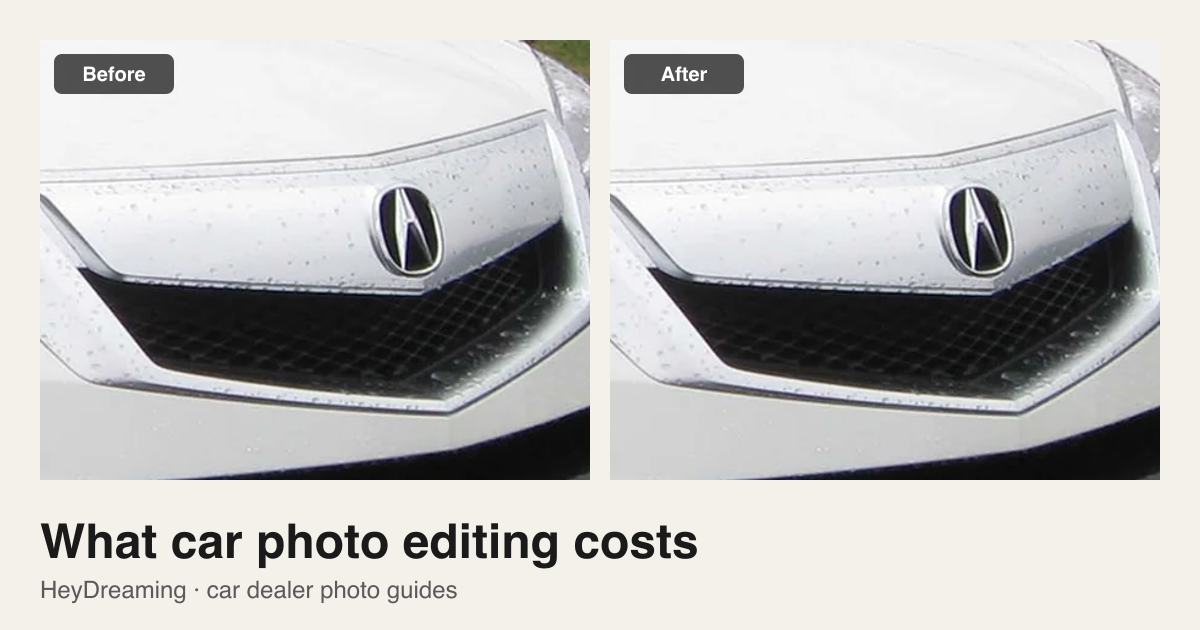
Prepared by HeyDreaming, which provides the car photo editing service and self-serve editing tools described in this guide. Service packages and subscription allowances reflect HeyDreaming's listed offerings as of October 2026, not industry-wide averages. The cost walkthrough uses an explicitly labeled hypothetical labor rate and review time to demonstrate the calculation; it does not represent measured wages or guaranteed operational performance.
Budgeting for vehicle photo editing requires looking beyond headline software fees. Whether you edit in-house using browser software or outsource to a managed service, your real cost must be measured per accepted listing image—the photos that actually meet your quality standards and go live on vehicle detail pages.
A dealership's total editing expense consists of three distinct components:
- Software subscription allowances: Recurring monthly software access with daily processing limits.
- Managed per-vehicle service packages: Fixed-price editing packages with a defined photo limit and revision round.
- Internal operator review time: The staff hours spent reviewing cutouts, checking badges, and approving final files.
Keep these costs separate, then combine only the items you actually pay for the same set or period.
Subscriptions vs. daily allowances vs. managed service
What you pay depends on who does the editing and who checks it.
Self-serve daily allowances (Software subscriptions)
HeyDreaming offers free and paid plans with a daily photo-editing allowance:
- Free accounts: Free accounts on HeyDreaming include 20 photo edits per day after sign-in without a credit card.
- Paid plans: Pro is $29/month and Max is $99/month; both provide 100 photo edits per day (see current plans and allowances).
Key operational factor: Daily allowances do not function as pooled monthly credits. Unused edits do not roll over from quiet days to busy days. Pro and Max both stop at 100 edits a day, about five 20-photo vehicles. A 30-car Monday at 20 photos each is 600 edits, so self-serve it takes six days unless you spread the work. HeyDreaming plans also cover other creative features, so the monthly fee is not a standalone price for each car photo.
Managed per-vehicle service packages
If you want to hand off editing and its first review, consider a managed service. You still supply the source photos and assess the delivered set.
The HeyDreaming car photo editing service offers fixed-capacity packages:
- Single vehicle: $49 for one vehicle (up to 20 photos, 1 revision round).
- Small batch: $149 for up to 5 vehicles, $29.80 per vehicle (up to 20 photos each, 1 revision round).
- Repeat batch: $249 for up to 10 vehicles, $24.90 per vehicle (up to 20 photos each, 1 revision round).
- Trial offer: First vehicle sample is free with no further obligation. Turnaround time and scope are agreed before work starts; paid work is invoiced by payment link after that.
These are introductory prices and may change; check the service page for the current list.
Note on capacity: HeyDreaming's self-serve Vehicles workspace supports up to 50 photos per car under one stock number, whereas managed service packages are capped at 20 photos per vehicle.
Operator review time: the uncounted cost
Regardless of whether an AI editor or an outside contractor processes your images, someone at the dealership must review the results before publication.
Automated checks (such as HeyDreaming's "Needs check" status) flag uncertain edges or cropped frames, but software cannot replace visual inspection. An operator must confirm that wheel rims are sharp, windshield reflections are acceptable, and license plate covers are aligned.
Record the actual minutes spent reviewing, organizing or rejecting the delivered files, and include that time in the same budget as the editing fee.
Choose a package for one vehicle or a batch
See the included photos and revision round, then agree scope and turnaround. The first vehicle is a free sample for you to assess.
A hypothetical cost walkthrough
The following walkthrough is an illustrative hypothetical example designed to show how to structure an accepted-cost calculation. It does not represent measured dealer wages, empirical employee performance, or guaranteed turnaround times:
- Submitted set: 20 source photos for one vehicle under the $49 single-vehicle service package ($49.00).
- Operator review time: 10 minutes spent reviewing full-size exports on a lot computer.
- Assumed labor rate: $30.00/hour ($0.50/minute). Operator cost = 10 minutes × $0.50 = $5.00.
- Total direct investment: $49.00 (service package) + $5.00 (operator review) = $54.00.
- Accepted output: 18 photos approved for listing; 2 photos rejected due to heavy source glare or grass occlusions that require reshooting.
- Cost per accepted image: $54.00 total cost ÷ 18 accepted images = $3.00 per accepted listing image.
Dividing the $49 package fee by the 20 submitted photos suggests a unit cost of $2.45. In this hypothetical example, adding the assumed review time and counting only the 18 accepted outputs gives $3.00 per accepted image. Your own review time and acceptance count may differ.
Fill-in cost formula for dealership budgets
Choose one scope: a vehicle package or a billing period. Use the same scope for every row; allocate software fees to that scope if the subscription also serves other work.
Total cost = allocated software/service fees
           + (total review minutes × labor cost per minute)
           + reshoot and other relevant overhead
Cost per accepted photo = total cost / accepted photos
Cost per vehicle = total cost / vehicles processed
| Budget factor | How to measure | Your value |
|---|---|---|
| A. Allocated software/service fees | Charges assigned to this package or period | $_______ |
| B. Vehicles processed | Vehicles covered by the same spend | _______ |
| C. Accepted photos | Reviewed photos you can actually use | _______ |
| D. Total review minutes | Time spent across this same set or period | _______ |
| E. Labor cost per minute | Your loaded hourly cost divided by 60 | $_______ |
| F. Other overhead | Relevant reshoot, travel or handling cost | $_______ |
| Total cost | A + (D × E) + F | $_______ |
| Cost per accepted photo | Total cost ÷ C | $_______ |
| Cost per vehicle | Total cost ÷ B | $_______ |
If no photos are accepted, record the spend and zero accepted output; there is no finite cost per accepted photo yet.
Choosing the editing model that fits your lot
- Choose self-serve software if your daily photo volume fits the allowance and you have staff who can review and export files. Compare tools in our guide to the best AI car photo editing software for dealerships, and organize sets using batch car photo editing.
- Choose a managed service package if you can supply usable source photos and want editing and its first review handled under an agreed scope.
To test managed output on your inventory, request a free sample on the car photo editing service, or review HeyDreaming subscription pricing for self-serve processing.
Choose a package for one vehicle or a batch
See the included photos and revision round, then agree scope and turnaround. The first vehicle is a free sample for you to assess.
Keep exploring