Car Photography Angles: A 12-Shot Checklist for Dealer Listings
Plan the exterior, cabin and condition photos for one vehicle, download a 12-shot CSV checklist and review the finished listing set.
By HeyDreaming
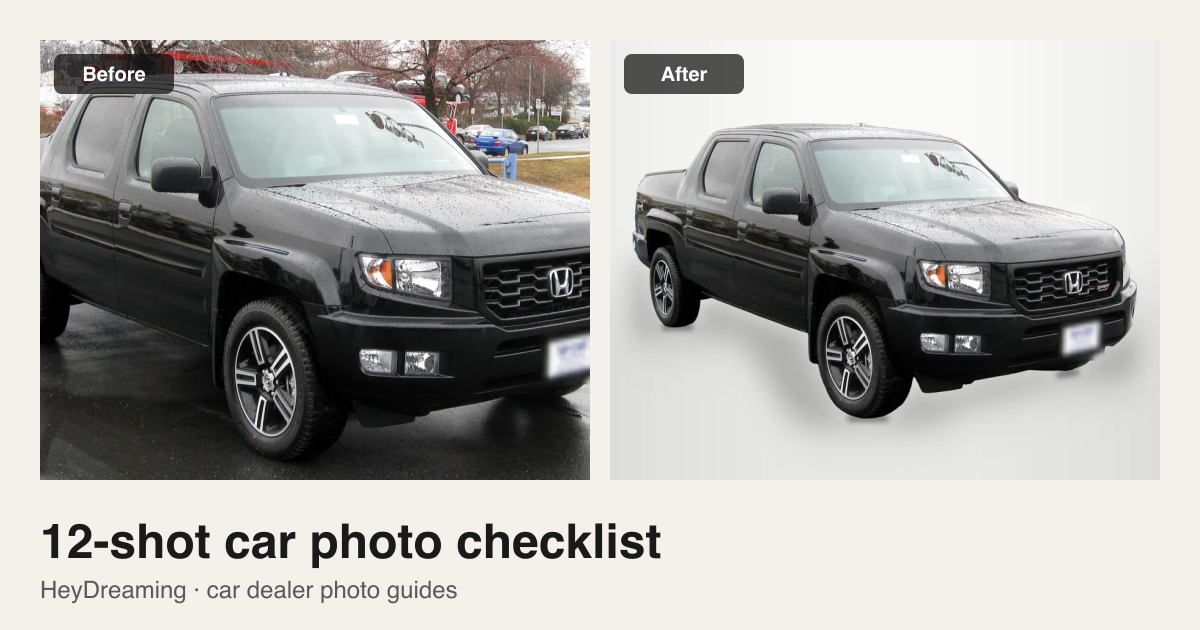
Prepared by HeyDreaming, which makes the linked car photo tools. This is a suggested capture and review workflow, not a marketplace's required photo count. The examples are our existing demonstration outputs on credited, openly licensed photos; this is not a comparison benchmark or evidence of increased sales.
For a repeatable car listing, start with six exterior angles, five cabin or cargo views, and a readable mileage photo. Keep the same order for each vehicle, then add photos of options, paperwork where appropriate, and visible wear. Twelve is a starting checklist, not a reason to leave something out.
The result you want is a set a buyer can assess: a complete view of the car, useful interior details and an honest record of its condition. A clean background helps presentation; it cannot supply a missing angle or uncover a wheel hidden by grass.
Download the 12-shot CSV checklist. It includes a suggested filename for each shot and a blank review column. Replace the example stock number A1234 with your own. Keep one copy per vehicle.
The 12 car photography angles and views
These filenames are an ordering example. In the Vehicles workspace, drag the thumbnails into this order before you create the vehicle; photos added later go to the end. The checklist does not rename your camera files automatically.
| Order | View | What to include | Check before leaving the car |
|---|---|---|---|
| 01 | Front three-quarter | Front and one complete side | Both visible tires, mirrors and bumpers fit inside the frame |
| 02 | Straight front | Grille, lamps and front plate | Stand centered; keep the camera level |
| 03 | Driver-side profile | Full side from bumper to bumper | Leave space around both ends and all visible tires |
| 04 | Rear three-quarter | Rear and the opposite side | Check for posts or nearby cars touching the outline |
| 05 | Straight rear | Tail lamps, tailgate or trunk and rear plate | Keep the whole vehicle in view |
| 06 | Passenger-side profile | Complete opposite side | Record that side's actual condition too |
| 07 | Dashboard wide | Cabin from an open door | Screen and trim visible without a heavily tilted camera |
| 08 | Front seats | Seat surfaces and footwells | Do not crop out wear a buyer should see |
| 09 | Rear seats | Rear row and useful legroom view | Remove belongings that obscure the interior |
| 10 | Console and controls | Gear selector, infotainment and controls | Reduce glare by changing camera position |
| 11 | Mileage and instrument cluster | Readable current display | Check focus; do not regenerate numbers or warning lights |
| 12 | Trunk or cargo area | Storage area and relevant accessories | Show the actual space and condition |
Add separate condition and equipment photos after these: damaged paint, worn seats, wheels, tires, accessories and any detail a buyer would otherwise need to ask about. A consistent sequence makes missing views easier to spot; it does not replace an inspection.
Set up the exterior shots before editing
Park where the whole car is visible on a clear surface. Avoid tall grass, curbs, parking blocks or another car crossing the vehicle's outline. Leave space around mirrors, bumpers, roof rails and tires. Keep the car large enough in the frame that a listing-sized export does not need a heavy enlargement.
Use a level camera and review the first front and side photo at full size. If bright reflections hide a panel, change your position or shooting time instead of expecting a background tool to reconstruct that panel. Take the original condition photo before making any presentation edits.
Windows need special attention. HeyDreaming keeps their reflections and the view through the glass. If the parked car behind the window is distracting, choose a clearer shooting position or retain the original scene. Removing the outside background will not clean the view through the glass.
Two examples: a usable source and a photo to reshoot
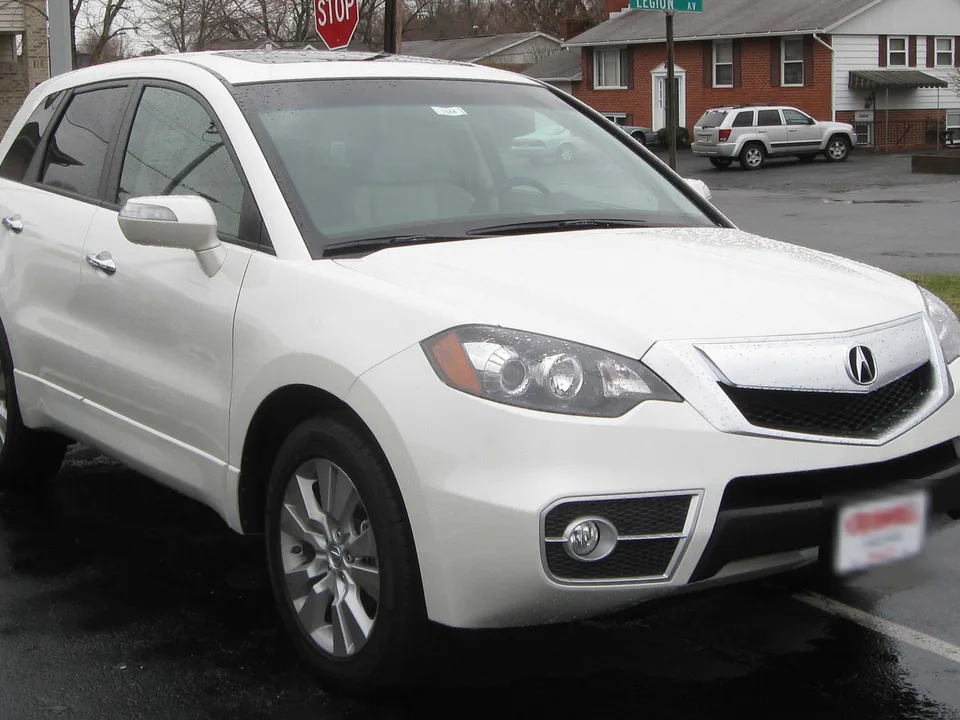
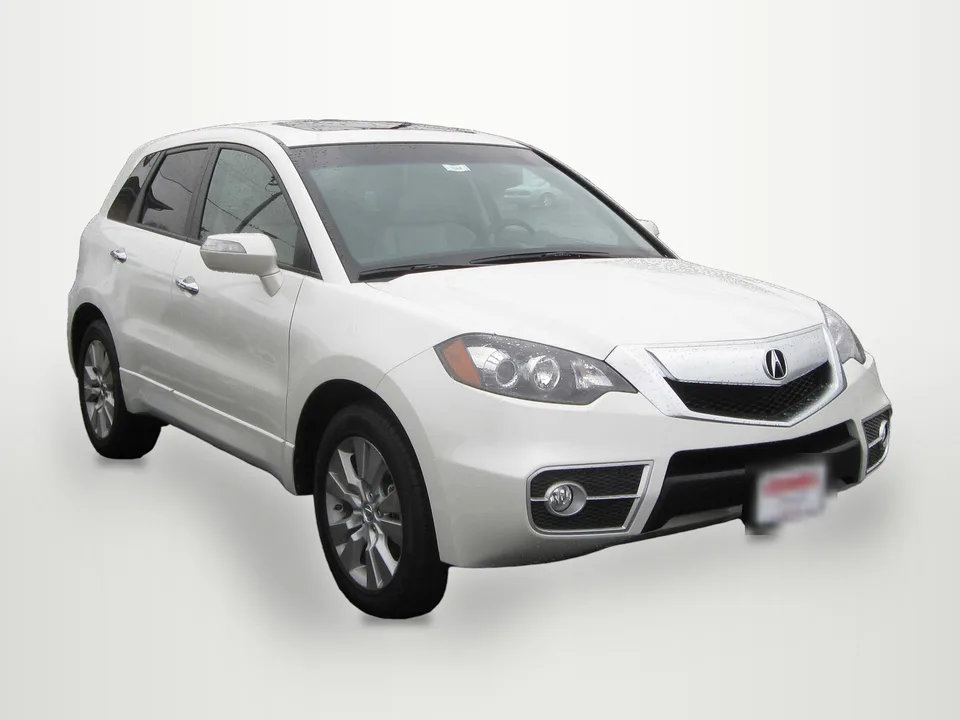
Photo: IFCAR, public domain, via Wikimedia Commons. Background replaced by HeyDreaming; plates covered in both previews. Check the mirrors, wheels and glass in the full-size output.

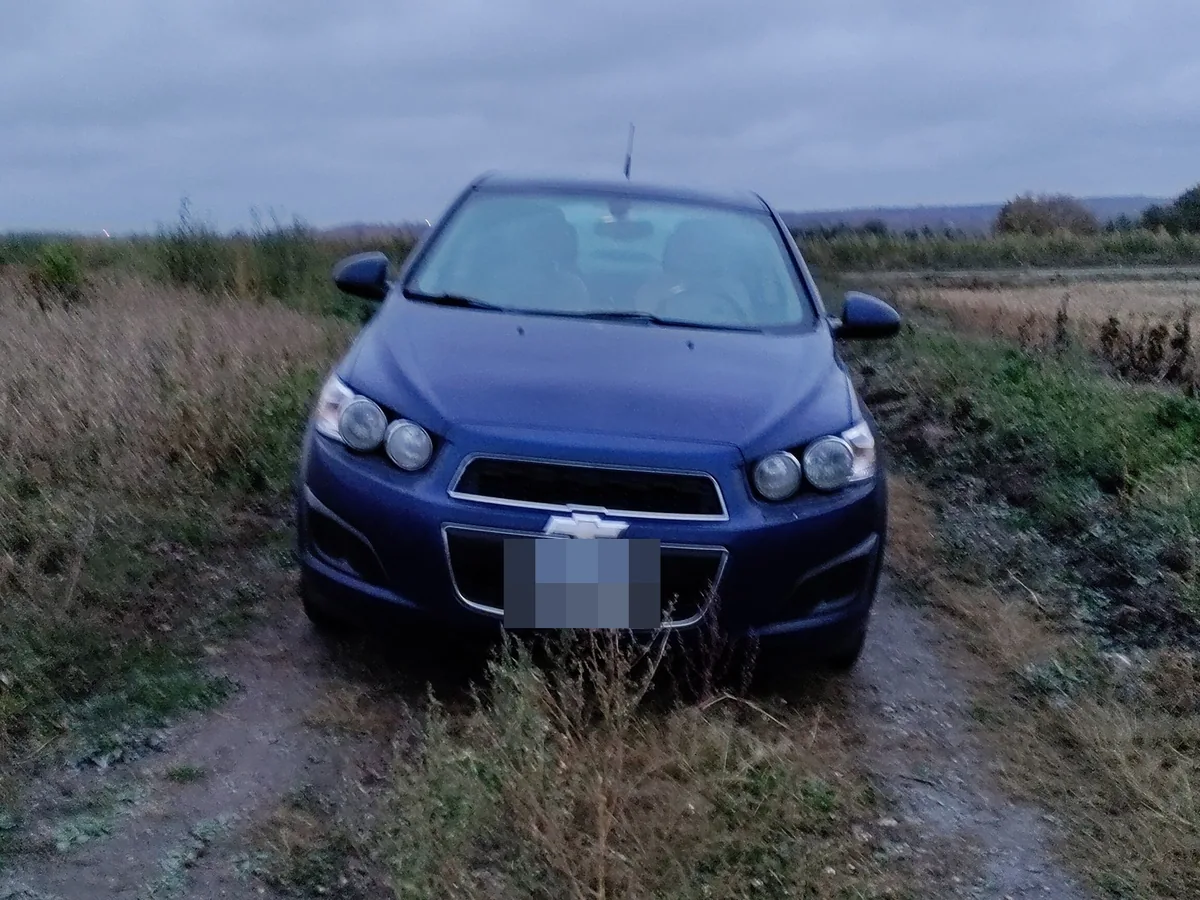
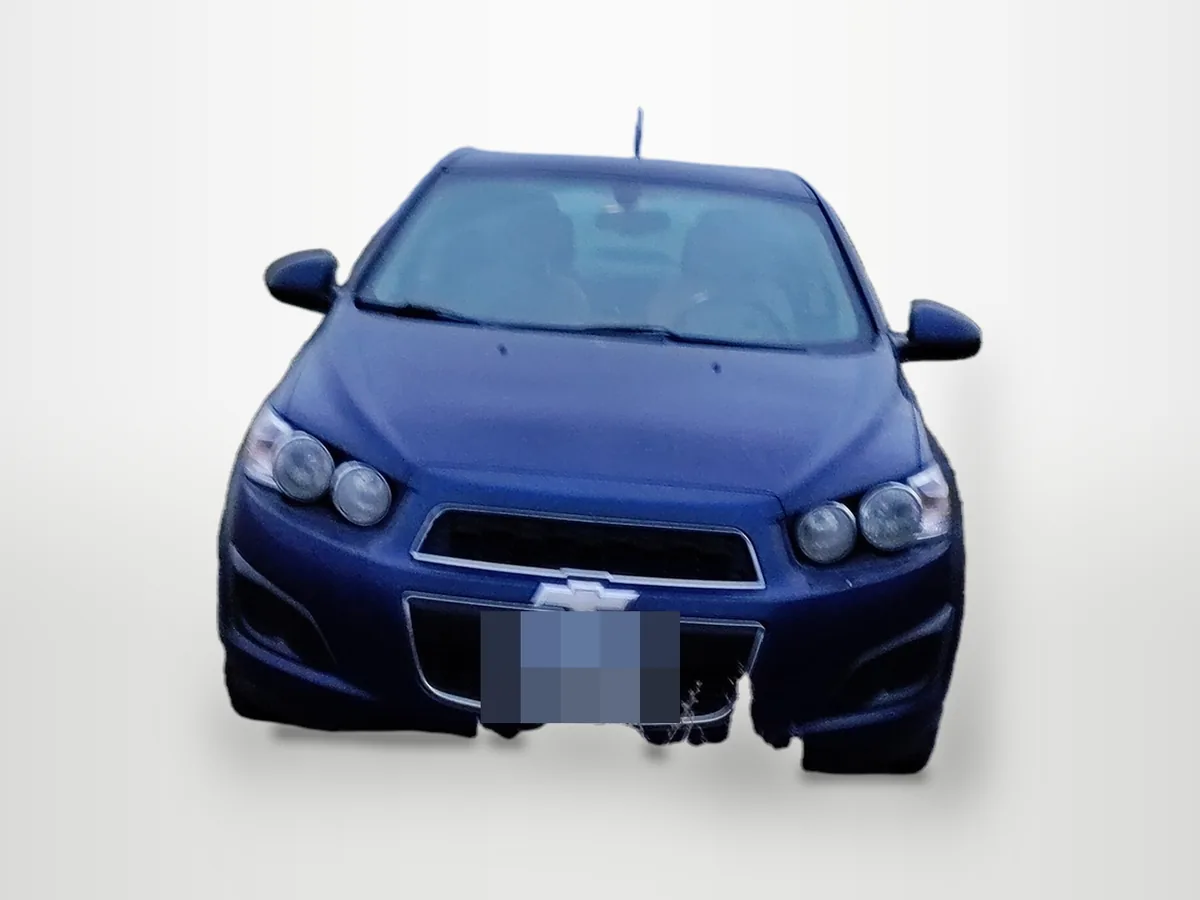
Photo: Cosmic Console, CC BY 4.0, via Wikimedia Commons. Background replaced and plates covered by HeyDreaming. Keep the original or reshoot on a clear surface; another background does not solve the missing vehicle detail.

Put your car on a clean background
20 free AI photo edits a day. Copy your source vehicle onto a fixed background, then check the outline and plate cover. Sign in to start; no credit card needed.
Choose the editing route that fits the photo
For an exterior listing image, the AI car photo editor copies the source vehicle onto one of four fixed backgrounds with a ground shadow. It does not generate a replacement car. Scaling, blended edges and JPEG compression still affect pixels; optional color and level corrections are separate choices, off by default.
If you need the vehicle for your own layout, use the car background remover and choose Transparent PNG. The area outside the estimated cutout is transparent. The windows remain part of the vehicle rather than becoming see-through holes.
For cabin, mileage and condition close-ups, keep the photographed view. Photos classified as interior or close-up are kept by default in HeyDreaming; review that classification. Do not force an exterior background change simply to make every image in a set look alike.
Use the free license plate tool when plate covering is the only job. It runs locally in your browser without an account. Inspect every box and the actual download; use Solid to paint over the selected area, and check that no plate edges remain visible.
From the checklist to a stock-number ZIP
- Create one vehicle in the Vehicles workspace with its stock number. Drag its photos into listing order before you create it, then check the numbered positions. The self-serve set supports up to 50 photos; the downloadable checklist is a suggested order, not an upload template.
- Pick a background and output size. At 1920×1440, kept original photos are fitted without cropping and padded when their aspect ratio differs. Exterior background replacements and interior views should still describe the same real vehicle.
- Compare each result with the source. Inspect the outline, glass, wheels, badges, paint and visible wear. Review any Needs check items yourself; automated checks can miss a problem. Keep the original, skip an unusable frame or reshoot when necessary.
- Confirm the plate cover, wait for it to save, then download. Open the ZIP and inspect the files and manifest before publishing. The manifest records dimensions and applied corrections; it is not an independent condition inspection.
The self-serve tool exports files for you to upload. It does not connect to a DMS or publish listings. If you want help preparing and reviewing a set, the car photo editing service agrees scope and turnaround with you before work starts.
Final review before you post
- The exterior sequence shows all sides; cabin, mileage and condition details are present.
- The filenames and stock number refer to the right vehicle and order.
- Tires, mirrors and thin parts are complete; no grass, post or neighboring car is attached to the outline.
- The vehicle's actual features and wear remain visible. Any optional color or level adjustment has been reviewed against the source.
- The exported plate covers match your choice on every relevant image.
- Every main image has the size you selected. Keep the source photos separately so you can return to them.
Work through a specific capture or editing problem
- Before shooting, use the car photography camera settings guide to check focus, exposure and readable cabin details.
- For a complete stock-number delivery, follow the batch car photo editing workflow through the downloaded ZIP and manifest.
- If grass, halos or missing mirrors spoil an exterior, use the background removal problem guide to decide whether to keep the original or reshoot.
Questions about a dealership photo checklist
Are twelve photos enough for every listing?
No. Twelve is this guide's starter sequence. Add the views, options and condition details your vehicle and destination require. Check the current requirements of the site where you will publish.
What is the best angle for a car's main photo?
A front three-quarter view is a useful starting point because it shows the front and one side together. Pick a view that represents the actual car, fits the whole vehicle in frame and works at the listing's displayed size. Keep straight front, rear and side views in the set as well.
Should interior photos get the same background as the exterior?
Usually the task is different: the buyer needs to see the cabin. Keep the interior as photographed, with a consistent output size if needed. In HeyDreaming, check the automatic scene decision rather than assuming every photo should be cut out.
Can editing fix a car photographed behind grass or a post?
A background replacement cannot recover vehicle detail that was never visible. The Sonic example shows this failure. Retain an honest source photo or take a clearer one before preparing the listing.
Save the CSV checklist for your next vehicle, or open the car photo editor when the source photos are ready.
Put your car on a clean background
20 free AI photo edits a day. Copy your source vehicle onto a fixed background, then check the outline and plate cover. Sign in to start; no credit card needed.
Keep exploring