Car Background Removal Problems: Grass, Halos, Mirrors and Glass
Fix bad car cutouts: a symptom-to-action table for grass, halos, mirrors and glass, and when to redo, keep the original or reshoot.
By HeyDreaming
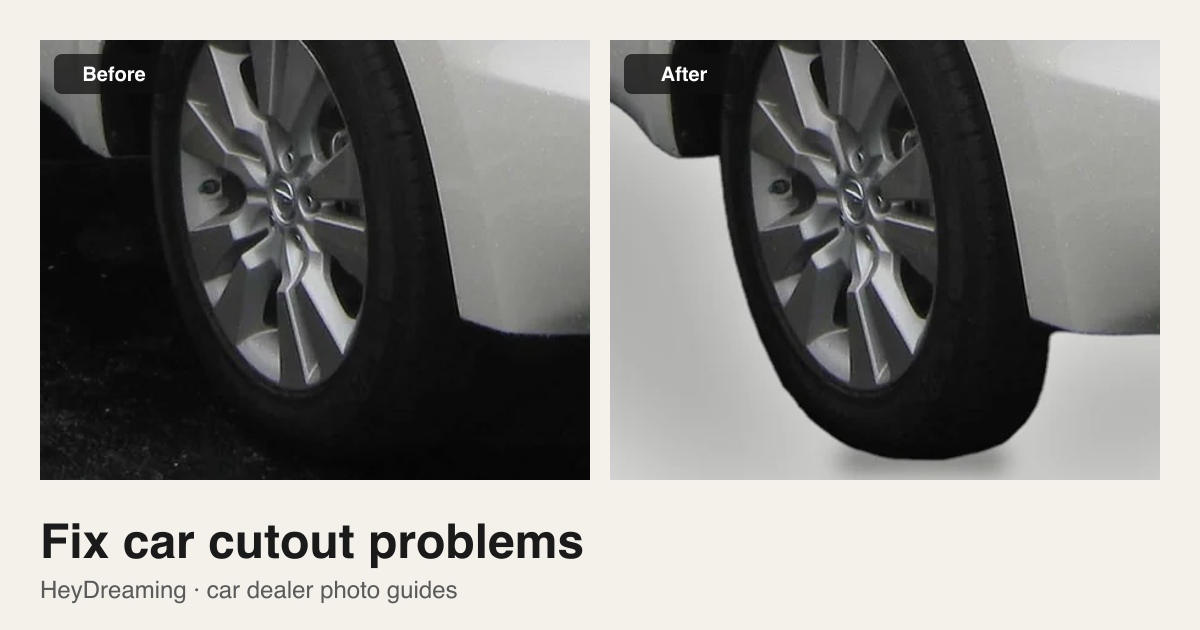
Prepared by HeyDreaming, which provides the car background remover and AI car photo editor discussed in this guide. The lossless pixel check compares the opaque interior of the estimated cutout with the source after scaling and any selected correction; it does not prove the outline or physical paint accuracy. Software copies visible pixels and cannot reconstruct occluded vehicle parts or clean window reflections. The Sonic demonstration uses a credited, openly licensed photograph under CC BY 4.0.
Background removal estimates the vehicle silhouette for a transparent cutout or a new background. An unobstructed source photo gives you a better starting point, but you still need to check the result. Ground obstructions, low contrast and blur can leave visible problems.
In HeyDreaming's car background remover and AI car photo editor, there is no manual brush tool, no glass reflection eraser, no upscaler, and no generative reconstruction of hidden tires. Understanding why a cutout failed helps you make the right operational choice: redo the background, keep the original photo, or reshoot the vehicle on the lot.
Diagnostic table: Symptom to Action
| Symptom | Possible cause | Visual check at 100% | Recommended action |
|---|---|---|---|
| Ragged tires or missing lower bumper | Tall grass, snow, weeds, or curbs crossed the vehicle outline | Check lower rocker panels and tire contact patches on the original photo | Reshoot: Software copies visible pixels; it cannot reconstruct tires hidden by grass |
| Missing antenna, mirrors, or edge halos | Low contrast between thin parts and original sky or lot backdrop | Zoom in to A-pillars, roof rails, and mirror stalks against the new sweep | Review or Reshoot: Compare edge contrast against Light grey (see our white background guide); if thin parts remain clipped, reshoot |
| Old lot objects visible through windows | Cabin glass remains opaque to preserve real reflections and views | Look through front and rear windshields to see what was behind the car | Keep original or Reshoot: Glass views stay part of the vehicle. Reposition the car on the lot if reflections are distracting |
| Fuzzy badges and pixelated edges | Car was shot from too far away and enlarged, or image suffered motion blur | Inspect source resolution and check sharpness (see our camera settings guide) | Reshoot: Software does not upscale or de-blur soft source photos; recapture closer to the car |
| Adjacent car parts attached to body | Another vehicle was parked too close, touching the target silhouette | Look for neighboring bumpers or side mirrors crossing the vehicle boundary | Crop before upload or Reshoot: Exclude the neighboring car only if the full target remains visible; otherwise recapture with clear space |
| Interior shot cut out with white holes | Open-door cabin view misclassified as an exterior shot | Compare the cabin source with the cutout | Keep original: In Vehicles, select Keep original for that frame. A photo kept as an interior also offers Replace background anyway |
Failed example teardown: Chevrolet Sonic in tall grass
The demonstration below illustrates a fundamental limitation of background replacement:
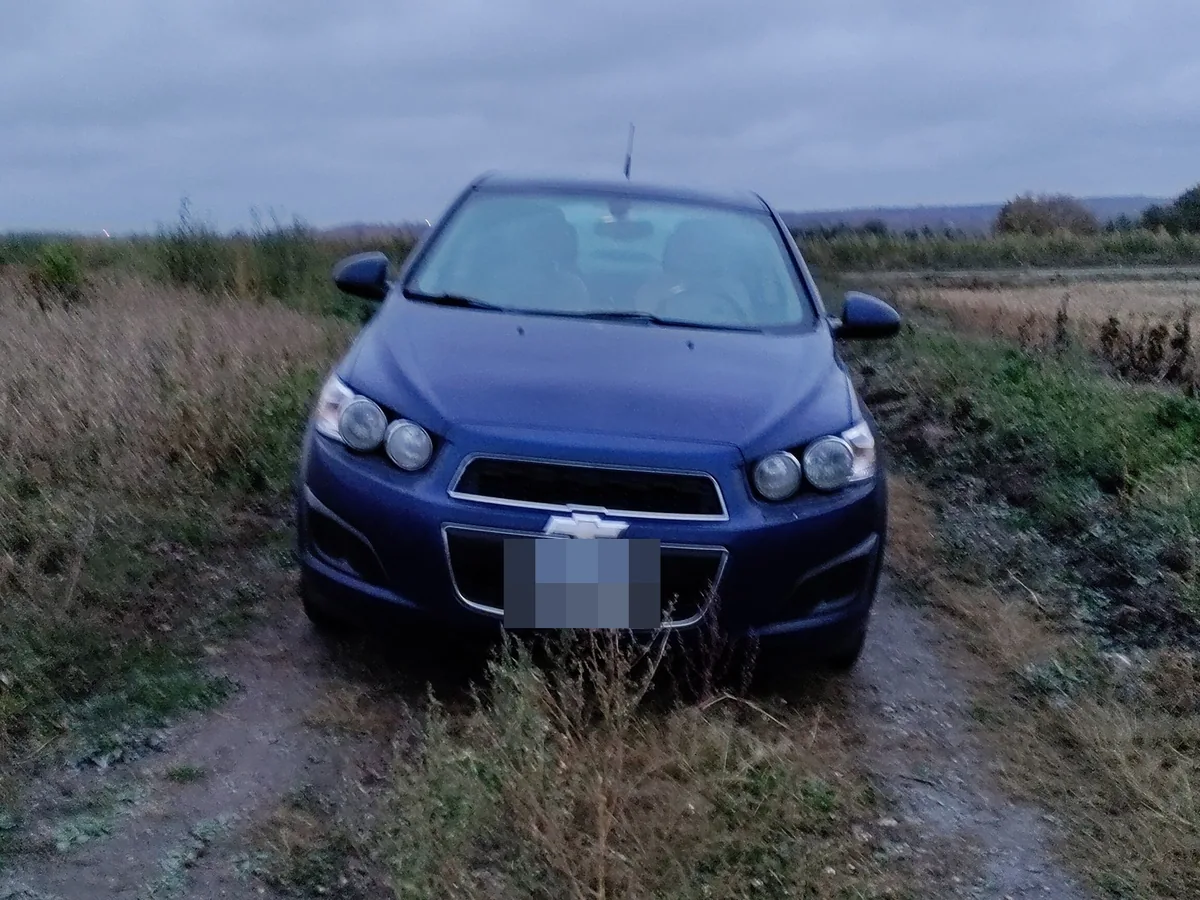
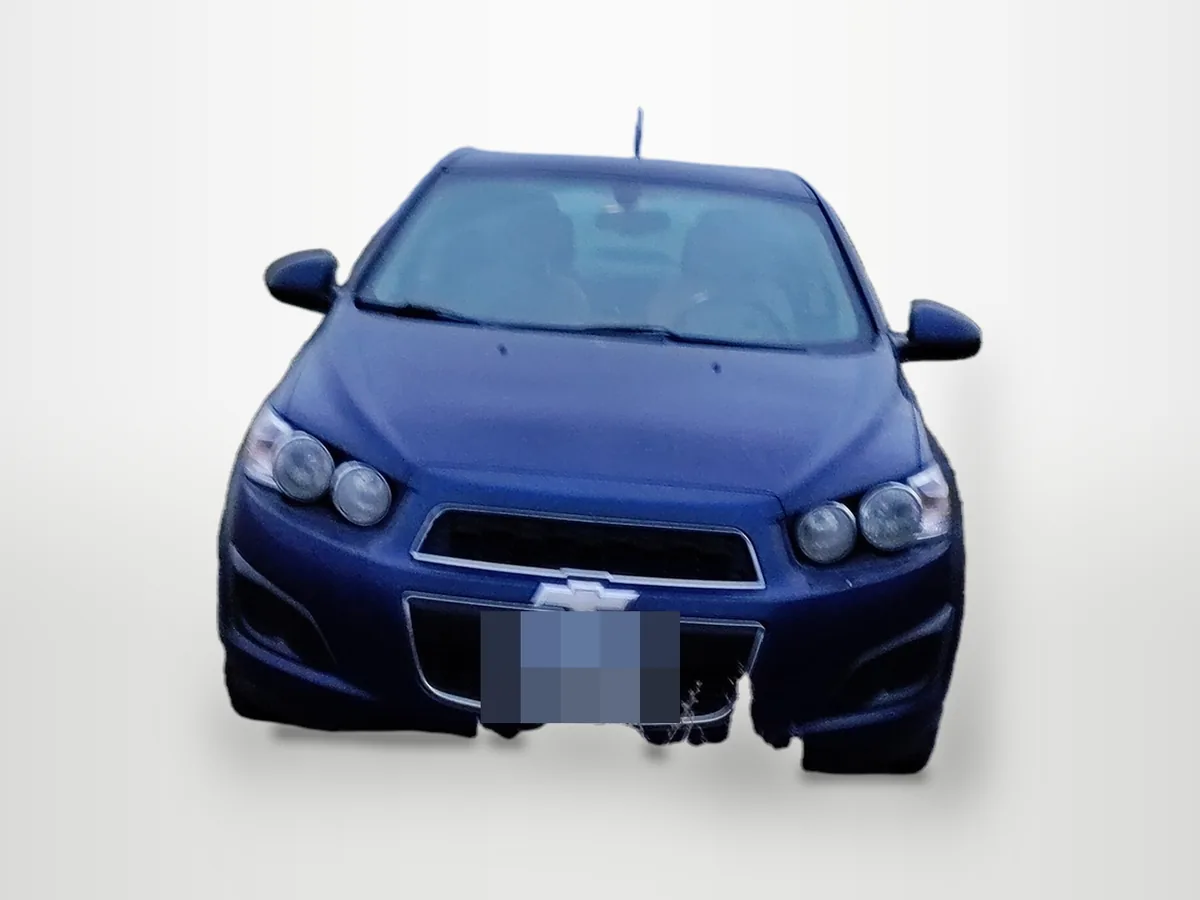
Photo: Cosmic Console, CC BY 4.0, via Wikimedia Commons. Background replaced and plates covered by HeyDreaming. Keep the original or reshoot on a clear surface; another background does not solve missing vehicle detail.

In the Sonic source photo, tall grass physically occluded the bottom of the front bumper and the tire contact patches. The output shows a ragged lower outline where grass crossed the source vehicle. The resulting cutout leaves the car with a jagged lower edge and floating, incomplete tires.
Rerunning this image through a "redo" cannot fix the problem because the camera sensor never captured the lower bumper or wheels. The result no longer shows a complete vehicle. Keep the original photo or reshoot on clean pavement.
Put your car on a clean background
20 free AI photo edits a day. Copy your source vehicle onto a fixed background, then check the outline and plate cover. Sign in to start; no credit card needed.
Why a pixel check does not prove outline accuracy
HeyDreaming performs an internal pixel verification check on a lossless PNG copy before returning results. It compares pixels inside the opaque interior of the estimated mask with the source after scaling and any selected global correction. It checks that this region was copied; it does not independently verify paint color or vehicle condition. Blended edge pixels, JPEG encoding and plate covers have separate effects.
However, a pixel check does not prove the outline is correct. If the mask accidentally clipped a roof antenna or included a patch of background fence, the pixels within the mask are still genuine source pixels, but the cutout silhouette is flawed.
Furthermore, automated flags like "Needs check" can flag rough edges and cropped frames, but they can still miss subtle issues. Human visual inspection of every edge at 100% zoom remains necessary before posting photos live.
What HeyDreaming can and cannot fix
To avoid wasted editing rounds, keep tool boundaries clear:
What the software handles
- Copies source vehicles onto fixed studio backdrops: White sweep, Light grey, Dark grey, or Showroom soft with a ground shadow using the AI car photo editor.
- Isolates silhouettes for custom graphics: Generates Transparent PNG cutouts via the car background remover.
- Preserves original interior and wear details: Keeps photos classified as interior or close-up without background replacement by default; review the automatic decision.
What the software cannot do
- No manual mask brush or lasso editing: You cannot paint back missing parts or erase stray edges by hand.
- No glass reflection removal: Windshields and side windows keep their original reflections and through-glass views.
- No AI upscaling or de-blurring: Soft, blurry, or low-resolution captures cannot be sharpened into crisp listing images.
- No dent, scratch, or missing-part reconstruction: Software will not reconstruct hidden tires or digitally repair body damage.
Decision framework: Redo, Original, or Reshoot
When an export shows flaws, follow this decision path:
- Consider Redo for a marginal cutout problem when another attempt is available in Vehicles. The standard redo tries a different cutout threshold; inspect the new outline against the source. A darker background can make a pale fringe less visible, but it does not restore a clipped mirror or recover hidden detail. Do not spend repeat attempts on an obstruction that was present in the source.
- Choose Keep Original if the photo is an interior cabin view, engine bay shot, or condition close-up that was mistakenly cut out, or if the original lot background is tidy enough that an imperfect cutout looks worse than the real lot.
- Choose Reshoot whenever wheels, bumpers, or mirrors were occluded during capture, when motion blur softened details, or when glare clipped panel contours. Park on clean asphalt with space around all sides, follow our 12-shot car photography checklist, and recapture clean source photos.
When your source photos are properly staged on flat pavement, test an exterior shot in the car background remover or AI car photo editor and inspect the downloaded result before publishing.
Put your car on a clean background
20 free AI photo edits a day. Copy your source vehicle onto a fixed background, then check the outline and plate cover. Sign in to start; no credit card needed.
Keep exploring