Car Photography Camera Settings for Dealer Listings
Sharp, readable car photos on a phone or camera: exposure, AE/AF Lock, cabin lighting and what to check before you edit.
By HeyDreaming
Prepared by HeyDreaming, which provides the AI car photo editor referenced in this guide. Camera setting ranges mentioned in this article are illustrative starting points for stationary vehicles in daylight, not universal rules or manufacturer-tested prescriptions. Software tools copy existing vehicle pixels and cannot reconstruct out-of-focus detail or clipped highlights. External documentation from Apple and Sony is cited for camera and exposure principles.
Even the cleanest background replacement cannot fix an out-of-focus wheel, an overexposed hood highlight, or an unreadable odometer photo. Check focus and exposure on a parked vehicle before editing in HeyDreaming's AI car photo editor.
Whether you photograph inventory using a smartphone or a dedicated DSLR/mirrorless camera, check each setup rather than assuming one setting fits the whole listing.
Phone camera workflow: Focus, Exposure, and AE/AF Lock
Automatic exposure can change between bright paint and dark shadows. These steps describe iPhone controls where supported; other phones use different control names and may not offer the same lock.
- Tap to set focus and metering: Frame the stationary car, then tap the vehicle body on the screen to set the focus point. As documented in Apple's camera tools guide, tapping sets the focus area and reveals an exposure slider.
- Adjust exposure manually: Drag the sun icon or exposure slider slightly down if bright paint reflections or chrome highlights look blown out. Preserving paint contours is critical for clear vehicle outlines.
- Use AE/AF Lock for same-distance angles: Touch and hold the focus point until
AE/AF Lockappears. This holds focus and exposure for the current setup. If clouds or shadows change the lighting, release the lock and reassess exposure. - Release and refocus when distance changes: When you walk from a wide three-quarter shot to a tighter profile shot (following our 12-shot car photography checklist), release the lock by tapping the screen and set focus anew. A focus lock from a different shooting distance can leave the next view soft.
- Re-meter for cabin and detail shots: Ambient light drops significantly inside the vehicle. Release any exterior lock before shooting the cabin; tap directly on the center console or instrument cluster so interior textures remain visible.
Dedicated camera controls: Aperture, Shutter, and ISO tradeoffs
For dedicated DSLR or mirrorless cameras, manual exposure balances light duration, depth of field, and image clarity. As outlined in Sony's exposure principles guide, shutter speed regulates light duration and freezes motion, while aperture (F-number) controls light volume and depth of field (the in-focus range).
| Camera control | Setting direction | Effect on stationary vehicle photos | Risk to inspect |
|---|---|---|---|
| Aperture | Smaller F-number (e.g. f/2.8, f/4) | Admits more light; creates a shallow depth of field | Front bumper may be sharp while rear wheels or cabin fall out of focus |
| Aperture | Larger F-number (e.g. f/8, f/11) | Admits less light; widens in-focus range from bumper to bumper | Requires sufficient light; compare fine detail rather than assuming the smallest aperture is sharpest |
| Shutter speed | Faster (e.g. 1/250s, 1/500s) | Admits less light; reduces blur from camera shake | Can underexpose image if ambient light is dim and ISO is locked low |
| Shutter speed | Slower (e.g. 1/60s, 1/30s) | Admits more light | Handheld camera shake can blur the image even when the car is parked |
| ISO | Lower (e.g. ISO 100, 200) | A useful starting point when there is enough light | Requires adequate daylight or a wider aperture |
| ISO | Higher (e.g. ISO 800, 1600) | Amplifies sensor signal for dim cabins or shaded lots | Inspect grain and fine detail; higher settings can show more noise |
For ISO, Sony’s ISO help guide describes sensitivity settings and cautions that higher ISO can show more noise. Use enough sensitivity to support a sharp exposure, then inspect the result.
Illustrative stationary daylight starting points
The numbers below are illustrative trial starting points for handheld shooting of stationary cars in outdoor daylight—not universal prescriptions or manufacturer-tested recipes. Lighting conditions, focal length, lens stabilization, and operator stability always require adjustments:
- Aperture:
f/5.6tof/8is an illustrative baseline for exterior three-quarter angles. Inspect both near and far visible parts, then adjust for the lens, sensor size and shooting distance. - Shutter speed:
1/125sor faster is a practical starting point for handheld shots of stationary vehicles. Inspect for hand-shake blur and increase the speed if needed. - ISO: Keep at base level (
ISO 100or200) in daylight to minimize sensor noise.
If shooting under heavy overcast skies or in a shaded carport, increase ISO moderately (e.g. ISO 400) or widen aperture rather than dropping shutter speed below your handheld threshold.
Put your car on a clean background
20 free AI photo edits a day. Copy your source vehicle onto a fixed background, then check the outline and plate cover. Sign in to start; no credit card needed.
Challenging conditions: reflections, dark cabins, and odometers
Three specific lot situations frequently create unusable listing images:
1. Bright reflections and clipped highlights
Direct midday sun produces harsh white glare across hood curves, windshields, and chrome grilles. When highlight pixels clip to pure white, edge boundaries disappear. Try lowering exposure and check that paint contours and dark detail remain visible. Clipped highlights can make edge review harder; see car background removal problems for diagnosing edge issues.
2. High-contrast interior cabins
Shooting a dark vehicle interior on a bright sunny day creates extreme contrast. Open vehicle doors fully to allow ambient daylight into the footwells and seats. Tap to meter directly on seat upholstery or the center console rather than the bright window glass.
3. Odometer and instrument cluster legibility
Include a clear mileage photo so the reader can inspect the displayed number. Reflections on instrument glass often obscure digital displays or analog numbers. Position the camera slightly off-axis to avoid direct flash or window glare, tap directly on the numbers to focus, and verify that numbers are legible before leaving the vehicle.
Check the first image at full size
Do not shoot an entire 20- or 50-photo listing set before checking image quality. After capturing your first front three-quarter exterior photo and first cabin photo, stop and review them at full size (100% zoom):
- Inspect sharpness: Zoom into the front badge, headlight assembly, and tire tread. Confirm lines are crisp and free from motion blur.
- Inspect highlights: Check hood contours and rooflines to ensure paint details are not washed out.
- Check cabin focus: Confirm odometer numbers and console buttons are clearly readable.
If an image is blurry or clipped, adjust your position or exposure and retake it immediately. HeyDreaming cannot recover the actual detail that was never recorded in the source.
How capture quality connects to editing
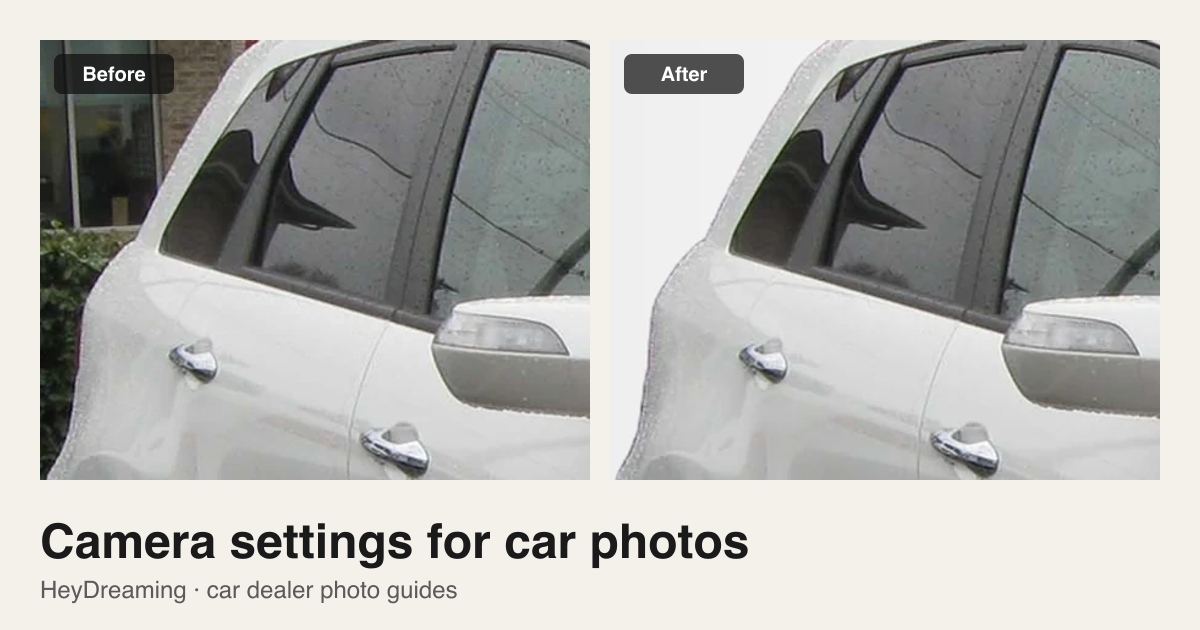
When editing photos in HeyDreaming's AI car photo editor, the software copies the source vehicle onto fixed backdrops (White sweep, Light grey, Dark grey, or Showroom soft) with a ground shadow. It does not generatively redraw vehicle panels, repair scratches, or sharpen blurry edges.
When exporting from the single-photo editor, fixed-background outputs download as JPEG, while Transparent PNG outputs download as PNG. In vehicle batches, users can choose JPEG or PNG. Note that original size refers to the prepared source dimensions (browser processing may downsize large files), not guaranteed raw camera bytes.
Quick capture checklist
| Checkpoint | What to check | Pass criteria |
|---|---|---|
| Focus & sharpness | Badges, wheel spokes, and tire tread | Sharp edges with no handheld motion blur at 100% zoom |
| Depth of field | Front and rear vehicle boundaries | Entire car remains in focus from bumper to bumper |
| Exposure balance | Hood highlights and dark lower rocker panels | Paint contours visible; no blown-out highlights or crushed shadows |
| Cabin lighting | Seats, console, and footwells | Interior textures visible without excessive digital grain |
| Mileage record | Odometer display | Digits clearly readable without glare or reflection washout |
| AE/AF reset | Focal distance when stepping between angles | Focus reset after changing shooting distance |
Once your source photos are sharp and well exposed, open the AI car photo editor to place your vehicle on a clean studio background.
Put your car on a clean background
20 free AI photo edits a day. Copy your source vehicle onto a fixed background, then check the outline and plate cover. Sign in to start; no credit card needed.
Keep exploring