White Background Car Photos: Capture, Replace and Check the Result
White car photos three ways: a real backdrop, a White sweep replacement or a transparent cutout. Edge, glass and export checks for each.
By HeyDreaming
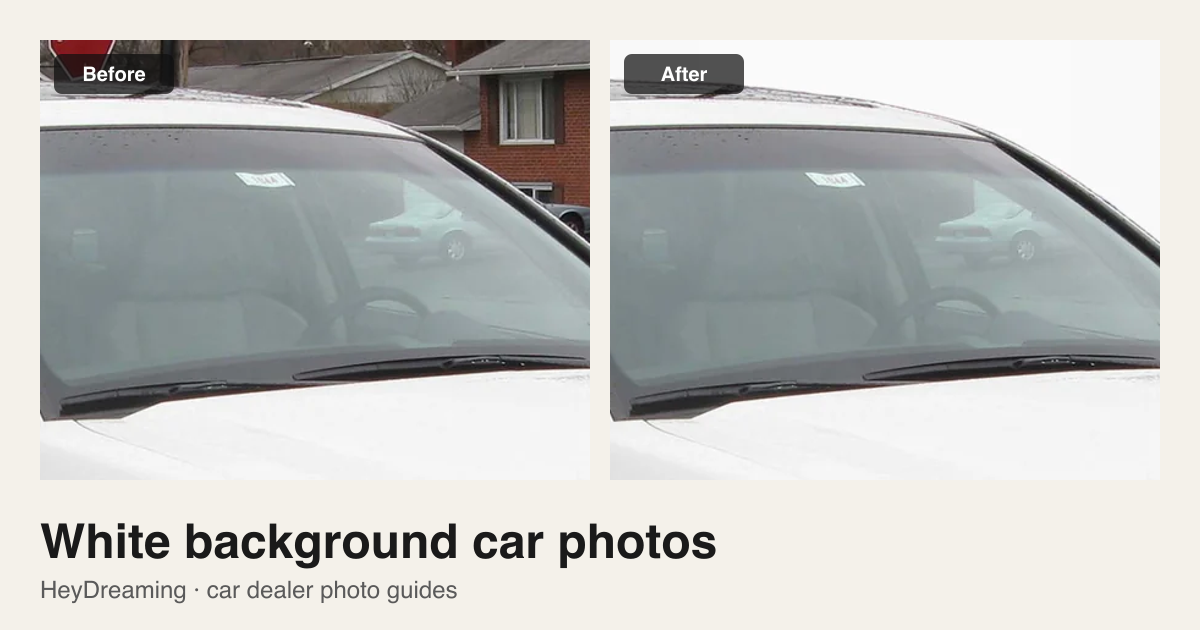
Prepared by HeyDreaming, which provides the AI car photo editor and background removal tools described in this guide. The White sweep background provides a studio-style sweep with a floor shadow rather than uniform digital RGB 255 white. Demonstrations use credited, openly licensed photographs. This article offers practical workflow guidance and does not guarantee specific marketplace acceptance or sales results.
A bright, neutral background removes lot clutter and presents a vehicle clearly. Sellers generally achieve this in one of three ways:
- Physical staging: Photographing the car in a dedicated photo bay or against a white wall.
- Fixed White sweep replacement: Using HeyDreaming's AI car photo editor to place the copied vehicle onto a studio sweep with a floor shadow.
- Transparent PNG cutout: Using the car background remover to generate a cutout for custom dealer graphics.
Each method fails in a different place: edges, the ground shadow or the glass.
Comparing the three routes
| Route | How it works | Best used for | Tradeoffs |
|---|---|---|---|
| Physical capture | Shoot in a dedicated staging bay | Dealerships with photo bays and lighting | Requires space, floor maintenance, and lighting gear |
| Fixed White sweep | Replaces exterior background with a studio sweep | Standardizing exterior photos across varied lot conditions | Works best with unobstructed source shots on flat pavement |
| Transparent PNG | Isolates the vehicle silhouette | Custom dealer graphics, composite banners, or site templates | No floor shadow; grounding must be handled in design |
HeyDreaming's White sweep preset is not a flat digital RGB (255, 255, 255) fill. Flat #FFFFFF white can make a vehicle look like a pasted cutout. White sweep renders a studio-style floor with subtle gradations and a soft ground shadow under the tires. If a marketplace needs pure #FFFFFF, download the Transparent PNG and place it on a white canvas yourself.
Decision table: dark cars, light cars, glass, and grass
Cutout clarity depends on vehicle color, surface reflections, and ground conditions:
| Scenario | Visual challenge | Recommended approach | What to inspect |
|---|---|---|---|
| Dark cars (black, navy, charcoal) | High contrast against white can reveal rough edges | Capture with even lighting; use White sweep or Light grey | Check roofline and wheel arches for harsh fringing |
| Light cars (white, silver, beige) | Low contrast between paint highlights and bright background | Maintain contrast during capture; avoid highlight clipping | Verify hood and roof contours remain distinct from the sweep |
| Windows and glass | Reflections and views through glass stay part of the car | Park against clean backdrops to keep glass views neutral | Confirm objects seen through cabin glass are not distracting |
| Grass and clutter | Obstacles obscure lower bumpers, tires, and rocker panels | Reshoot on flat asphalt or clean concrete before editing | Ensure tires are visible; software cannot restore hidden parts |
Steps for fixed background replacement
When placing vehicle photos on a fixed White sweep background using the AI car photo editor:
- Capture clean source photos. Park on level pavement with space around all sides, keeping tires and bumpers in frame. Follow our 12-shot car photography guide to cover standard exterior views.
- Upload to the editor. Select an exterior photo (JPEG, PNG, or WEBP up to 20 MB).
- Choose White sweep. The editor isolates the silhouette, copies the vehicle, and places it onto the sweep with a ground shadow without generatively redrawing the car. Scaling, blended edges and JPEG encoding can still change pixels; compare visible condition details with the source.
- Inspect the result. Check the vehicle outline, tire contact patches, and glass reflections.
- Export. Choose the output size before processing. The single-photo White sweep result downloads as JPEG; Transparent PNG uses PNG. Original size refers to the prepared source dimensions, which can be smaller than the camera file. Keep camera originals separately.
Put your car on a clean background
20 free AI photo edits a day. Copy your source vehicle onto a fixed background, then check the outline and plate cover. Sign in to start; no credit card needed.
Floor shadows and source glass realities
A car placed onto pure white without a shadow appears to float. HeyDreaming renders a soft ground shadow under the tires and chassis. Inspect where tire rubber meets the shadow to verify tread edges remain sharp.
Glass also requires inspection. The cutout algorithm isolates the exterior silhouette; windows remain opaque, retaining their original reflections and the view through the cabin. If objects behind the car show through the glass, repositioning the car on the lot is more effective than trying to edit the glass afterwards.
Demonstration: neutral studio replacement
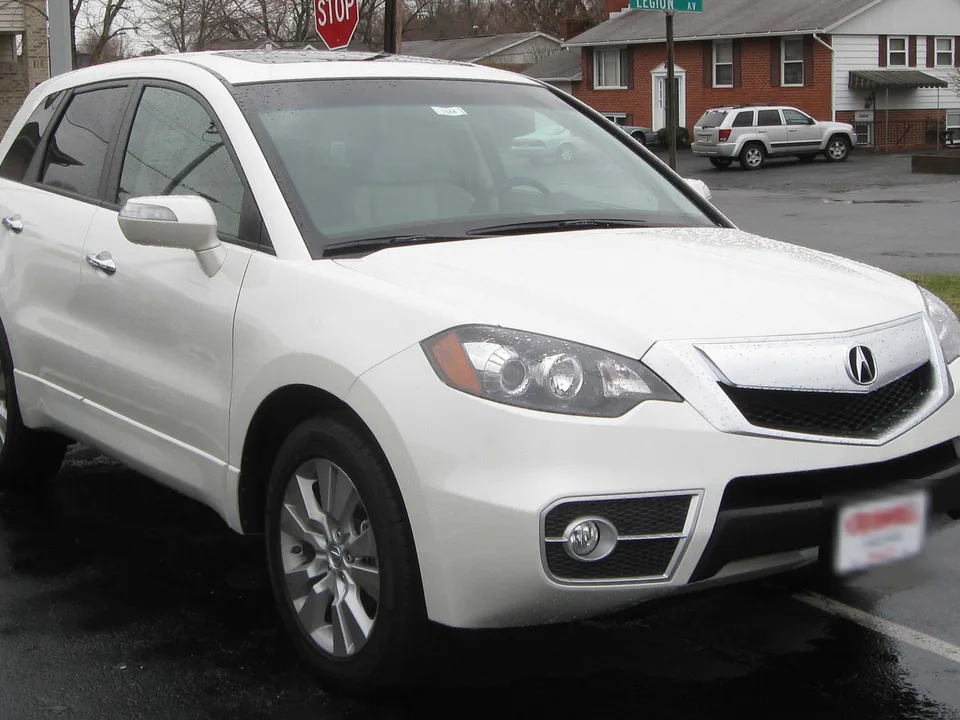
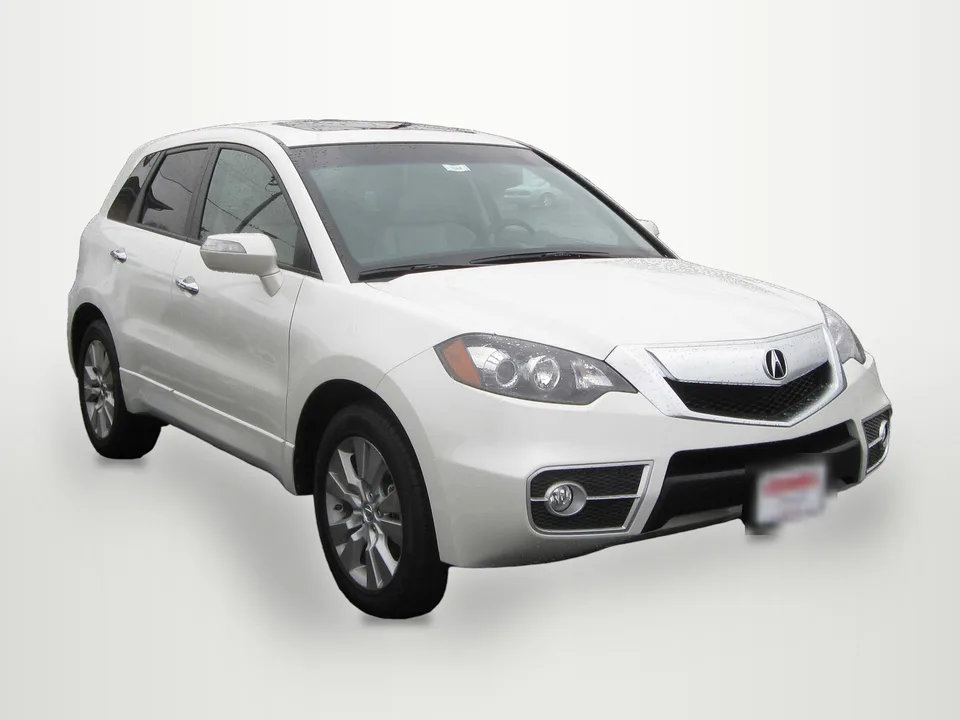
Photo: IFCAR, public domain, via Wikimedia Commons. Background replaced by HeyDreaming; plates covered in both previews. Note: this neutral studio backdrop illustrates background replacement; it is not presented as a verified White sweep preset result. Check mirrors, wheels, and glass in full-size exports.

If source photos have obstacles touching the car—such as grass covering the bumper—the cutout cannot restore missing parts. For diagnosing difficult edges and occlusions, see our guide on car background removal problems.
Preserve separate interior and condition photos
White sweep backgrounds are designed for exterior angles. Do not apply them across an entire listing set:
- Cabin views: Dashboard, seats, and odometer photos should stay as photographed. In HeyDreaming's vehicle workflow, photos classified as interior or close-up are kept without background changes by default; review that automatic decision.
- Condition details: Close-ups of tire tread, wheel scuffs, or paint chips must remain original so buyers can assess real vehicle condition.
- Archive originals: Always keep unedited camera originals stored separately.
Export acceptance checklist
Before posting white-background photos, verify each image against this checklist:
| Checkpoint | What to inspect | Pass criteria |
|---|---|---|
| Vehicle outline | Mirrors, antennas, and bumper edges | Outline is clean without jagged fringes, haloing, or clipped parts |
| Edge separation | Paint boundaries against the sweep | Edges are clearly defined; white paint does not bleed into sweep |
| Ground shadow | Tire contact points | Tires sit naturally on a soft shadow without floating or clipped rubber |
| Glass integrity | Window reflections and views | Views through glass look natural and avoid jarring shapes |
| Photo role | Exterior vs. interior vs. condition | White sweep applied to exterior shots; cabin shots remain original |
| Originals saved | Master camera files | Unedited source files safely preserved in an archive folder |
When your photos are ready, test an exterior shot in the AI car photo editor to place your vehicle on a clean White sweep background.
Put your car on a clean background
20 free AI photo edits a day. Copy your source vehicle onto a fixed background, then check the outline and plate cover. Sign in to start; no credit card needed.
Keep exploring