Choosing Car Backgrounds for White and Black Vehicles
Inspect a white Acura and black Ridgeline on contrasting backgrounds. Compare rooflines, tires and glass without treating two samples as a universal rule.
By HeyDreaming
Published by HeyDreaming, which supplies the tools described. Examples reuse dated internal QA on public-source images, not customer results. The worksheet is manual and does not add product functionality.
Selecting an effective background for white and black cars requires evaluating how extreme paint tones interact with studio backdrops. Light paint and dark paint fail in opposite visual ways: white vehicles risk edge washout along sunlit rooflines and side mirrors, while dark vehicles risk losing lower rocker panels, mud flaps, and black tires against dark floor shadows. Crucially, choosing a background that matches the vehicle paint—such as placing a black truck onto a dark grey sweep—may visually conceal an edge halo, but it does not fix an inaccurate boundary mask.
While our guide on white background car photos explains general studio cutout mechanics, this article provides an edge-inspection checklist based strictly on two recorded internal test subjects: a white 2010 Acura RDX and a black 2012 Honda Ridgeline Sport.
The Edge Inspection Workflow
Evaluating white and black vehicles requires a structured review sequence:
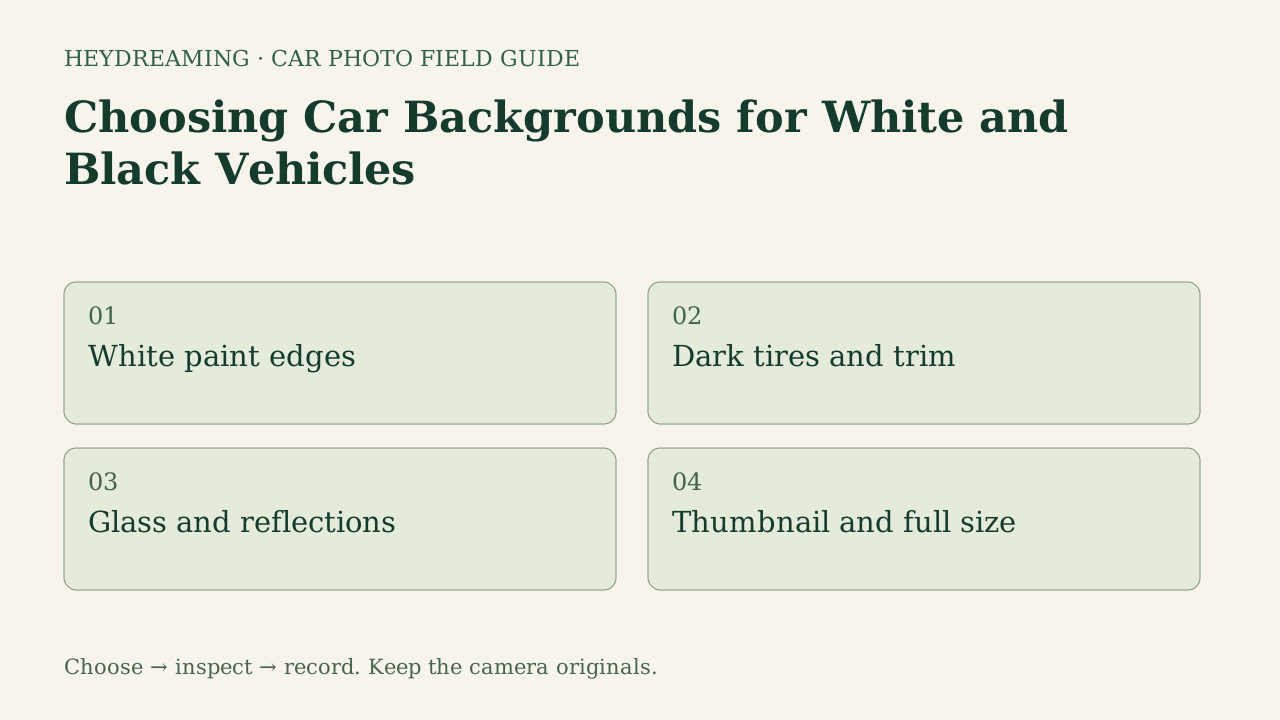
This diagram illustrates an explanatory review workflow, not a measured performance benchmark:
- White paint edges: Inspect contrast along the roofline, A-pillars, hood contours, and mirror caps.
- Dark tires and trim: Check lower body boundaries, rocker panels, mud flaps, and tire tread grounding.
- Glass and reflections: Verify that outdoor reflections and cabin views remain acceptable.
- Thumbnail and full size: Check appearance at small search grid dimensions and 100% zoom.
Real Boundary Comparisons on Acura and Ridgeline Samples
In internal QA tests on October 31, 2026, we processed public-domain reference vehicles through HeyDreaming's background workflow to inspect boundary behavior across all four fixed presets.
The figures below show the white 2010 Acura RDX and black 2012 Honda Ridgeline Sport across contrasting presets:
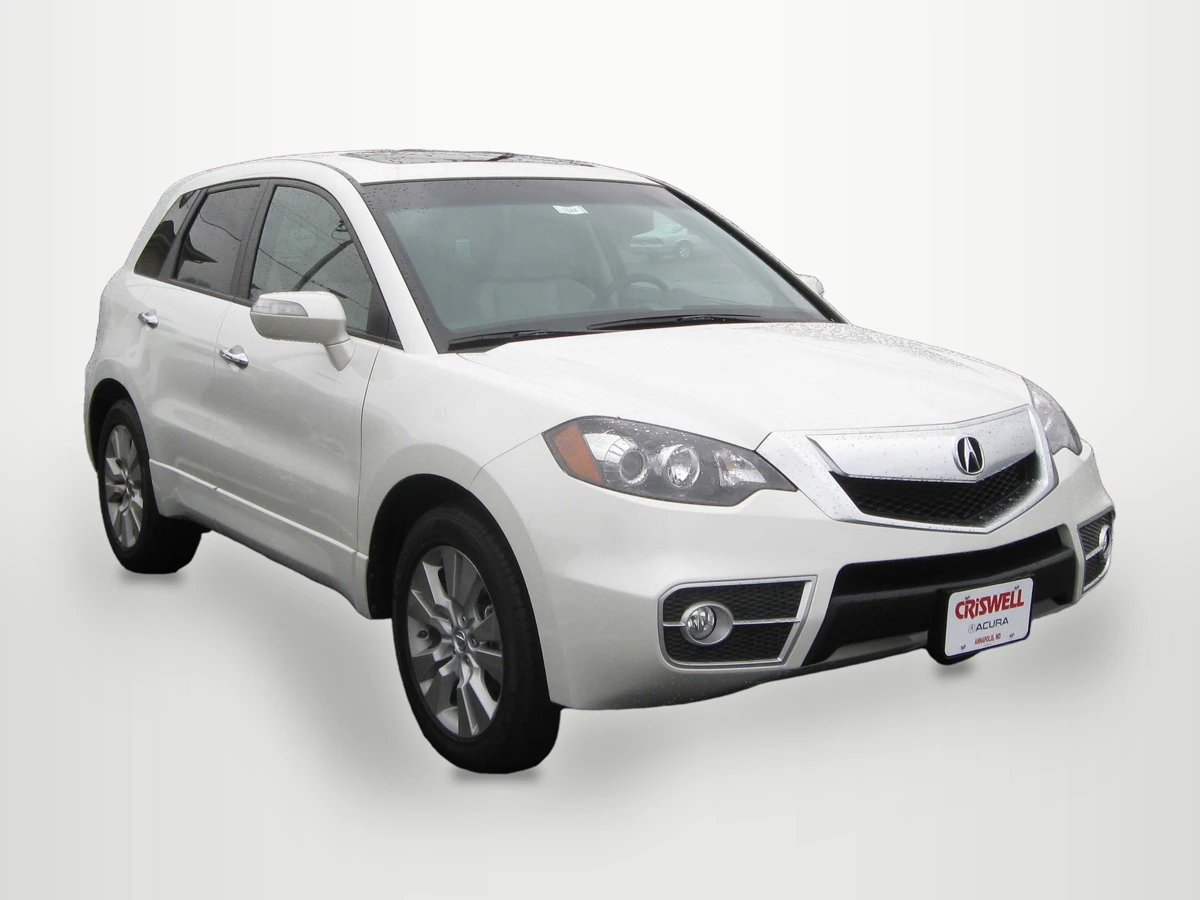
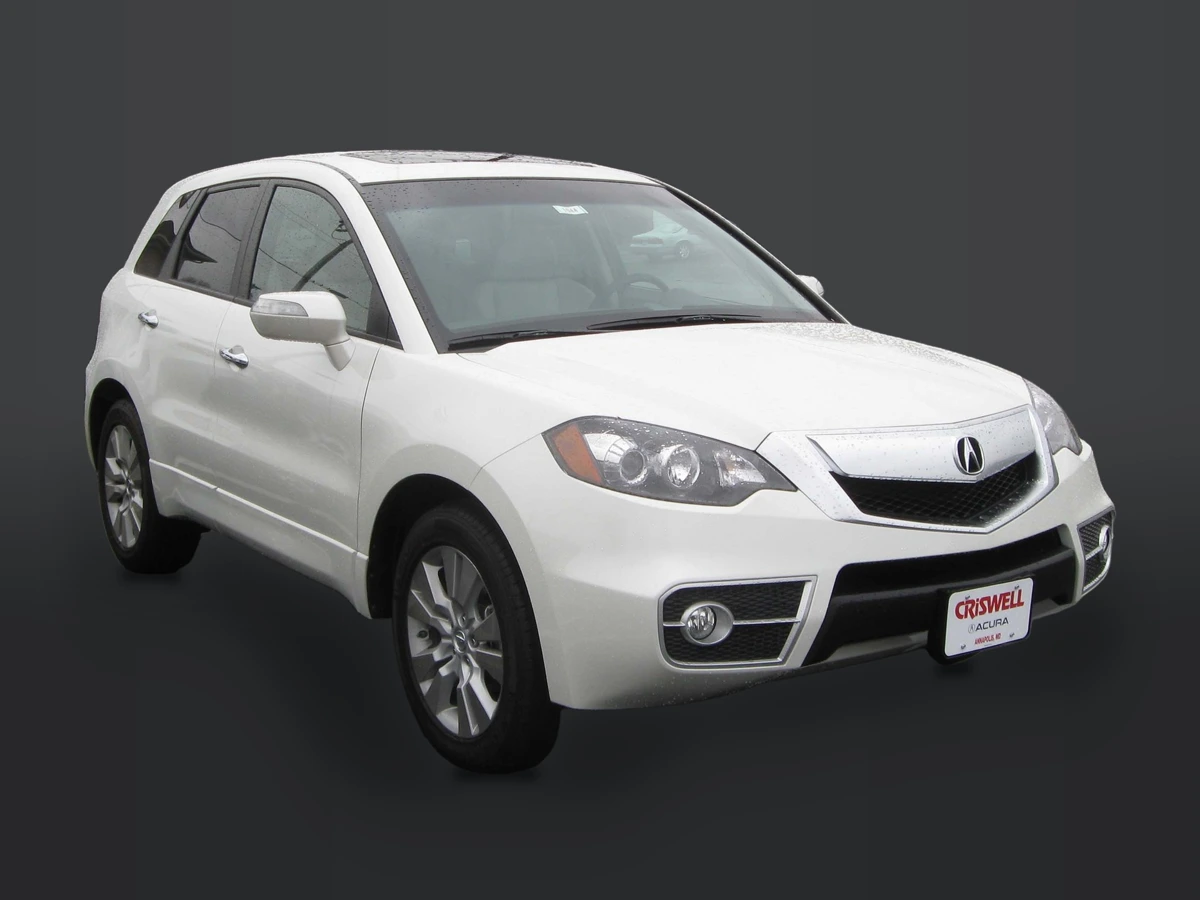
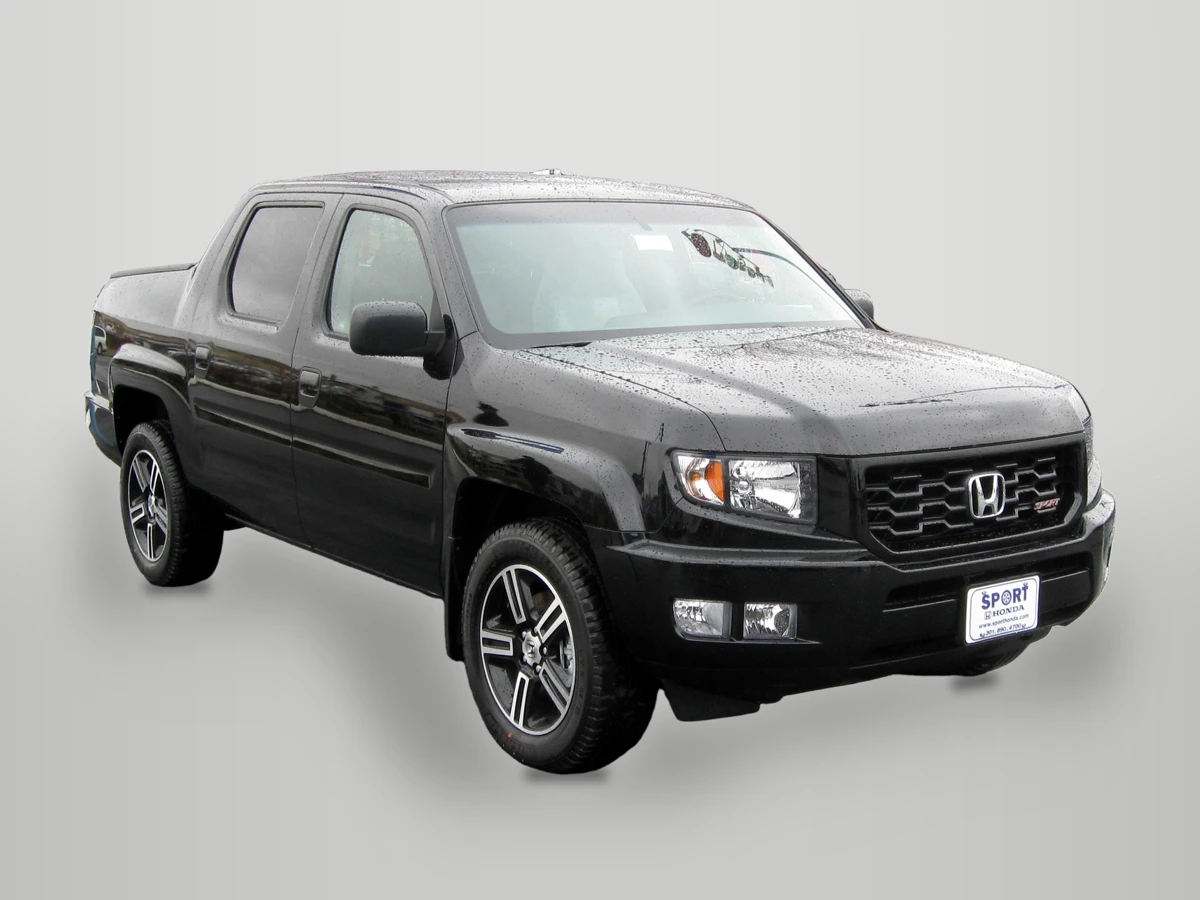
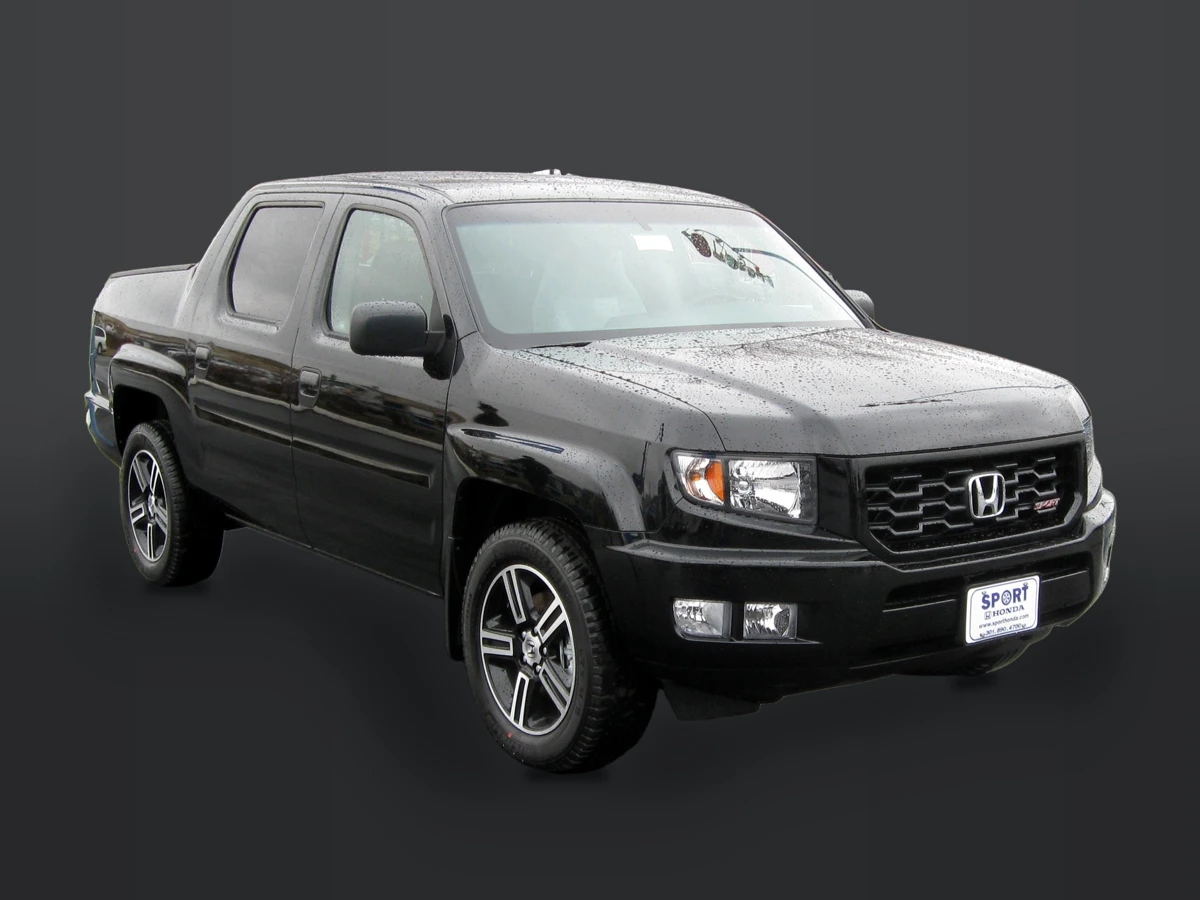
Photo credits: Acura RDX by IFCAR, Public domain, via Wikimedia Commons; Honda Ridgeline Sport by IFCAR, Public domain, via Wikimedia Commons. Modifications: source images re-encoded, vehicles extracted and composited onto HeyDreaming's presets with rendered floor shadows, scaled to standard export dimensions, and compressed to WebP for web delivery.
Why these figures matter for your inspection:
- White Paint Contrast: In the white Acura samples, bright rooflines have lower contrast against the White sweep than against Dark grey. However, Dark grey reveals subtle fringing if the source capture had high-contrast background clutter.
- Dark Paint and Tire Masks: On the black Ridgeline, Light grey makes the silhouette distinct but highlights any mask imperfections around roof rails or mud flaps. Placing the truck on Dark grey softens halo visibility, but lower body panels and tires risk blending into the floor shadow.
- Fixed Scene Realities: HeyDreaming's fixed presets do not relight the vehicle. A contact shadow does not guarantee a correct cutout, and transparent PNG exports can still retain glass reflections or subtle edge remnants. These comparisons concern the photographed vehicle, not a lighting reconstruction.
- Core Pixel Integrity: In our eight background worker jobs (evaluating both vehicles across all four fixed presets with corrections off), an eroded opaque vehicle core had zero differing pixels across lossless output masters. The core comparison is across each car's four lossless outputs, away from boundaries; it does not certify the outline, physical paint accuracy or JPEG/WebP equality. Photographed views remain through glass.
To evaluate preset standards across your team, see our guide on car photo background presets for dealers, and run verification with our car background test checklist.
Put your car on a clean background
20 free AI photo edits a day. Copy your source vehicle onto a fixed background, then check the outline and plate cover. Sign in to start; no credit card needed.
Edge Inspection Matrix: Light vs Dark Paint
| Inspection Zone | White / Light Paint Risk | Black / Dark Paint Risk | Verification Standard |
|---|---|---|---|
| Roofline & Pillars | Bleeds into bright white sweeps | Sharp contrast exposes haloing | Check pillar boundaries at 100% zoom |
| Mirror Caps | Washes out against light backdrops | Outlines distinct; check glass | Verify mirror housing outline is intact |
| Rocker Panels | Clear separation on dark sweeps | Blends into dark floor shadows | Ensure lower body contours remain visible |
| Tires & Shadow | Shadow provides primary grounding | Rubber can merge with dark floor | Inspect contact patch definition |
Downloadable White and Black Check Worksheet
To record inspection findings across inventory, use our downloadable spreadsheet template:
Download the white and black vehicle check worksheet (CSV)
Use this manual spreadsheet to log quality reviews across four inspection stages: White paint edges, Dark tires and trim, Glass and reflections, and Thumbnail and full size. For each vehicle stock number and source file, staff record observed results, approve or reject the composite, assign a reviewer, document next actions, and add contrast notes. The worksheet is a manual audit aid that does not connect to DMS software or enforce application behavior.
Frequently Asked Questions
Does placing a black car on a dark background fix rough cutout edges?
No. Placing a black vehicle on a dark grey background lowers edge contrast, which can visually conceal an edge halo, but it does not correct an inaccurate boundary mask. Inspecting the vehicle against a lighter backdrop like Light grey reveals whether tire rubber, rocker panels, or roof rails were clipped during extraction.
Why do white vehicles on white sweeps sometimes look like floating cutouts?
If sunlit rooflines blend into the white backdrop while tire contact shadows are faint or clipped, the vehicle loses grounding and depth. Inspect the shadow together with tire contact and stance. A plausible shadow can help presentation but does not guarantee a correct cutout.
Can this HeyDreaming workflow relight a vehicle to match the background?
No. HeyDreaming's fixed background workflow composites the extracted vehicle onto a chosen backdrop with a rendered contact shadow, but it does not relight body panels or recalculate glass reflections. Source lighting remains in the vehicle image; preparation, scaling, encoding and any explicitly selected global correction can still change values.
Immediate Next Action
Select one white vehicle and one black vehicle from your lot and process both through HeyDreaming's AI car photo editor using Light grey and Dark grey. Open the saved files at 100% along the white roofline and black tire regions, then record the per-photo decision. Each run uses the available daily photo allowance. Two acceptable references do not approve every future frame; keep reviewing new captures.
Put your car on a clean background
20 free AI photo edits a day. Copy your source vehicle onto a fixed background, then check the outline and plate cover. Sign in to start; no credit card needed.
Keep exploring