A Car Photo Background Preset Register for Dealer Teams
Keep a manual approval register for four fixed car-photo backgrounds, with reference images, exceptions, an owner and review date.
By HeyDreaming
Published by HeyDreaming, which supplies the tools described. Examples reuse dated internal QA on public-source images, not customer results. The worksheet is manual and does not add product functionality.
When multiple photographers, sales reps, or lot attendants photograph inventory, maintaining visual consistency across your catalog requires standard car photo background presets. Without clear team rules, individual editors often select different backgrounds at random, resulting in an inconsistent search feed where neighboring listings clash.
However, photo editing platforms like HeyDreaming provide fixed backgrounds—specifically White sweep, Light grey, Dark grey, and Showroom soft—without custom preset builders, account-level permission locks, or automated team governance UI. Establishing consistency requires an operational approach: a manual preset approval register that defines which backgrounds your staff may use for specific vehicle colors and listing roles.
While our overview of white background car photos explains the technical capture and cutout process, this guide provides a practical register framework for dealer teams to test, approve, and govern preset usage.
The Preset Register Workflow
Implementing a team-wide preset standard requires an orderly review process. The diagram below outlines the four-stage governance workflow:
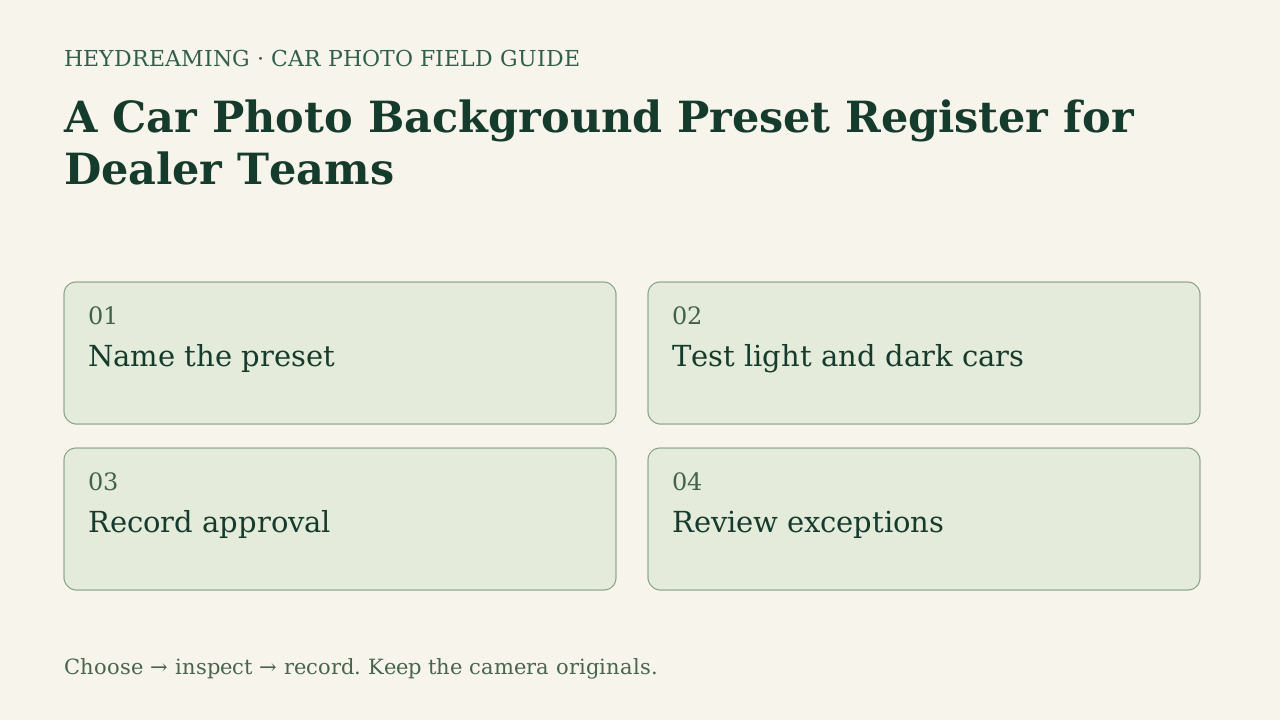
This diagram represents an explanatory review workflow, not a measured performance benchmark:
- Name the preset: Review the four fixed system presets (White sweep, Light grey, Dark grey, and Showroom soft).
- Test light and dark cars: Use your own representative vehicle colors to evaluate edge separation; the recorded comparison here covers only one white and one black vehicle.
- Record approval: Document which presets are authorized for search feed hero images versus secondary angles.
- Review exceptions: Define rules for rare paint colors, custom wraps, or lighting conditions where standard presets should not be used.
Comparing the Four Fixed Presets on Real Samples
Evaluating presets requires observing how identical vehicle bodywork interacts with different background tones. In internal QA tests on October 31, 2026, we processed public-domain reference vehicles through HeyDreaming's background workflow to evaluate edge separation across all four fixed options.
The figures below show a white 2010 Acura RDX composited onto each available system backdrop:
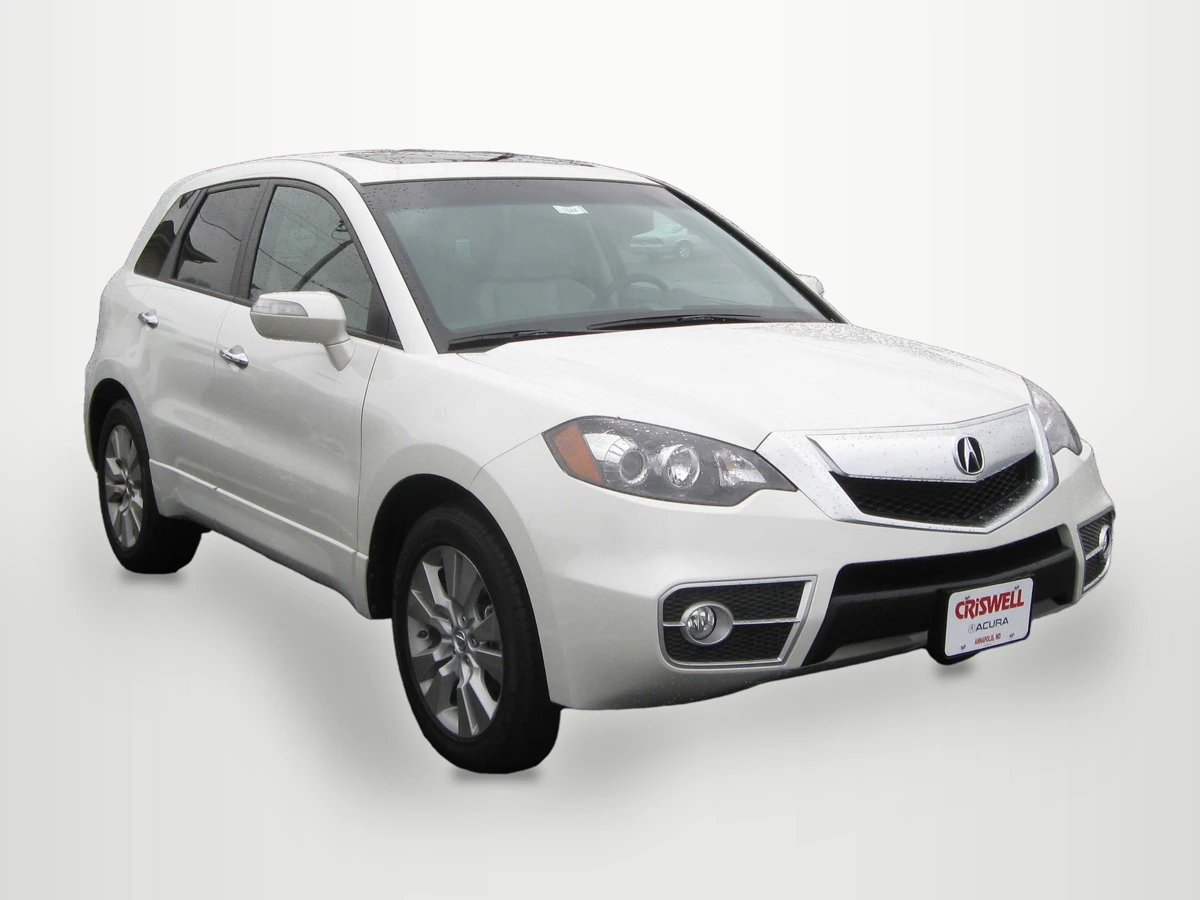
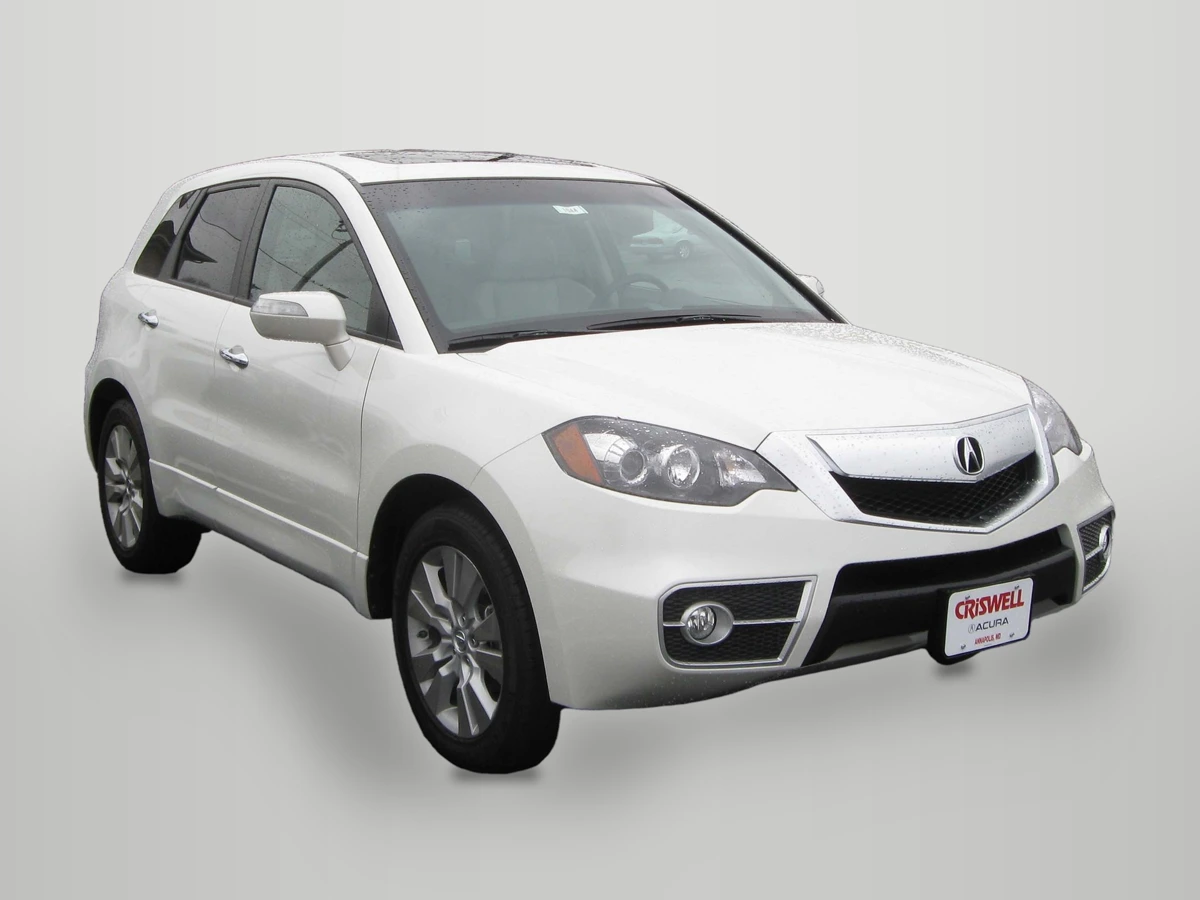
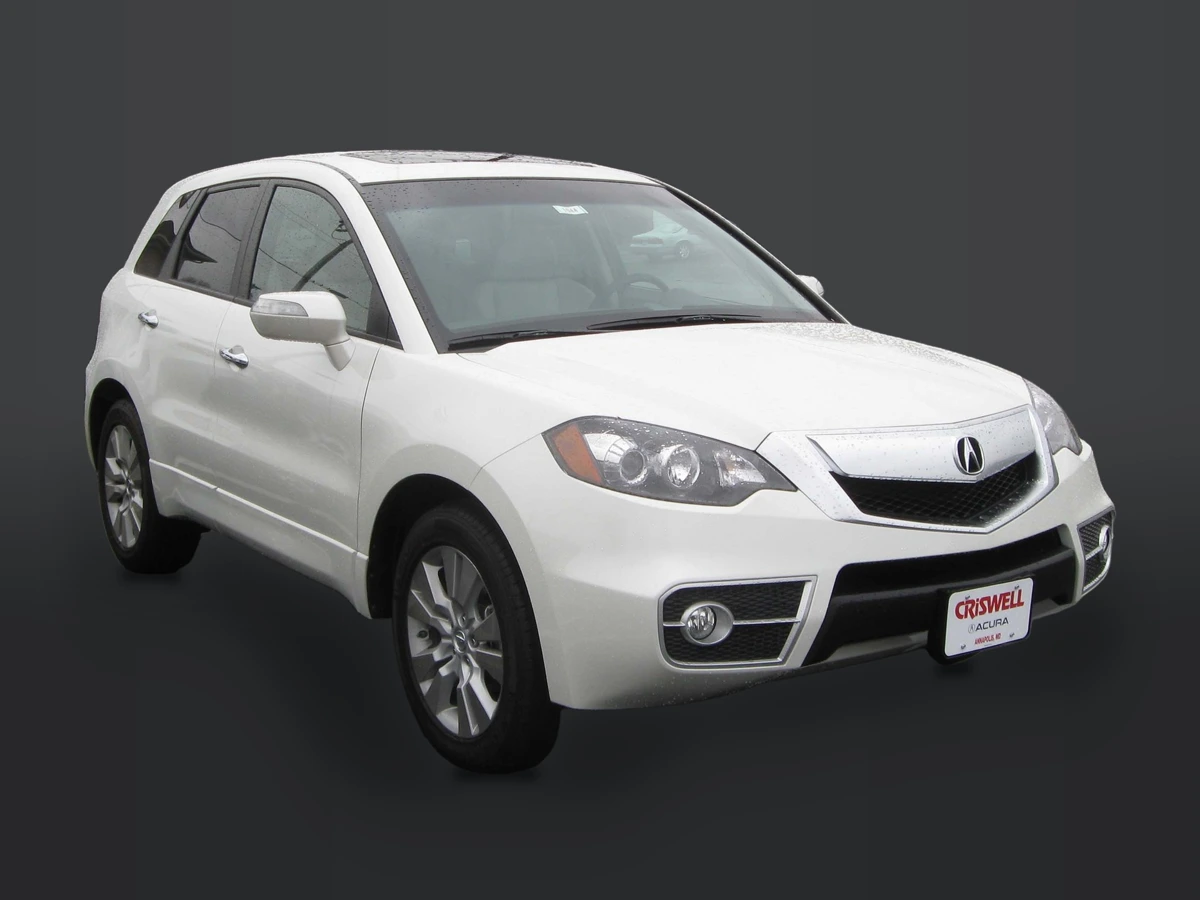
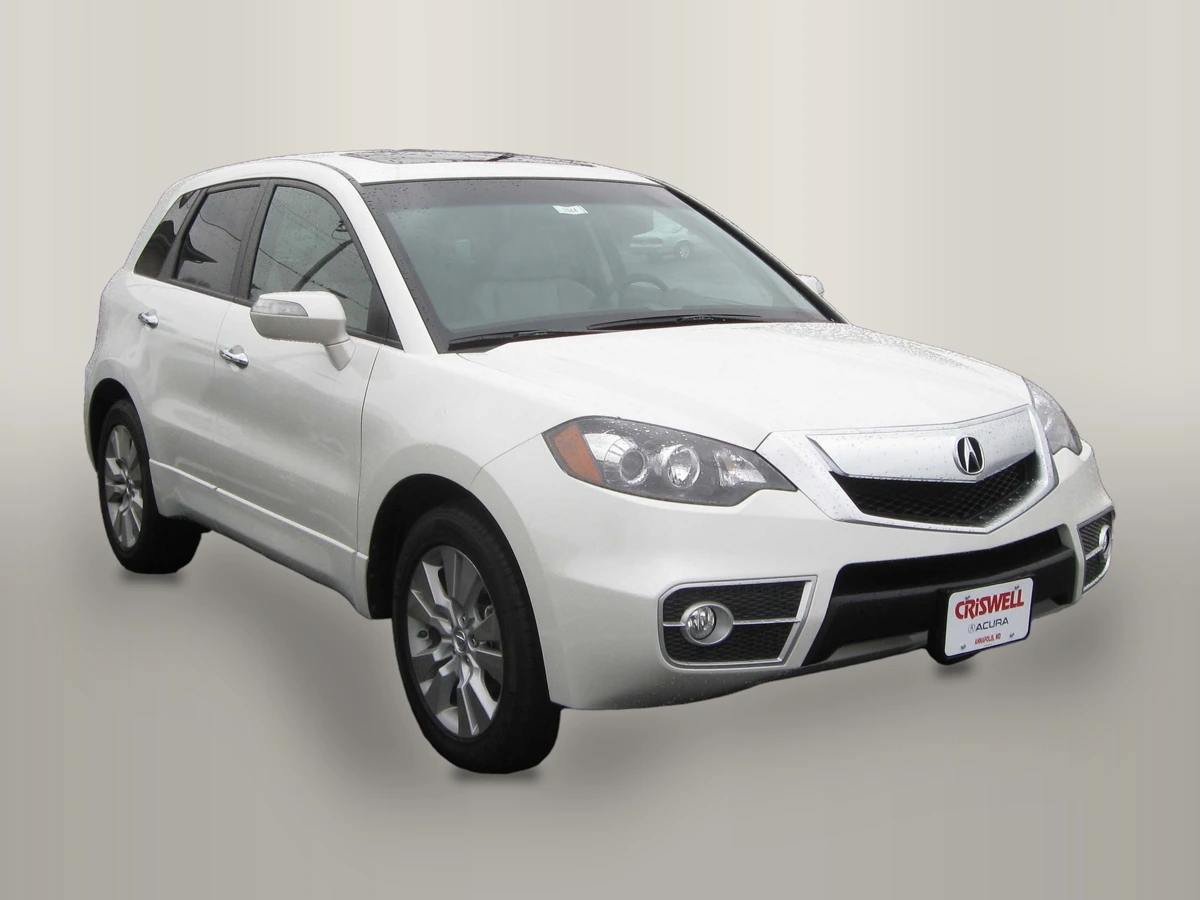
Photo credit: IFCAR, Public domain, via Wikimedia Commons. Modifications: source image re-encoded, vehicle extracted and composited onto HeyDreaming's fixed presets with rendered floor shadow, scaled to standard export dimensions, and compressed to WebP for web delivery.
Why these four figures matter for your team register:
- White Sweep Contrast: On light vehicles like this white Acura RDX, bright rooflines and hood edges sit close in tone to the White sweep. Teams must verify that roof rails and pillars do not visually bleed into the backdrop.
- Light Grey Versatility: In this Acura preview, inspect the roofline and mirrors against Light grey. Silver paint and other lighting conditions need their own checks.
- Dark Grey Separation: Dark grey creates strong contrast against light vehicles, accentuating silhouettes. However, on dark vehicles (such as black SUVs or trucks), dark backdrops can swallow lower body panels if shadows blend.
- Showroom Soft Ambience: Showroom soft supplies a fixed scene, not new lighting on the vehicle. Check the floor perspective and retained glass views; no preference for premium inventory was tested.
- Glass Realities: Notice that across all four presets, photographed outdoor views and interior shapes remain through the cabin glass. The cutout algorithm isolates the exterior body silhouette; it does not generatively repaint window transparency.
- Opaque Core Integrity: In our eight background worker jobs (two reference vehicles processed across all four fixed presets with corrections turned off), an eroded opaque vehicle core showed exactly zero differing pixels across lossless output masters. This comparison concerns the opaque region away from edges across presets. It does not certify the estimated outline, physical paint accuracy or byte-identical JPEG output; selected global corrections are a separate path.
To understand how these presets compare to custom dealership backdrops, see our analysis of fixed vs custom car photo backgrounds. For assigning presets across entire photo sets, review our guide on car photo backgrounds by listing use.
Put your car on a clean background
20 free AI photo edits a day. Copy your source vehicle onto a fixed background, then check the outline and plate cover. Sign in to start; no credit card needed.
Preset Approval Matrix for Dealer Teams
| Preset | What to test | Possible role after your review | Inspection focus |
|---|---|---|---|
| White sweep | Dark paint plus light rooflines | Exterior angles with adequate separation | Roof, mirrors, tires and contact shadow |
| Light grey | Both light and dark source photos | A mixed-inventory trial, not universal approval | Outline, wheels and retained reflections |
| Dark grey | The white sample, then your dark tires and trim | Exterior angles where the boundary remains visible | Lower panels and tires blending with the floor |
| Showroom soft | Your source lighting against the fixed scene | A scene-consistency trial | Floor perspective, glass views and lighting mismatch |
Downloadable Preset Register Worksheet
Because this HeyDreaming workflow has no per-staff preset lock, managers using it can record their choices operationally. Track your team approvals with our downloadable CSV template:
Download the preset register worksheet (CSV)
The worksheet contains seven columns:
preset: Pre-populated with the four system backdrops:White sweep,Light grey,Dark grey, andShowroom soft.approved_roles: The designated photo types permitted for this preset (e.g., hero thumbnail only, all exterior angles).test_source: The reference vehicle stock number or filename used to validate edge quality.contrast_notes: Observations regarding paint edge separation, tire grounding, and glass reflections.exception: Specific paint codes or vehicle classes excluded from using this preset.owner: The team leader or photography manager responsible for approving this setting.review_date: The calendar date when this approval was last verified.
How to use the worksheet: This CSV is a manual tracking aid. It contains no automated formulas, does not sync with DMS inventory feeds, and does not enforce software rules inside editing tools. Dealership managers should manually log test results, define clear exceptions, and store completed registers where photography staff can reference them before uploading batches.
Frequently Asked Questions
Can a dealership lock editing software so staff can only use one preset?
No administrative locking or governance controls exist within HeyDreaming's self-serve interface. The self-serve picker exposes four fixed presets; this is not a claim that every account has identical allowances or access to all product features. Dealerships must enforce preset standards through internal operating guidelines, staff training, and manual approval registers rather than expecting software restrictions.
Why should a dealership restrict staff from using random presets?
Permitting staff to select arbitrary presets creates a visually fragmented inventory page. When search results display a chaotic mix of white, grey, and dark backgrounds, the dealership's online storefront appears unorganized. Standardizing presets creates a cohesive catalog appearance.
What is the best all-around preset for an inventory with diverse vehicle colors?
No universal winner was established by this two-photo QA. Compare Light grey with the other choices on your actual paint colors, tire regions and capture lighting, then record the source-specific result. A preset that works on one reference image is not an approval for all inventory.
To test your dealership's reference vehicles on each fixed studio backdrop, upload a sample photo to HeyDreaming's AI car photo editor.
Put your car on a clean background
20 free AI photo edits a day. Copy your source vehicle onto a fixed background, then check the outline and plate cover. Sign in to start; no credit card needed.
Keep exploring