Car Photo Backgrounds for Listings, Detail Shots and Promotions
Map exterior, cabin, condition and design photos before editing a vehicle set. Includes a five-role worksheet and checks for what stays as photographed.
By HeyDreaming
Published by HeyDreaming, which supplies the tools described. Examples reuse dated internal QA on public-source images, not customer results. The worksheet is manual and does not add product functionality.
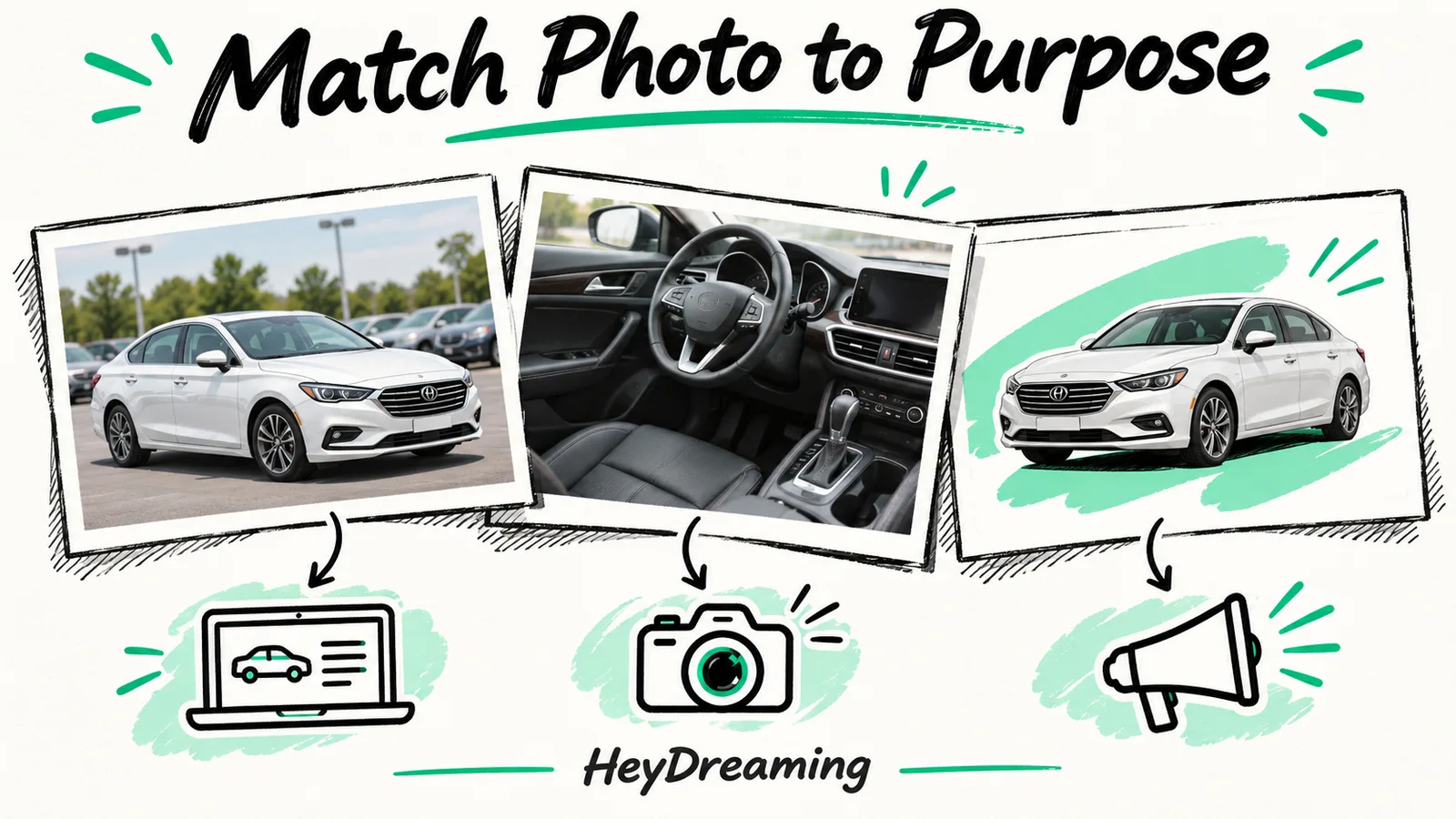
Before bulk processing a stock-number set, give every frame a role. Choosing car photo backgrounds for listings is then a routing decision: which exteriors share a treatment, which cabin or condition captures stay as photographed, and which image is a separate design asset? The worksheet below records those decisions before you process the files.
While our foundational guide on white background car photos explains the technical capture and cutout methods, this article builds a practical role-to-background framework across exterior angles, interior shots, condition documentation, and promotional design layers.
The Role-to-Background Workflow
Organizing background styles across a listing requires a structured evaluation sequence:
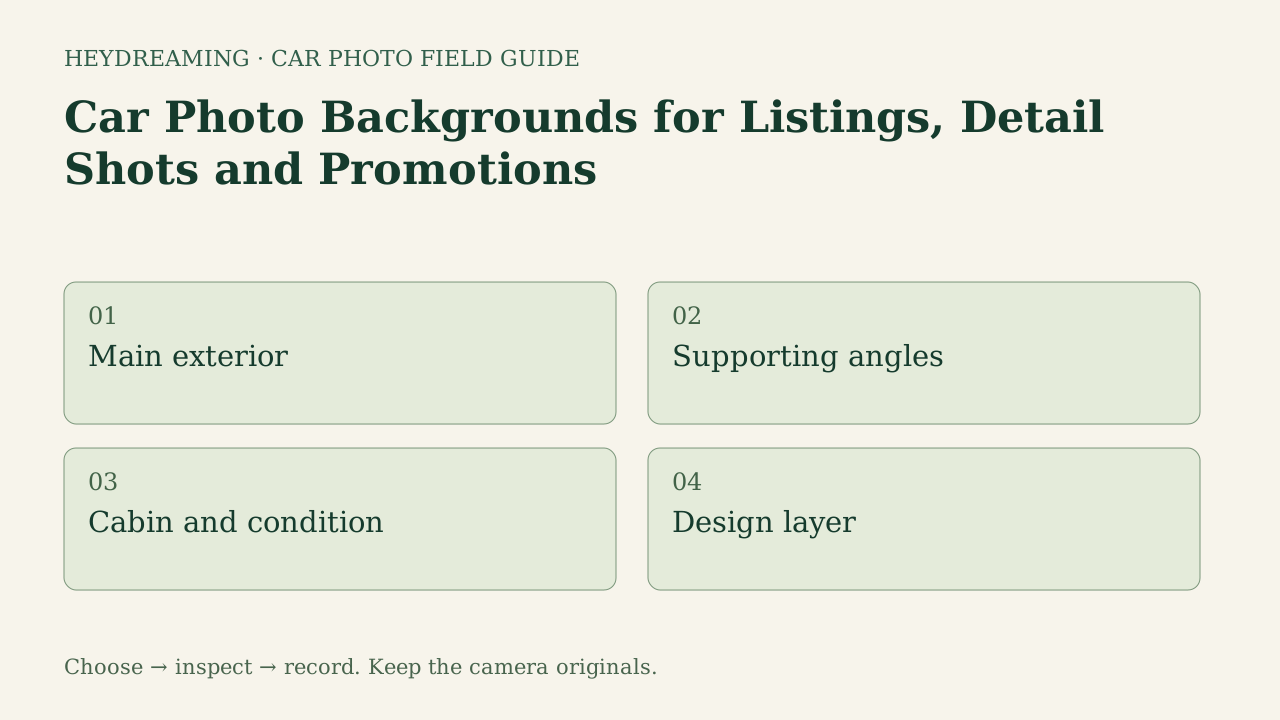
This diagram illustrates an explanatory review workflow, not a measured performance benchmark:
- Main exterior: Decide whether the lead search thumbnail benefits from a standardized studio sweep or an outdoor lot view.
- Supporting angles: Maintain visual consistency across three-quarter, profile, and rear exterior perspectives.
- Cabin and condition: Preserve original captures for interior upholstery, dashboard displays, and condition close-ups.
- Design layer: Extract transparent vehicle cutouts specifically for marketing collateral, social cards, and display banners.
Mapping Background Choices to Image Roles
Applying a uniform background across every photo in a listing creates presentation issues. Instead, map backgrounds to these five distinct listing functions:
1. Main Exterior (Hero Thumbnail)
The lead photo represents the vehicle in crowded search feeds.
- Recommended Treatment: Fixed White sweep or clean outdoor lot.
- Application Logic: A neutral sweep reduces clutter outside the estimated vehicle cutout. It cannot remove objects visible through the cabin or repair an incorrect outline. If your lot features clean, level asphalt with neutral backdrops, an original lot view retains valuable location context. For an in-depth comparison of these two hero options, see our guide on white vs outdoor car photos.
2. Supporting Exterior Angles
Secondary exterior shots cover front, side profile, and rear three-quarter perspectives.
- Recommended Treatment: Match the primary exterior choice (White sweep, Light grey, Dark grey, or Showroom soft).
- Application Logic: Switching backdrops between exterior angles creates visual discord. Select a consistent tone that complements the paint color; learn more in our guide to car photo background presets for dealers.
3. Cabin and Cockpit Photos
Interior images show seating, steering wheel condition, infotainment screens, and odometer readings.
- Recommended Treatment: Original unedited capture.
- Application Logic: Interior photography focuses on materials and cabin architecture. Automated background removal can mistakenly clip window pillars, blur steering wheel contours, or create unnatural silhouettes through glass. In HeyDreaming's vehicle workflow, photos classified as interior or detail shots are retained without background changes by default. Staff should always inspect that automatic classification rather than assuming flawless categorization.
4. Condition Close-Ups and Wear Documentation
Detail close-ups document visible tread patterns, rim scuffs and paint scratches; they do not measure tread depth or certify mechanical condition.
- Recommended Treatment: Original capture.
- Application Logic: Honest defect disclosure builds buyer confidence. A cutout cannot reconstruct obscured bodywork, and an incorrect mask can exclude visible condition evidence. Keep all condition documentation untouched.
5. Transparent Design Layers
Marketing teams regularly repurpose vehicle imagery for social media carousels, seasonal promotional flyers, and retargeting ads.
- Recommended Treatment: Transparent PNG cutout.
- Application Logic: A transparent PNG can provide a vehicle layer for a separate design. Inspect the actual alpha on light and dark backgrounds; source views through glass and unwanted edge remnants can remain. The White sweep JPEG shown below is not a transparent PNG example.
Put your car on a clean background
20 free AI photo edits a day. Copy your source vehicle onto a fixed background, then check the outline and plate cover. Sign in to start; no credit card needed.
Real-Sample Analysis: Background Replacement Inspection
Replacing exterior backgrounds introduces specific visual checkpoints. In internal QA evaluations conducted on October 31, 2026, we processed public-domain reference vehicles through HeyDreaming's background workflow to evaluate compositing behavior.
The figures below show a white 2010 Acura RDX photographed outdoors and composited onto a White sweep studio background:
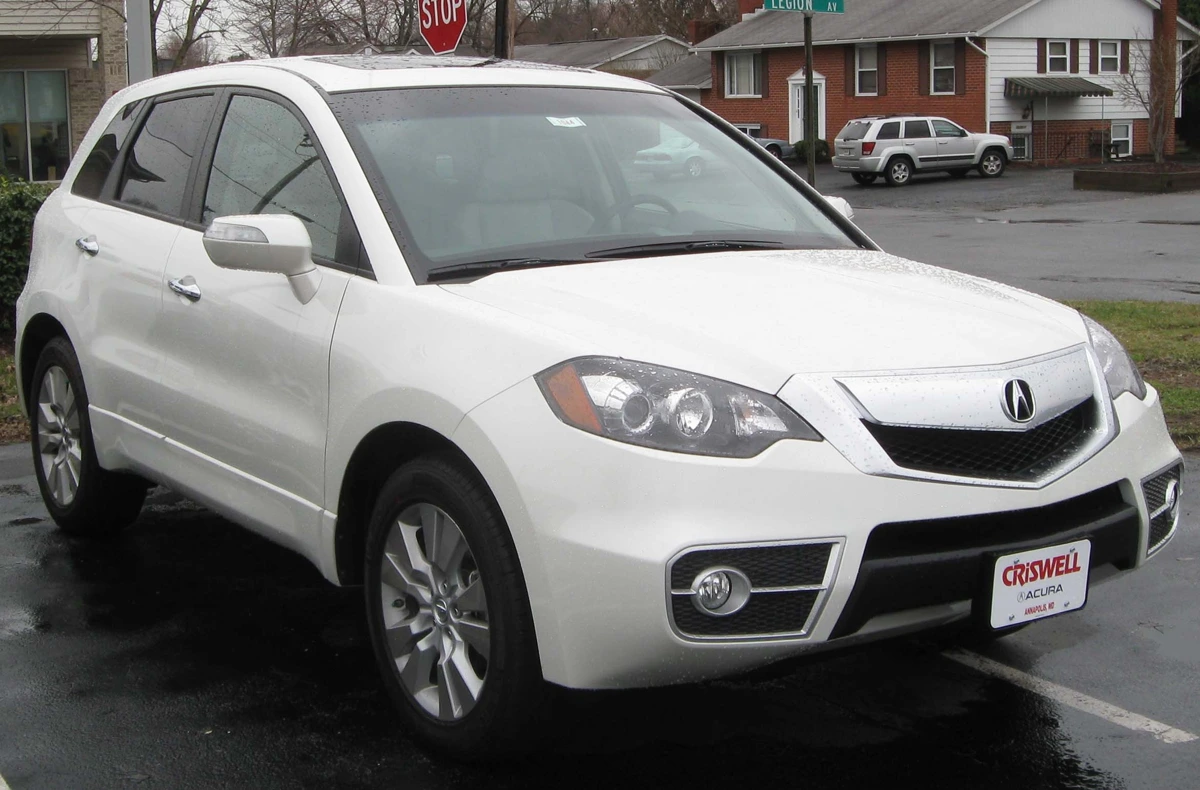
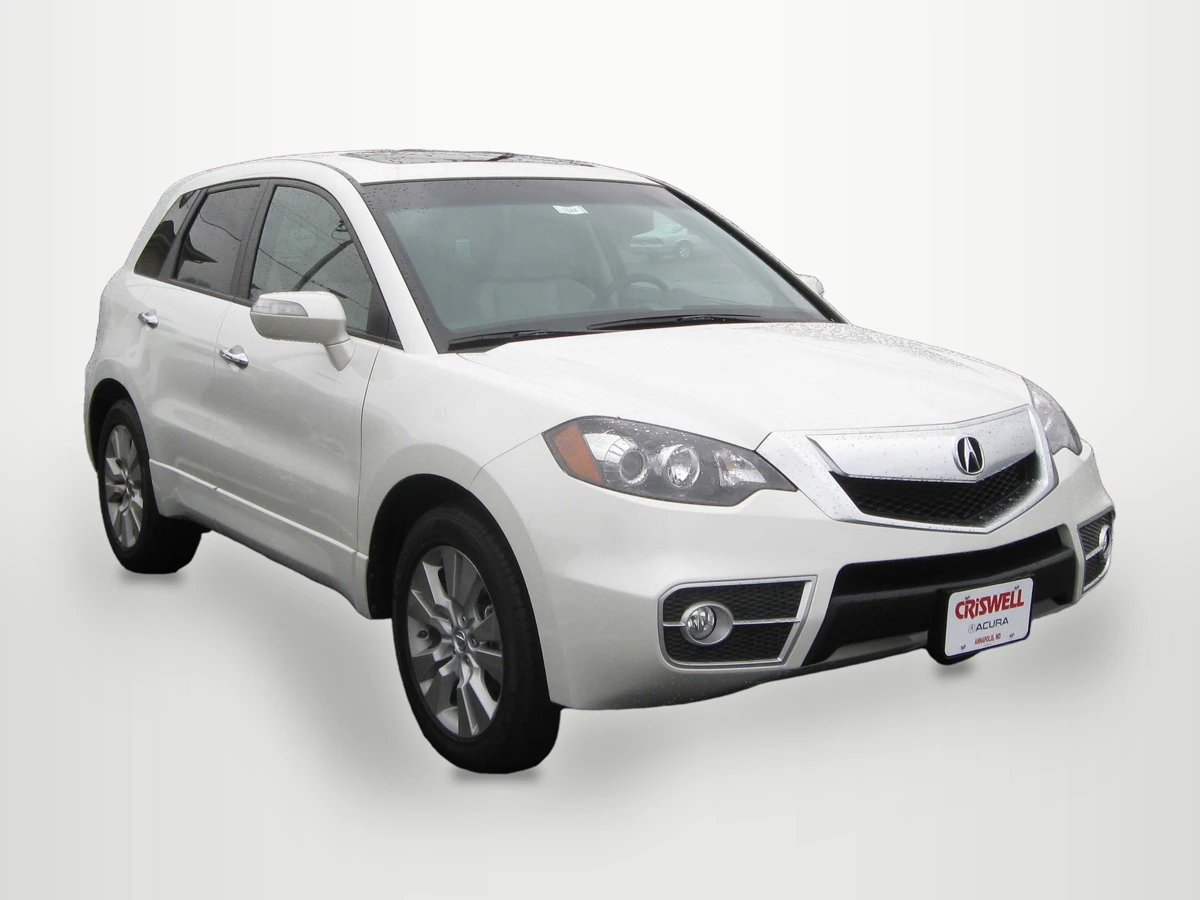
Photo credit: IFCAR, Public domain, via Wikimedia Commons. Modifications: source image re-encoded, vehicle extracted and composited onto HeyDreaming White sweep preset with rendered floor shadow, scaled to standard export dimensions, and compressed to WebP for web delivery.
Why these figures matter for your background mapping:
- Glass Realities: The estimated cutout retains photographed views through the glass rather than generating a clean new cabin view. Re-encoding, scaling and any selected global correction can still change pixel values.
- Core Pixel Integrity: In our eight background worker jobs (evaluating two reference vehicles across four fixed backdrops: White sweep, Light grey, Dark grey, Showroom soft, with corrections off), an eroded opaque vehicle core showed exactly zero differing pixels across lossless output masters. This is an across-preset comparison, not proof of an accurate silhouette, physical paint color or JPEG identity. Four additional optional-correction jobs are separate and can intentionally change values.
- Tire Grounding: Inspect whether the rendered contact shadow and tire contact look plausible. A shadow cannot repair a clipped wheel or an incorrectly selected outline.
Role-to-Background Decision Matrix
| Photo Role | Recommended Choice | Purpose | Key Inspection Point |
|---|---|---|---|
| Main Exterior | White sweep or clean lot | Lead search feed thumbnail | Roofline crispness and tire grounding |
| Supporting Exterior | Consistent fixed preset | Full exterior walkaround | Consistent tone across all exterior angles |
| Cabin | Original capture | Cockpit and upholstery review | Verify interior classification was retained |
| Condition Close-Up | Original outdoor capture | Transparent wear disclosure | Preserve visible scratches, tread patterns, and rim edges |
| Transparent Design Layer | Transparent PNG cutout | Branded ad and flyer templates | Edge smoothness for multi-use graphic layering |
Downloadable Listing Backgrounds Worksheet
To establish a repeatable quality check across your photography team, track background assignments using our downloadable CSV template:
Download the listing backgrounds worksheet (CSV)
The worksheet contains six columns:
photo_role: Pre-populated with five core listing roles:main exterior,supporting exterior,cabin,condition close-up, andtransparent design layer.source_reference: Raw camera filename or lot angle identifier.background_choice: Selected background treatment (e.g., White sweep, Light grey, Original lot, Transparent PNG).reason: Operational justification for the chosen treatment.condition_review: Record whether the visible condition evidence in the source remains legible; reshoot missing evidence.owner: Team member responsible for approving the final image.
This CSV is a manual tracking aid. It contains no automated formulas, does not sync with DMS inventory software, and does not enforce app policy. Staff should record inspection notes manually, leave unassigned cells blank, and save completed sheets alongside unedited camera masters.
Frequently Asked Questions
Can AI software automatically assign backgrounds to every photo in a listing?
HeyDreaming does not import this worksheet or automatically enforce its five-role policy. It can classify a scene and retain interior/detail content by default, but you still inspect that decision and select the treatment. Record any mismatch and keep the source or reshoot as needed.
Why should dealerships leave cabin photos unedited?
Interior photos showcase steering wheel controls, seating materials, infotainment systems, and odometer readings. Automated background removal can mistakenly clip A-pillars, distort window outlines, or erase ambient cabin lighting. Keeping the camera capture provides the reference for checking visible cabin condition. A retained primary export may still be prepared, padded or re-encoded, so archive the untouched camera file separately.
When should a dealer use a transparent PNG instead of a studio sweep?
A transparent PNG cutout is ideal when creating promotional marketing materials—such as social cards, promotional layouts, or print flyers. Graphic designers can place the isolated vehicle silhouette onto branded layouts without dealing with an opaque rectangular background.
To evaluate an exterior shot on a studio backdrop, test your capture in HeyDreaming's AI car photo editor.
Put your car on a clean background
20 free AI photo edits a day. Copy your source vehicle onto a fixed background, then check the outline and plate cover. Sign in to start; no credit card needed.
Keep exploring