A 10-Point Car Listing Photo Pre-Upload Checklist
Check stock identity, count, order, dimensions, plates and destination preview before upload. Includes a ten-point manual handoff checklist.
By HeyDreaming
Published by HeyDreaming, which supplies the tools described. Examples reuse dated internal QA on public-source images, not customer results. The worksheet is manual and does not add product functionality.
Before vehicle assets are dispatched to online classified portals or dealer website management systems, a final technical verification step is necessary. Using a car listing photo pre upload checklist helps staff check whether processed vehicle sets match dealer records, respect destination technical guidelines, and maintain proper sequence ordering. While background replacement tools handle digital compositing, software does not automatically publish listings or verify whether an export batch complies with external marketplace channel requirements.
For guidance on earlier pipeline export settings, review our companion article on the car listing photo export checklist, along with our technical examination of car photo resolution and compression.
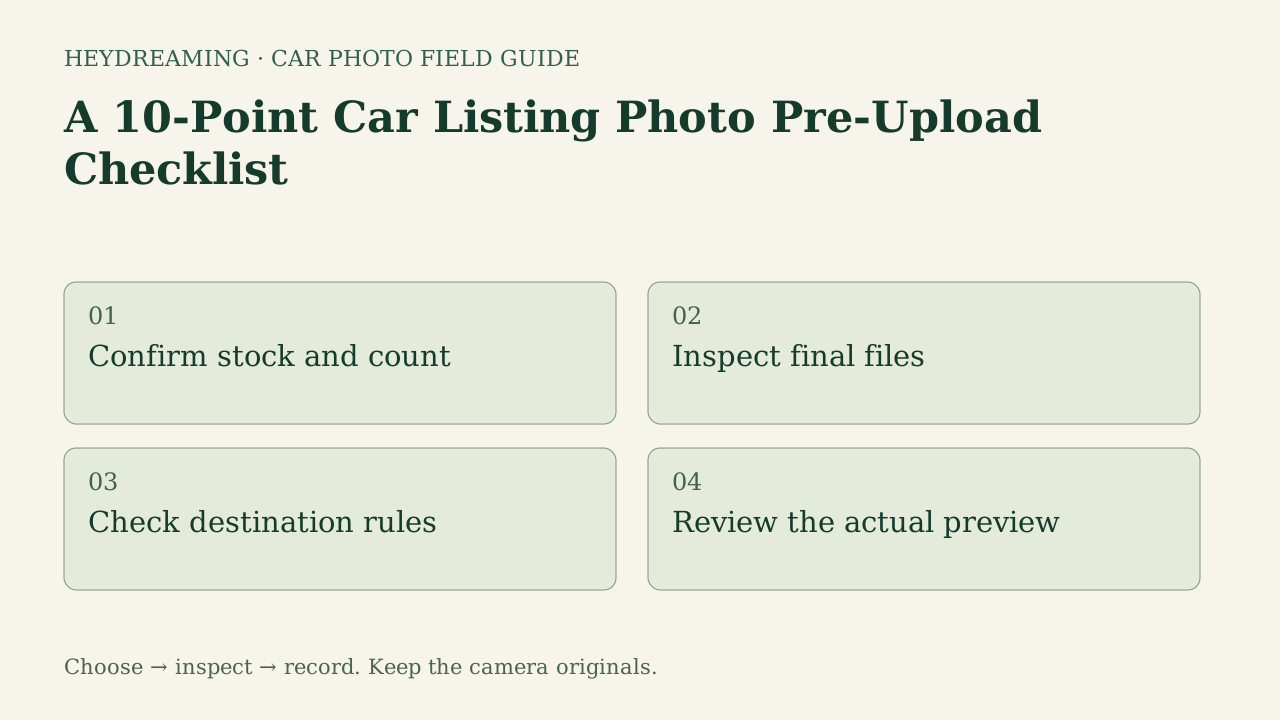
Open the full pre-upload checklist diagram (SVG)
Note: The diagram above is an explanatory workflow mapping pre-upload verification checkpoints, not a measured statistical chart.
Delivery-to-Destination vs. Image-Level Inspection
A pre-upload verification routine serves a distinct role from image-level quality control. While image quality audits evaluate mask edge tightness, contact shadows, and optical focus, pre-upload checks examine the complete package as a delivery bundle. This process verifies that the entire set belongs to the correct vehicle, follows a planned merchandising sequence, and adheres to the technical boundaries of the receiving inventory platform.
Because marketplace specifications and feed ingest rules vary significantly across regional portals, advertising channels, and dealer management systems, teams should avoid assuming universal rules exist. Verifying package parameters against current channel documentation before transmission can identify a mismatch before upload; it does not guarantee acceptance or publication.
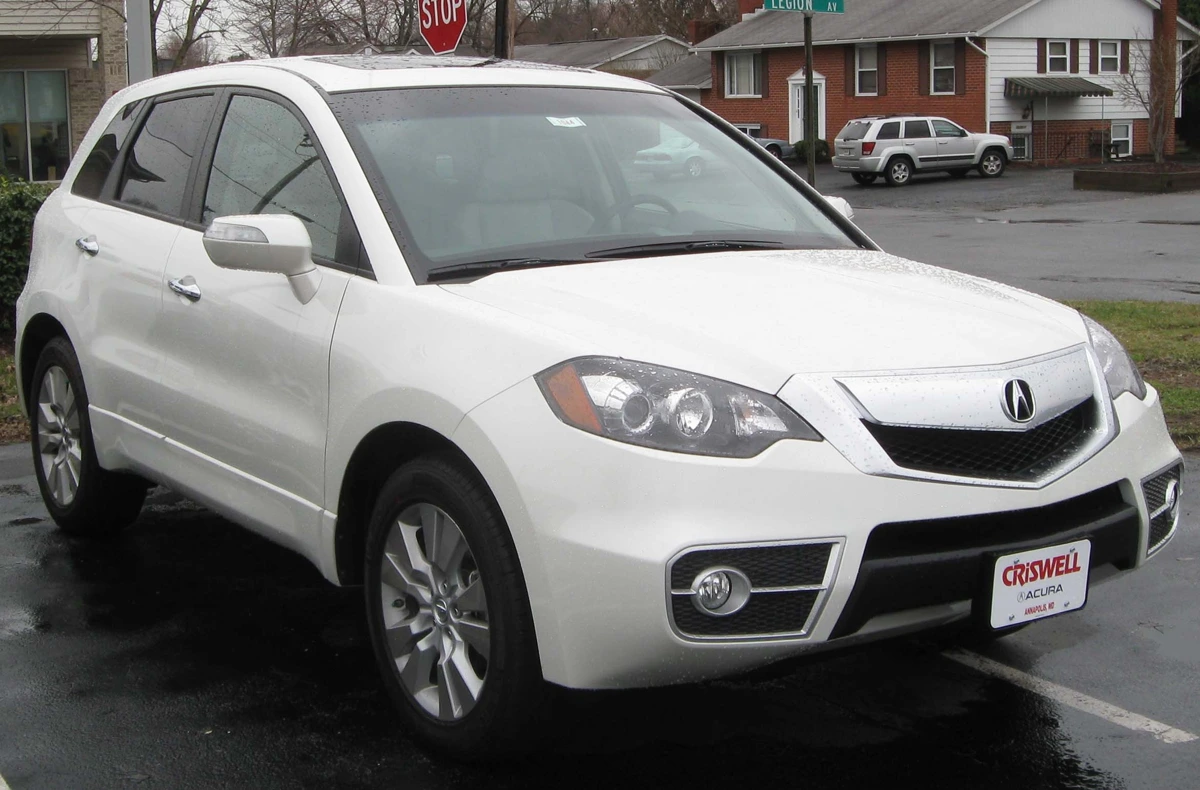
2010 Acura RDX photographed by IFCAR (Public domain). Source image re-encoded as a prepared upload preview for web display.

A source preview is a re-encoded prepared upload, not untouched camera file. In pre-upload verification, confirming that raw camera originals are archived locally before uploading compressed exports prevents permanent loss of master captures.
The 10-Point Pre-Upload Checkpoints
Dealership staff can systematically evaluate every outgoing inventory set across ten focused checkpoints:
- Stock identity: Confirm that the pictured vehicle and your folder/stock record agree. Check identifiers you actually recorded; HeyDreaming does not add or validate VIN metadata for you.
- Expected photo count: Verify that the package contains the full planned image count without files dropped during export or network transfer.
- Manual upload order: Arrange the sequence deliberately according to your planned photo roles, for example a front three-quarter hero followed by exterior angles and interior details, rather than relying on arbitrary file sorting.
- Photo roles: Check that critical vehicle perspectives—such as instrument cluster, dashboard, trunk space, and tire condition—occupy their intended positions in the sequence.
- Actual dimensions: Inspect exported asset dimensions. In HeyDreaming, our selected export standard is 1920x1440 (4:3) or prepared original dimensions; ensure the files match your selected target.
- Format and file bytes: Confirm the actual file format matches the channel specification and individual file weights stay within receiving channel upload thresholds.
- All plate regions reviewed: Inspect the entire frame, including other vehicles and distant partial plates. Check every required cover against the source and saved file. Blur, Pixelate and Solid are available in vehicle workflows; Your logo is available in the separate plate tool. Covers do not guarantee anonymity.
- Original archive: Verify that untouched camera source files straight from the camera media are safely backed up on local or network storage before transmitting compressed web copies.
- Destination guidance source: Confirm technical requirements against current written portal specifications rather than assumed historical rules.
- Private thumbnail and full preview: Review the asset package within a private draft preview or local image browser at both small thumbnail size and full resolution to catch visual framing defects before public upload.
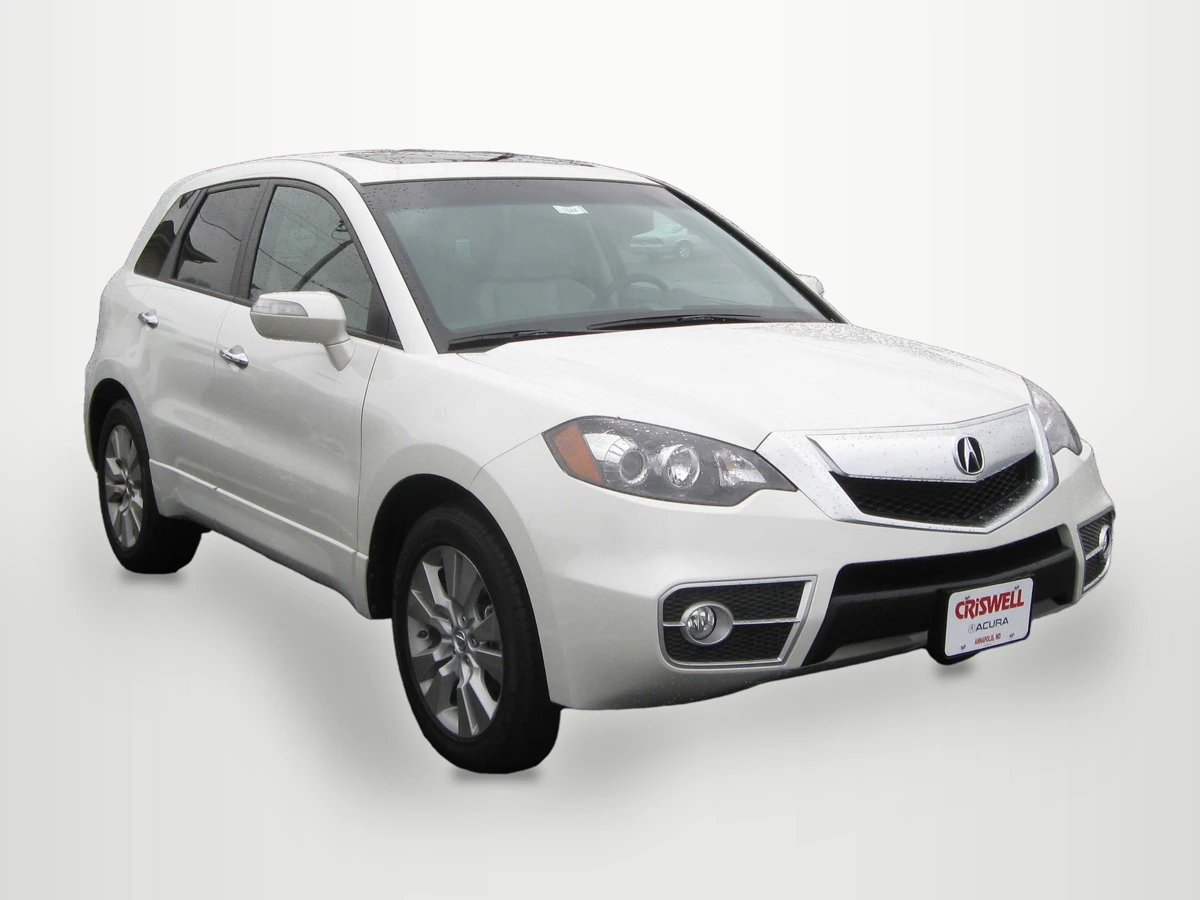
2010 Acura RDX photographed by IFCAR (Public domain). Output image generated with HeyDreaming White sweep preset; background replaced, scaled to 1920x1440, and re-encoded to WebP preview for web display.
WebP previews are compressed versions of actual downloads. This preview shows an exported White sweep image rendered at our selected 1920x1440 dimensions, illustrating the need to verify file aspect ratios and thumbnail previews prior to syndication.
Prepare one stock-number set
Sign in to create a vehicle, upload up to 50 photos and review the results before exporting. Daily editing allowances apply.
Pre-Upload Verification Matrix
The table below outlines how pre-upload checks relate to potential syndication errors and immediate remedies:
| Verification Stage | Check Focus | Common Risk Detected | Corrective Action |
|---|---|---|---|
| Identity & Count | Stock matching and photo quantity | Mismatched VIN or missing interior shots | Re-index folder against inventory log |
| Ordering & Roles | Sequence order and angle assignments | Interior shot placed as primary hero photo | Re-index file numbering for hero priority |
| Dimensions & Bytes | Pixel size and file byte weight | Accidental low-res export or oversized file | Export to the destination’s agreed specification |
| Privacy & Branding | Plate masking across all frames | Missed plate blur on rear three-quarter | Apply plate tool blur or solid insert |
| Archive & Preview | Storage backup and draft preview | Distorted thumbnail or missing raw camera file | Verify local archive; test private preview |
Using the Downloadable Pre-Upload Worksheet
To maintain consistency across lot staff and digital merchandisers, download our manual verification worksheet:
Download the car listing photo pre-upload checklist worksheet (CSV)
The template provides ten standardized rows matching the checklist: stock identity, expected photo count, manual upload order, photo roles, actual dimensions, format and file bytes, all plate regions reviewed, original archive, destination guidance source, and private thumbnail and full preview. Staff members record observed_result, decision (Pass or Hold), reviewer, next_action, and notes for each stock unit.
This worksheet is a manual administrative tool. It does not automatically ingest camera files, synchronize with dealer management systems, or enforce third-party marketplace rules. A team member inspects outgoing image sets, verifies each checkpoint, and signs off before uploading files to the inventory feed.
Software Capabilities and Operational Scope
When integrating HeyDreaming into your delivery pipeline, keep key system boundaries in mind:
- Four fixed background presets: HeyDreaming provides White sweep, Light grey, Dark grey, and Showroom soft. The software does not build generative custom showrooms. Default background processing preserves the foreground core in the recorded test; optional color/level corrections intentionally change pixel values or orientation.
- No direct syndication: The application does not automatically publish listings or connect via DMS feeds. Teams must download completed assets and upload them into their inventory syndication channels.
- Account allowances: The Vehicles workflow supports up to 50 photos per car. Free accounts allow 20 daily edits, while Pro ($29/month) and Max ($99/month) tiers support 100 daily edits. A new single-photo correction job uses daily allowance. Vehicle sets permit at most two redos per frame; this is a separate retry mechanism.
- Preserved source details: Vehicle outlines are composited onto clean backdrops, but views and reflections captured through window glass are preserved. Keep untouched camera originals in your own archive; prepared uploads and ZIP originals are not substitutes.
Frequently Asked Questions
Why does upload order matter if inventory portals have auto-sorting?
Do not assume a receiver preserves the file order you selected. Numerical prefixes such as 01_hero.jpg can help your own handoff, but a destination may ignore them. Verify the actual order in its draft or preview and correct it there if needed.
Are 1920x1440 dimensions required across all automotive platforms?
No. While 1920x1440 (4:3) is a standard option provided in HeyDreaming for selected exports, marketplace requirements vary. Dealerships must check destination portal guidelines to ensure their selected aspect ratio and dimensions are compatible.
Why must private previews be checked at thumbnail size?
Shoppers often browse vehicle search results on mobile devices where hero images display as small thumbnails. Checking a private draft at thumbnail scale lets you assess framing and visible details before public upload.
Immediate Next Step
Select one newly processed vehicle photo set. Open the images in a local preview viewer, check the files against your selected output dimensions, and inspect the destination’s own draft preview. If the background needs editing first, use the AI car photo editor, save the result, and repeat those checks; the editor is not a marketplace thumbnail simulator.
Prepare one stock-number set
Sign in to create a vehicle, upload up to 50 photos and review the results before exporting. Daily editing allowances apply.
Keep exploring