Car Photo Studio vs AI Editing: What Each Job Still Requires
Separate physical capture from post-capture editing when comparing a photo studio with an AI workflow. Assign each step and its acceptance check.
By HeyDreaming · Updated
Published by HeyDreaming, which supplies the tools described. Examples reuse dated internal QA on public-source images, not customer results. The worksheet is manual and does not add product functionality.
When deciding between building an on-site physical turntable bay or using automated digital post-processing, comparing car photo studio vs AI editing requires evaluating the physical capture work that remains regardless of software. In this HeyDreaming automotive flow, processing begins with a photo you supply; it is not a replacement for physical capture. This guide maps scope rather than comparing measured studio and lot operations. It cannot position cars, clean windshields, restore body panels obscured by tall grass, calibrate camera white balance to physical paint standards, or prove mechanical condition.
While our foundational guide on car photo editing cost examines overall production expenses, this guide breaks down operational responsibilities across physical staging, camera capture, condition documentation, and post-processing compositing.
The Operational Workflow
Balancing physical photography against digital editing requires mapping each stage of vehicle preparation:
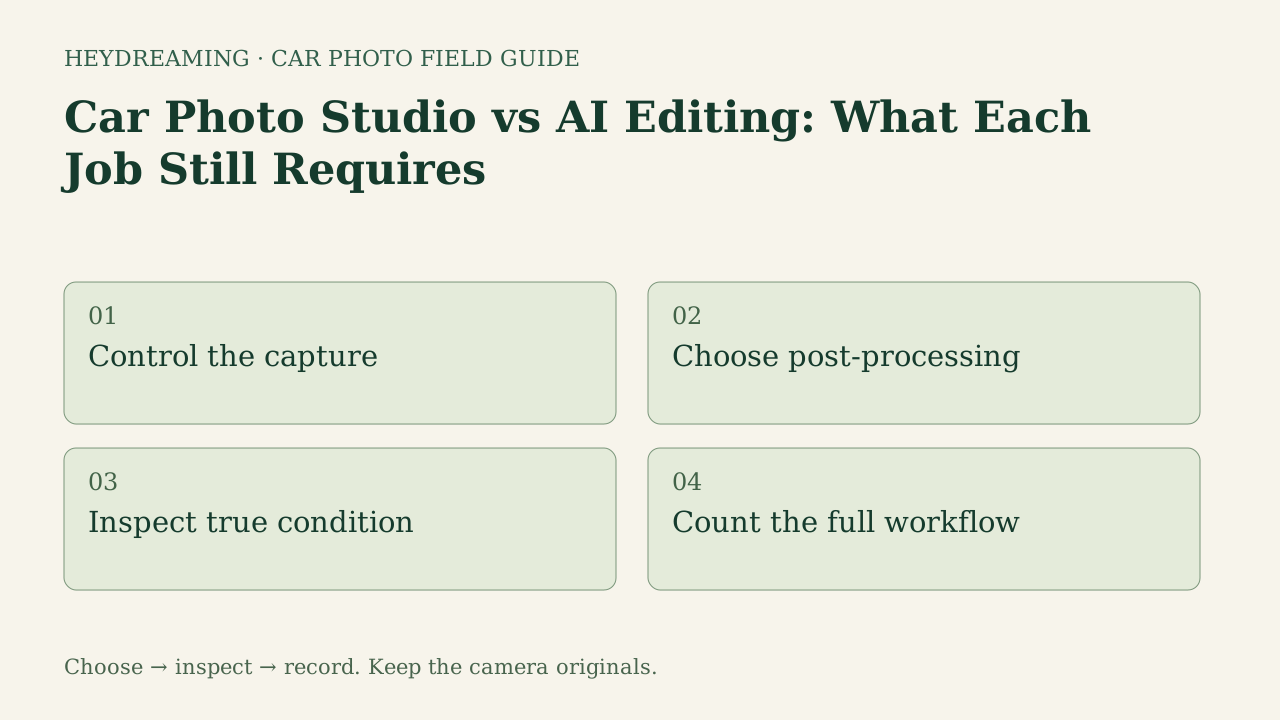
This diagram illustrates an explanatory review workflow, not a measured performance benchmark:
- Control the capture: Stage vehicles on clean, level pavement with consistent framing across all exterior angles.
- Choose post-processing: Decide whether to retain natural lot backgrounds or apply fixed studio sweeps.
- Inspect true condition: Verify that defect close-ups, brake discs, and tire sidewalls remain unedited.
- Count the full workflow: Measure total active labor minutes and handoff delays across the entire photo cycle.
What Each Method Demands: Physical Studio vs Lot Capture
Neither a physical turntable studio nor an AI editing workflow eliminates operational effort. Each assigns labor differently across the process:
Physical Photo Studio Bay
A dedicated indoor bay controls lighting, weather, and backdrops at the moment of capture.
- Physical Demands: Requires dedicated real estate, equipment capital, floor cleaning, and porter labor to shuttle cars through a single staging bay.
- Capture Consistency: A bay gives you a setting in which to control light and framing, but calibration, repeatability and queue time depend on the actual setup. Those outcomes were not measured here.
Lot Capture Plus AI Editing
Photographing cars on outdoor asphalt and compositing them onto fixed backdrops separates capture from post-processing.
- Physical Demands: Available staff, space, weather and vehicle access determine what can be photographed and when. No comparison of lot versus studio throughput was run. Keep vehicles clear of obstructions. If tall grass or snow conceals tire rubber, software cannot reconstruct the hidden parts.
- Software Boundaries: HeyDreaming provides four fixed backdrops (White sweep, Light grey, Dark grey, Showroom soft). A fixed scene does not relight the car, and a contact shadow does not guarantee a correct cutout. For itemizing vendor services, see our car photography quote checklist, and analyze rework overhead in cost of car photo rework.
Put your car on a clean background
20 free AI photo edits a day. Copy your source vehicle onto a fixed background, then check the outline and plate cover. Sign in to start; no credit card needed.
Evidence Inspection: Outdoor Capture vs Digital Sweep
Internal testing illustrates the exact boundary between physical photography and software post-processing. Note that these live test samples represent software compositing on public-domain source files, not an experimental trial inside a physical photo studio.
The figures below show a white 2010 Acura RDX in its prepared outdoor upload and composited onto a White sweep:
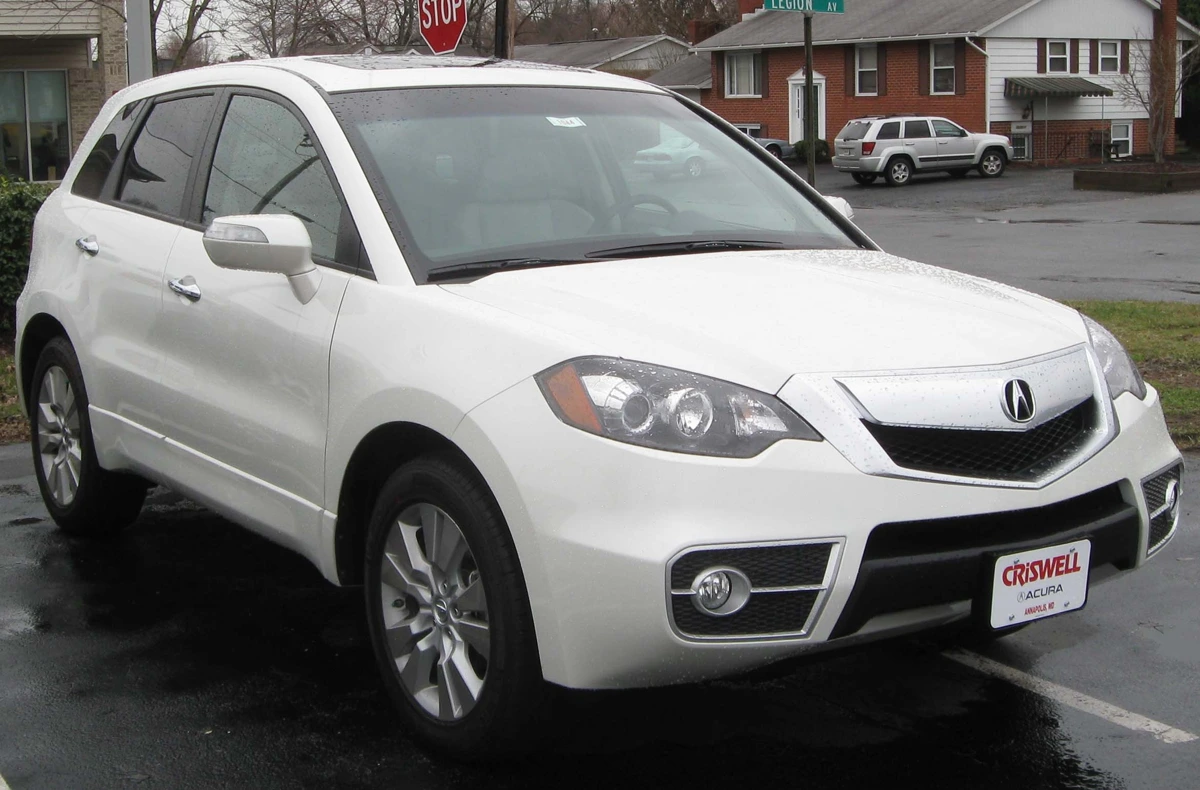
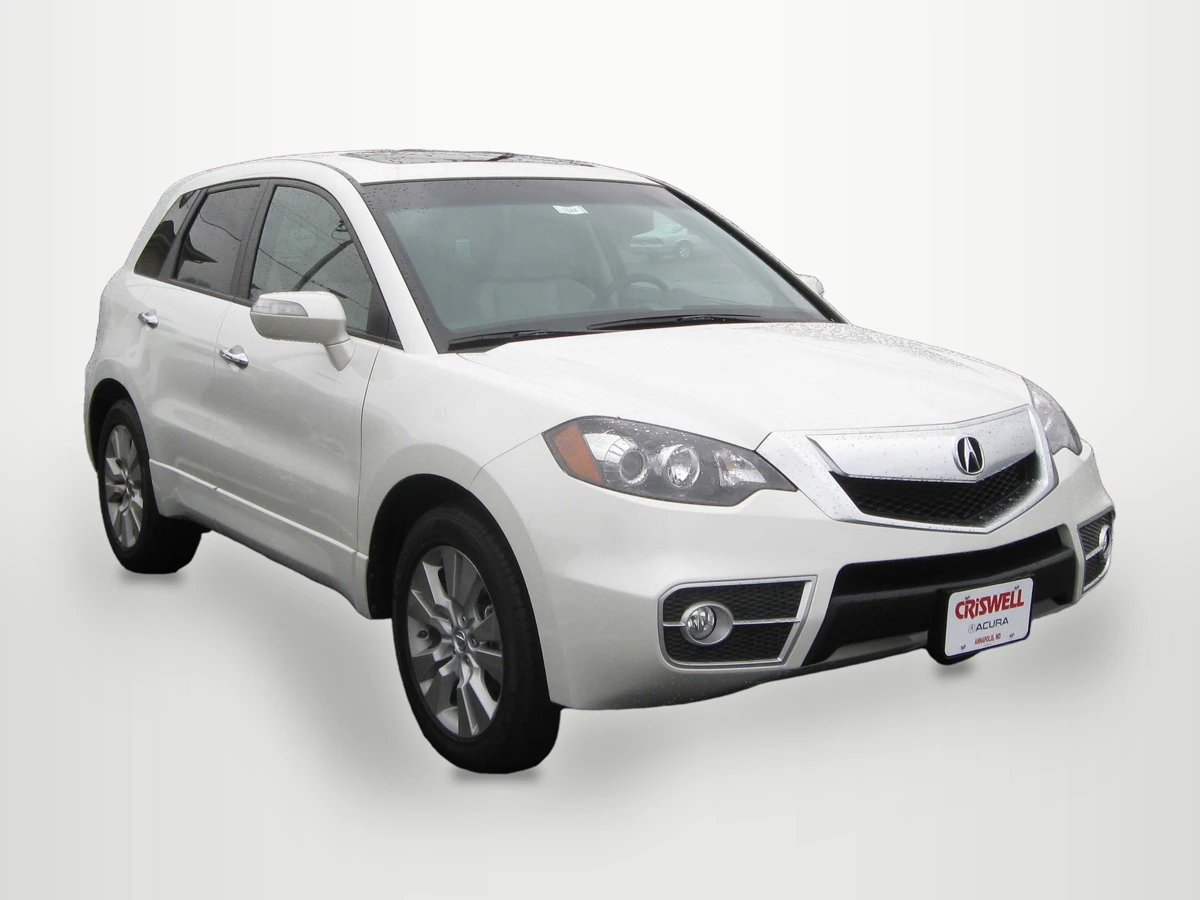
Photo credit: IFCAR, Public domain, via Wikimedia Commons. Modifications: source image re-encoded, vehicle extracted and composited onto HeyDreaming White sweep preset with rendered floor shadow, scaled to standard export dimensions, and compressed to WebP for web delivery.
Why these figures matter for your evaluation:
- Photographed Glass Views: Notice that the Acura's windows retain the captured outdoor lot reflections and sky views. Software isolates the outer body boundary; it does not clear cabin glass or alter physical reflections. This example did not measure a physical studio's lighting or output.
- Core Pixel Integrity: In our eight background worker jobs (two vehicles across four fixed presets, corrections off), an eroded opaque vehicle core had zero differing pixels across lossless output masters. That match is across each vehicle's four lossless outputs, away from boundaries. It does not establish outline correctness, physical paint calibration or byte identity of JPEG/WebP previews.
- Condition Disclosure: A photo cannot measure tread depth or prove mechanical condition. Scratches, curb rash, and tire wear must be documented honestly with unedited close-ups.
Responsibility and Scope Matrix
| Stage | For a studio capture plan | For a lot-plus-editing plan | Evidence to record |
|---|---|---|---|
| Preparation | Who provides space, equipment and vehicle handling? | Who positions the car and checks weather or obstructions? | Named owner and source requirements |
| Capture | How will lighting, angles and focus be checked? | How will lighting, angles and focus be checked? | Actual source frames and active time |
| Condition evidence | Which details must be photographed separately? | Which details stay as captured? | Camera reference and dealer review |
| Post-processing | What processing is still needed or included? | Which fixed choice and optional correction are selected? | Agreed changes and actual outputs |
| Visual review | Who checks the saved set? | Who checks outlines, glass and covers? | Per-frame decision and rework |
| Delivery | Which files and manual or integrated handoff are agreed? | Save files and hand them off manually in this flow | Dimensions, formats, count and destination preview |
Downloadable Studio vs AI Scope Worksheet
To map labor hours, staff roles, and processing costs across your dealership's imaging pipeline, use our downloadable spreadsheet:
Download the studio vs AI editing scope worksheet (CSV)
Use this manual spreadsheet to track operational responsibilities across six core stages: capture preparation, capture, condition evidence, post-processing, visual review, and delivery. Staff assign owners for physical studio bays versus lot-plus-editing workflows, log active labor minutes, waiting periods, vendor fees, and required acceptance checks. The worksheet is a manual planning aid that does not connect to DMS software or enforce application behavior.
Frequently Asked Questions
Can AI editing completely replace an on-site photo studio?
Software can composite outdoor captures onto clean studio sweeps, but it cannot replace physical capture labor. Staff must still stage vehicles, ensure proper lighting, wipe down bodywork, and capture required listing angles. Software standardizes background presentation after the physical shoot is complete.
Does this HeyDreaming workflow relight the vehicle or remove harsh shadows?
No. HeyDreaming's fixed backgrounds composite the vehicle onto a new backdrop with a rendered floor shadow, but they do not relight the car. Source shadows and reflections remain. Optional global white balance or leveling can change pixel values or orientation, but those controls do not restore missing detail or create a new lighting setup.
Why must condition close-ups remain unedited in both workflows?
Those photos record selected visible details for review. Keep the camera references and compare the saved files; an incorrect cutout can exclude condition evidence. Photos do not certify mechanical condition or measure tire depth.
Immediate Next Action
Take one owned exterior photo from your current lot inventory and process it through HeyDreaming's AI car photo editor to define the digital-editing part of your requirements. Record the result, then compare actual capture arrangements, quotes and labor logs separately; a single output is not a facility-investment analysis.
Put your car on a clean background
20 free AI photo edits a day. Copy your source vehicle onto a fixed background, then check the outline and plate cover. Sign in to start; no credit card needed.
Keep exploring