How to Calculate the Cost of Car Photo Rework
Log repeat editing, active staff time, waiting and reshoots. Use accepted photos as the cost denominator, with a blank worksheet and labeled example.
By HeyDreaming
Published by HeyDreaming, which supplies the tools described. Examples reuse dated internal QA on public-source images, not customer results. The worksheet is manual and does not add product functionality.
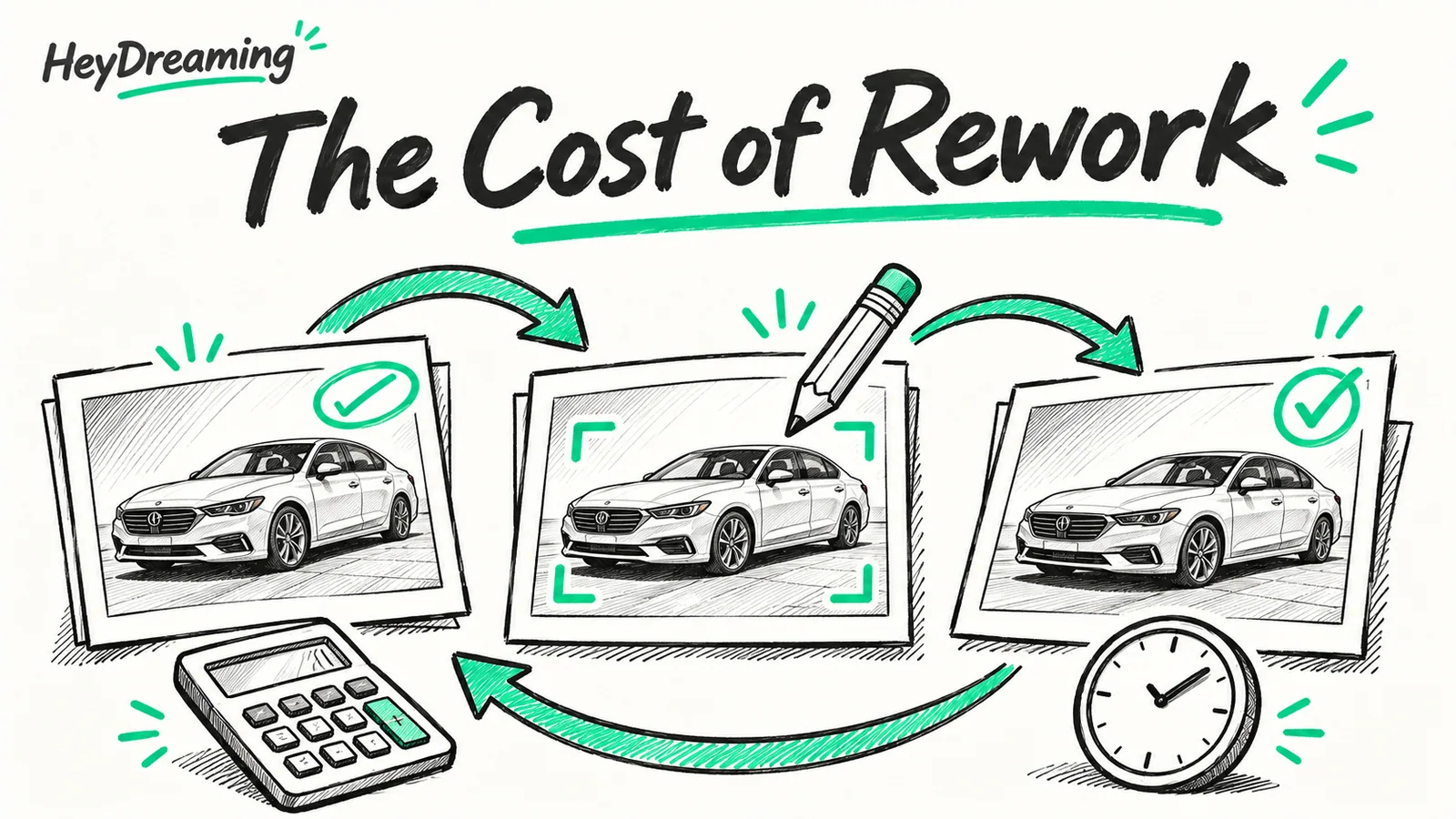
A useful cost of car photo rework ledger keeps two counters: processing attempts and unique accepted views. A fee divided by uploads is a valid cost-per-input measure, but it is not the cost per usable delivered photo. Record repeat handling, actual extra fees and the final accepted count, and label the denominator you use.
While our parent guide on car photo editing cost examines baseline software and vendor fees, this guide establishes a defect ledger and a worked mathematical model using accepted listing-ready photos as the true cost denominator.
The Rework Tracking Workflow
Quantifying rework expenses requires tracking time and fees from the moment a defect is spotted:
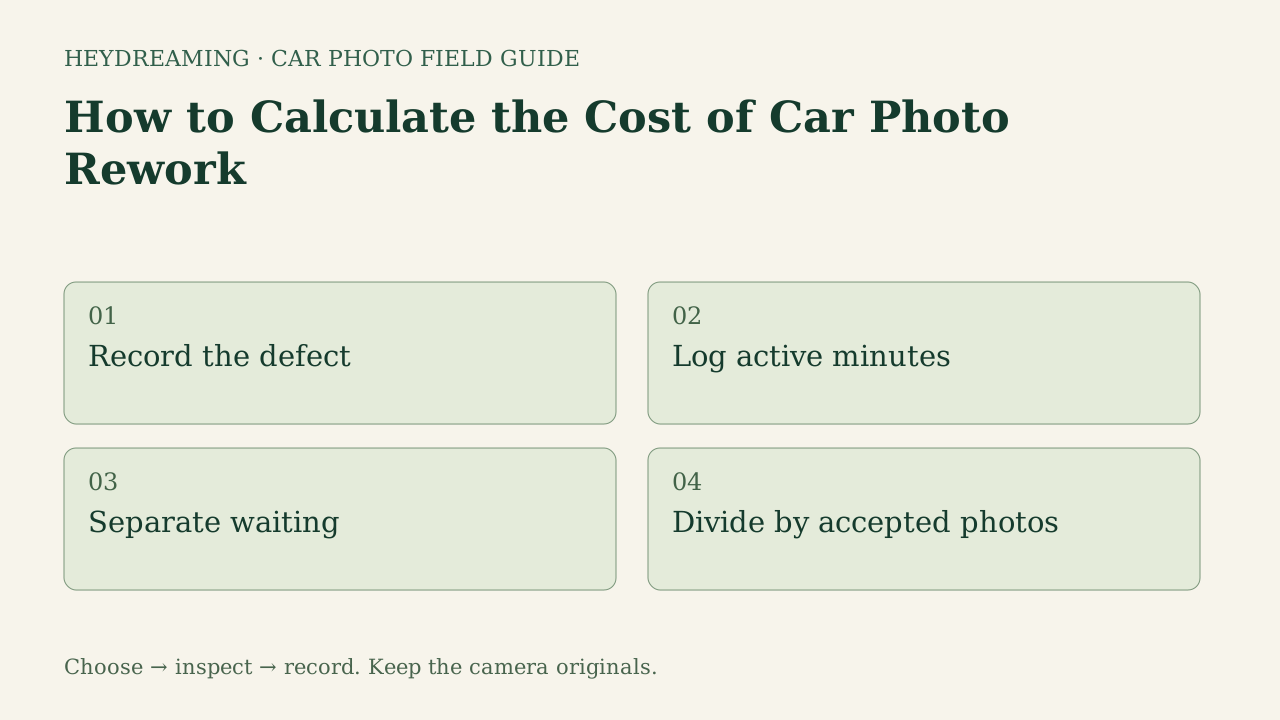
This diagram illustrates an explanatory review workflow, not a measured performance benchmark:
- Record the defect: Categorize the failure as a capture flaw, cutout mask error, specification mismatch, or manager rejection.
- Log active minutes: Measure actual hands-on review, plate-box adjustments, available redos or reshoots. This automotive editor has no manual cutout brush.
- Separate waiting: Isolate passive queue turnaround or export processing from active staff labor.
- Divide by accepted photos: Divide the scoped spend by unique accepted final views; publication status is a separate check.
Defect Case Evidence: Missed Plate Detection and Manual Repair
Rework occurs even in automated workflows when edge cases require manual intervention. In internal QA testing on a public-domain 2011 Mazda3 sedan, we tested HeyDreaming's standalone license plate tool across multiple masking styles.
The figures below show an actual defect and its subsequent manual correction:
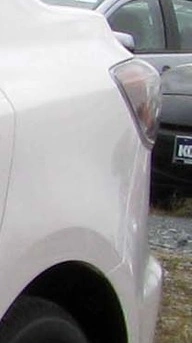
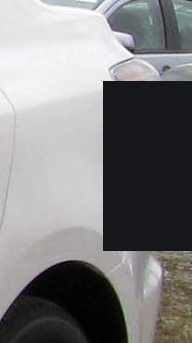
Photo credit: IFCAR, Public domain, via Wikimedia Commons. Modifications: source image re-encoded, processed in HeyDreaming standalone plate tool, manual bounding box added on second pass, exported to JPEG, and compressed to WebP for web delivery.
Why this defect matters for rework calculations:
- Active Labor Required: Review of the full frame exposed the missed region. The test reopened the batch, drew a second box through the UI and saved another export. Human staff minutes were not measured; your team records its own active handling time.
- Credit and Allowance Consumption: This standalone plate-tool repair did not use a car-edit daily allowance. In the separate single-photo automotive editor, a correction creates a new daily-allowance job; Vehicles has at most two redos per frame, and undo can need another redo. Record the actual path rather than charging every kind of edit the same way.
For comparing facility models against software, see our analysis of car photo studio vs ai editing, and evaluate staffing in in-house vs outsourced car photo editing.
Prepare one stock-number set
Sign in to create a vehicle, upload up to 50 photos and review the results before exporting. Daily editing allowances apply.
Hypothetical Worked Calculation: Rework Cost Formula
The following numbers are invented only to demonstrate allocation; they are not HeyDreaming prices, failure rates, measured wages or savings.
- A hypothetical capture-and-processing job costs $500 and starts with 500 source frames.
- Thirty software re-edit attempts take 3 active minutes each: 90 minutes at an assumed $25/hour is $37.50.
- Twenty reshoot attempts take 30 active minutes in total at the same assumed rate: $12.50. These are assumptions, not normal reshoot-speed claims.
- Extra active labor is therefore $50. An attempt is not necessarily an accepted repair.
- Final review selects 450 unique views, including any accepted replacement versions. Count each delivered view once; do not count a rejected original and its replacement as two accepted photos.
The accounting measures are different:
| Measure | Hypothetical calculation | Result |
|---|---|---|
| Base fee per input | $500 /500 inputs | $1.00 per input |
| Base-fee allocation to final accepted views | $500 /450 views | About $1.11 per accepted view |
| Total including extra labor | ($500+$50) /450 views | About $1.22 per accepted view |
| Extra labor allocated to accepted views | $50 /450 views | About $0.11 per accepted view |
The difference between $1.00/input and $1.22/accepted includes both the denominator change and the added labor; it is not a measured 22% effect caused solely by rework. If accepted output is zero, record the spend and zero output rather than a finite cost-per-accepted figure.
Rework Defect Scope Matrix
| Category | Example problem | Possible next action | Cost evidence to record |
|---|---|---|---|
| Capture | Required detail is blurred or hidden | Recapture the missing evidence | Actual staging/capture time and fees |
| Cutout | Mirror or tire boundary is missing | Inspect source; available redo, original or reshoot | Review and repeat-handling time; a different tone is not mask repair |
| Specification | Wrong size, count or selected cover | Check chosen mode and saved files; external reframing if needed | Actual repeated work, not a presumed low fee |
| Approval | Expected style or role was unclear | Agree the requirement before another run | Communication and repeat-work time, plus actual allowances or fees |
Downloadable Rework Cost Worksheet
To track real defects and calculate your dealership's true accepted-photo cost, use our downloadable ledger:
Download the photo rework cost ledger (CSV)
Use this manual spreadsheet to log rework incidents across four standard defect categories: capture problem, cutout problem, specification mismatch, and approval mismatch. Staff record vehicle stock numbers, active labor minutes, passive waiting minutes, assumed hourly labor rates, third-party extra fees, accepted image counts, and the measurement basis. The worksheet is a manual calculation aid that does not sync with DMS software or enforce application limits.
Frequently Asked Questions
Why must accepted photos be used as the cost denominator?
Calculating cost by total raw photos shot creates an illusion of low per-unit pricing. If a photographer takes 40 photos but 15 are unusable due to blurry angles or clipped bumpers, the 25 accepted images carried the full expense of the session. Using accepted photos as the denominator reveals true operational cost.
Does AI editing eliminate photo rework?
No. Software automates background compositing, but algorithms can miss edge cases—such as background license plates or subtle roofline contours on white cars. Staff must visually inspect every image, and correcting defects requires active labor minutes.
How does passive waiting time differ from active rework labor?
Passive waiting time is the period an image sits in a queue or waits for vendor turnaround. While passive waiting delays vehicle listing speed, active rework labor represents hands-on staff time spent fixing errors. Track both. If a wait actually occupies paid staff time, record that allocation once; if the process is unattended while staff do other work, do not automatically turn every machine second into wages. State the measurement basis rather than assuming waiting is always free.
Immediate Next Action
Start with one vehicle set for which you have records. Enter known fees and accepted counts; leave unavailable historical labor time unmeasured and time the next set directly. If you use Vehicles, compare the final files with the ledger before approval.
Prepare one stock-number set
Sign in to create a vehicle, upload up to 50 photos and review the results before exporting. Daily editing allowances apply.
Keep exploring