A Dealership Photo Standards Template with Clear Ownership
Define capture coverage, allowed changes, originals, file handoff and review ownership. Adapt a downloadable standards worksheet for your dealership.
By HeyDreaming
Published by HeyDreaming, which supplies the tools described. Examples reuse dated internal QA on public-source images, not customer results. The worksheet is manual and does not add product functionality.
Use a dealership photo standards template to write down the choices your team actually agrees: required views, allowed changes, original-file storage, saved-file checks and ownership. The worksheet is a starting document to adapt, not an industry standard, legal certification or an in-app rule engine. No store adopted or tested this policy in the internal image examples below.
To build an actionable shot sequence that directly supports this policy framework, consult our foundational reference on the car photography angles checklist.
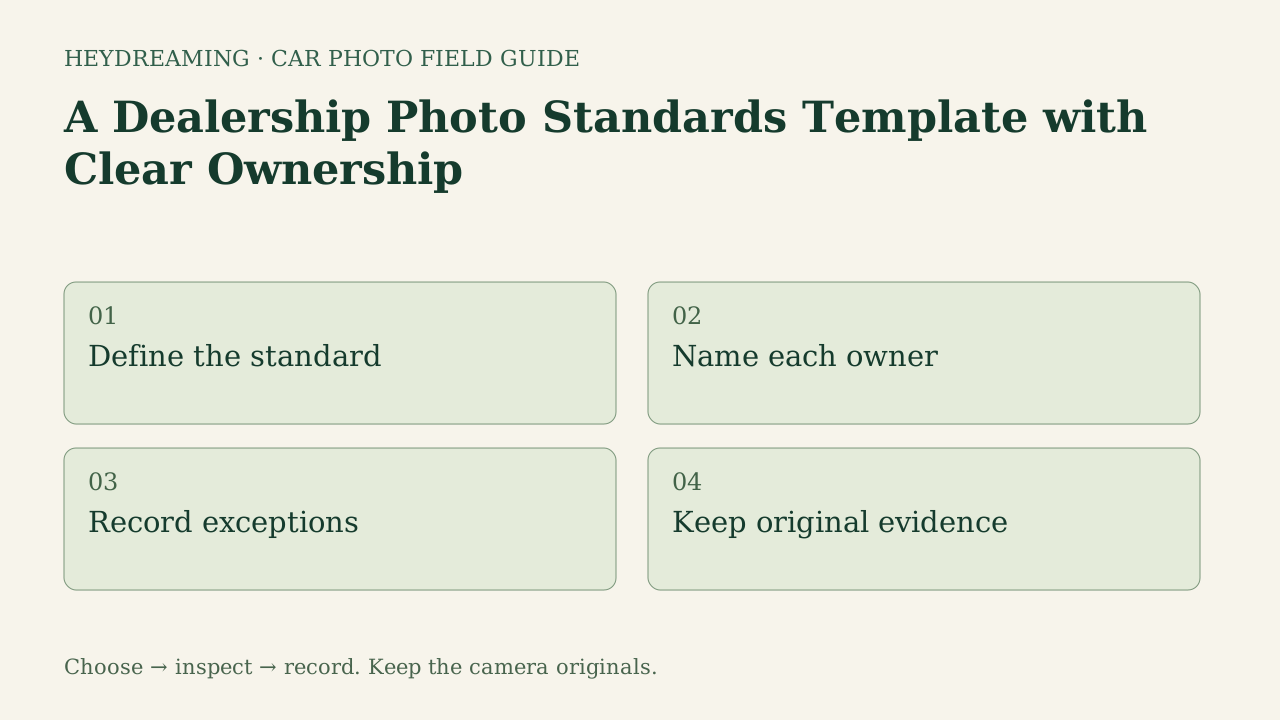
Open the full dealership photo standards diagram (SVG)
Note: The diagram above is an explanatory workflow mapping operational policy checkpoints, not a measured statistical chart.
Ten Areas to Define in Your Own Standard
Fill these areas with your actual requirements. A chosen count, review window or file mode is your operating decision; none was validated as a universal dealership rule here.
- Capture coverage: List the views needed for the vehicle and destination. Use the capture guide as a starting checklist, not a mandatory number for every car.
- Camera originals: Name where untouched camera files are stored and who checks the archive before processing.
- Condition preservation: Describe allowed presentation changes and prohibit hiding documented wear or adding configuration evidence that was not photographed.
- Allowed global corrections: State whether optional white balance or leveling may be used, who reviews the change, and when the source should be retained or reshot. This UI has discrete suggestions, not a manual white-point or arbitrary-degree slider.
- Background selection: Record which of the four fixed choices was tested for a role, the reference source and exceptions. A preset choice does not ensure a correct mask.
- Plate and logo rights: Specify the regions to review and the permitted logo assets. Logo covers are available in the standalone plate tool, not the automotive single/set picker.
- Stock naming: Define stock identifiers and handoff filenames. Any VIN mapping is your manual record task, not an automatic VIN feature in this flow.
- Output dimensions and format: Record the destination guidance and selected mode. Fixed 1920×1440 is one option, not a universal listing requirement; another ratio may need external handling.
- First review and final approval: Name who checks the actual output and who resolves condition/configuration questions from vehicle evidence.
- Exceptions and reshoots: Record who decides the next action, the source reference and how the corrected file is checked. Set timing expectations from your actual capacity and agreement.
Use the 15-point image-quality checklist for frame inspection and the pre-upload handoff checklist for the chosen destination.
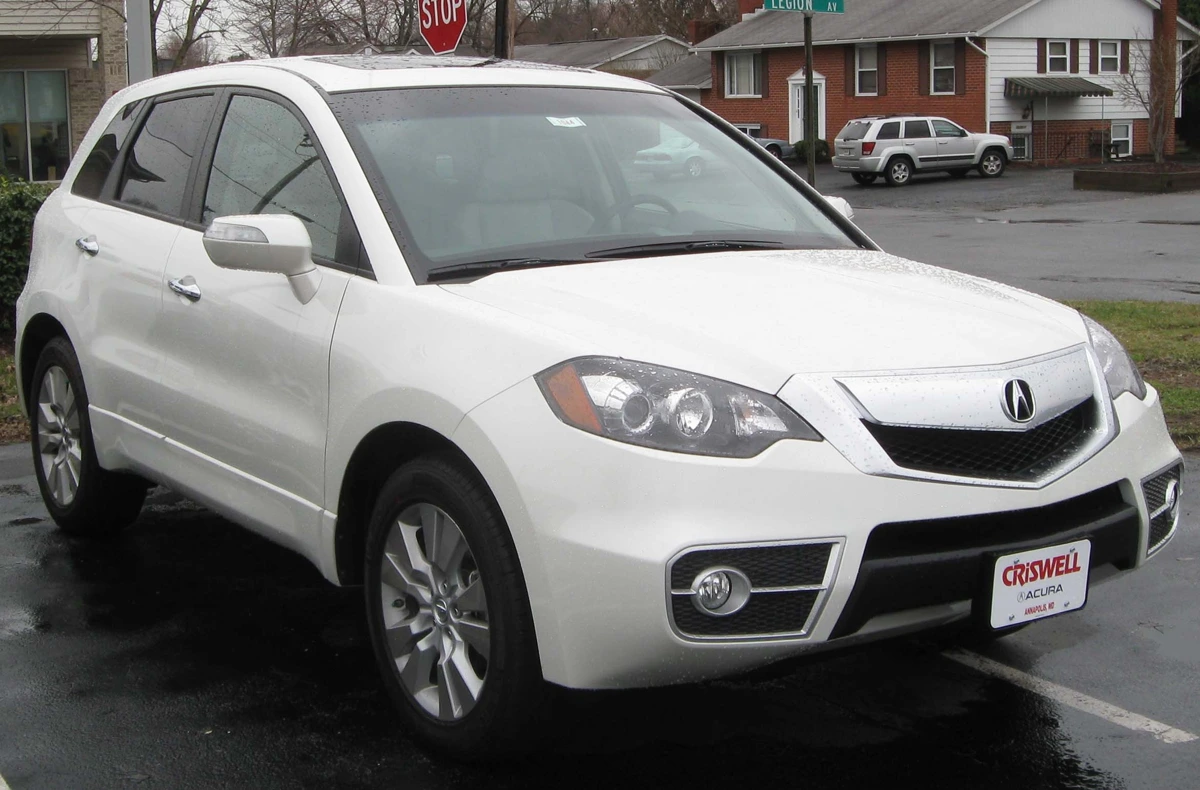
Input photo: 2010 Acura RDX by IFCAR, Public domain. Re-encoded prepared-upload preview, not an untouched camera master.

A source preview is a re-encoded prepared upload, not untouched camera file. In an operating policy, preserving untouched camera originals locally is vital because web uploads are downscaled and re-encoded.
Prepare one stock-number set
Sign in to create a vehicle, upload up to 50 photos and review the results before exporting. Daily editing allowances apply.
Defining Roles, Choices, and Exceptions
A standard is only effective if every requirement is assigned to a designated role with clear boundaries on what constitutes an acceptable exception. The table below illustrates how a dealership operational policy maps choices to departmental owners:
| Area | What to write | Exception to document | Ownership/evidence |
|---|---|---|---|
| Coverage | Your required photo roles and source list | Which view is missing and next action | Capture owner and reference files |
| Originals | Archive location and check | Missing camera file | Archive owner and actual source |
| Condition | Allowed changes and prohibited concealment | Unclear or absent evidence | Final approver and vehicle/source comparison |
| Corrections | Whether a suggested global correction is accepted | Tone or orientation remains unsuitable | Reviewer and selected option |
| Background | A tested fixed choice for a role | Retained views or outline fail | Preset register and per-frame result |
| Plates/logos | Regions, cover path and permitted asset | Missed region or unsafe box placement | Actual download review |
| Naming | Stock-to-file convention | Wrong or unresolved identity | Your handoff owner and records |
| Files | Agreed dimensions, format and destination | Output does not meet the target | Actual saved file and destination source |
| Review | First reviewer and final approver | Open question or rejected frame | Dated review record |
| Rework | Next action and how to confirm it | Required recapture or unavailable budget | Named owner and reopened final file |
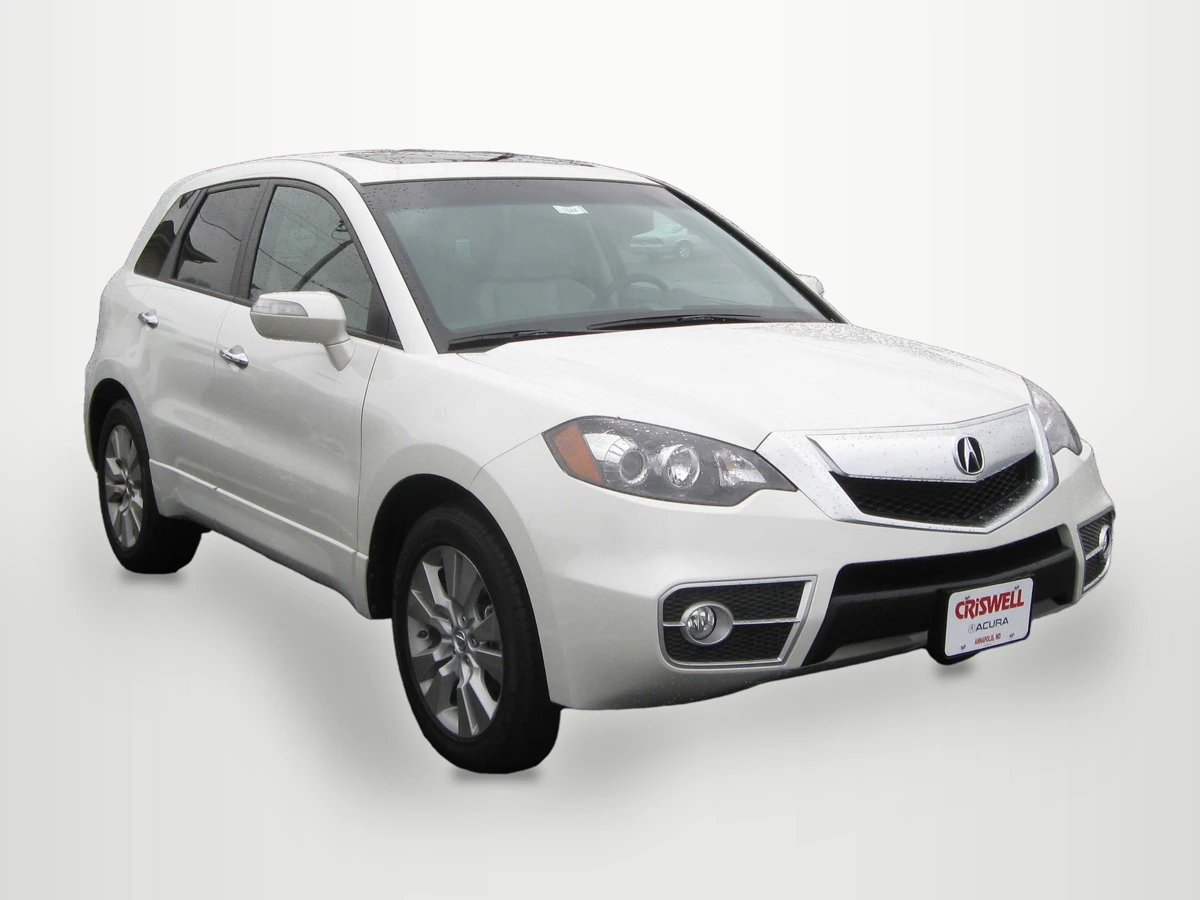
Same IFCAR Public domain Acura source. Background replaced, scaled to 1920×1440 and compressed to a WebP preview of the saved output.
WebP previews are compressed versions of actual downloads. This is a reused internal QA example of the fixed White sweep. A written standard did not approve this image or change its edges; inspect outlines, shadow and retained window views in the actual file.
Downloadable Policy Tracking Worksheet
To establish written operational standards for your dealership, download our structured template:
Download the dealership photo standards template worksheet (CSV)
This manual CSV document outlines the ten essential policy rows: capture coverage, camera originals, condition preservation, allowed global corrections, background selection, plate and logo rights, stock naming, output dimensions and format, first review and final approval, and exceptions and reshoots. Dealership leadership uses the blank columns to record the approved_choice, documented exception, designated owner, review_date, evidence_reference, and next_action.
This worksheet is a manual administrative policy aid. It does not interface automatically with dealer management systems, camera firmware, or syndication APIs. Record your own review date, owner, exceptions and next action. Revisit the document when requirements or important cases change; no quarterly or weekly cadence was validated here.
Software Boundaries and Operating Constraints
When defining your dealership photo policy around HeyDreaming tooling, ensure guidelines reflect documented system boundaries:
- Four fixed backdrop options: HeyDreaming provides White sweep, Light grey, Dark grey, and Showroom soft. The system does not support arbitrary custom background uploads, generative 3D virtual showrooms, or relighting vehicle paint.
- No in-app enterprise governance: This automotive flow has no per-store preset policy, policy-document import or automatic listing distribution. The manual worksheet does not create an approval or compliance feature.
- Account allowances and redos: The Vehicles feature supports up to 50 photos per car. Free accounts include 20 daily edits, while Pro ($29/month) and Max ($99/month) provide 100 daily edits. Single-photo adjustments count against daily quotas, and Vehicles permits at most two redos per frame.
- File resolution and re-encoding: Browser upload preparation automatically caps the longest image dimension at 3000 pixels and re-encodes source files to JPEG. Archive untouched camera files independently; an original camera JPEG can already be compressed, and delivered prepared copies are not the same file.
Frequently Asked Questions
Why must condition preservation be explicitly stated in the policy?
Automated background replacement isolates vehicle outlines, but marketing staff must never use digital tools to remove dings, stone chips, or bumper scrapes. A written requirement makes the intended changes reviewable, but it does not certify all vehicle condition or provide a legal defense.
Why should dealerships archive untouched camera originals?
This HeyDreaming upload path re-encodes and may resize the file, so retain the camera file as a comparison reference. A photo or EXIF metadata alone is not definitive proof of physical condition, capture history or present availability.
Who should hold final sign-off authority on vehicle photos?
Assign a specific person who can resolve the vehicle and listing questions, and record the evidence they review. That may differ across teams. A first technical QC can help but can miss a defect and does not automatically constitute final approval.
Immediate Next Step
Download the policy template, gather your lot photography and inventory management leads, and run one owned test photo through the AI car photo editor. Compare the output against your draft standards to agree on approved backdrop presets, framing boundaries, and review owners before publishing the policy across your team.
Prepare one stock-number set
Sign in to create a vehicle, upload up to 50 photos and review the results before exporting. Daily editing allowances apply.
Keep exploring