Find Bottlenecks in a Car Photo Workflow with Stage Timing
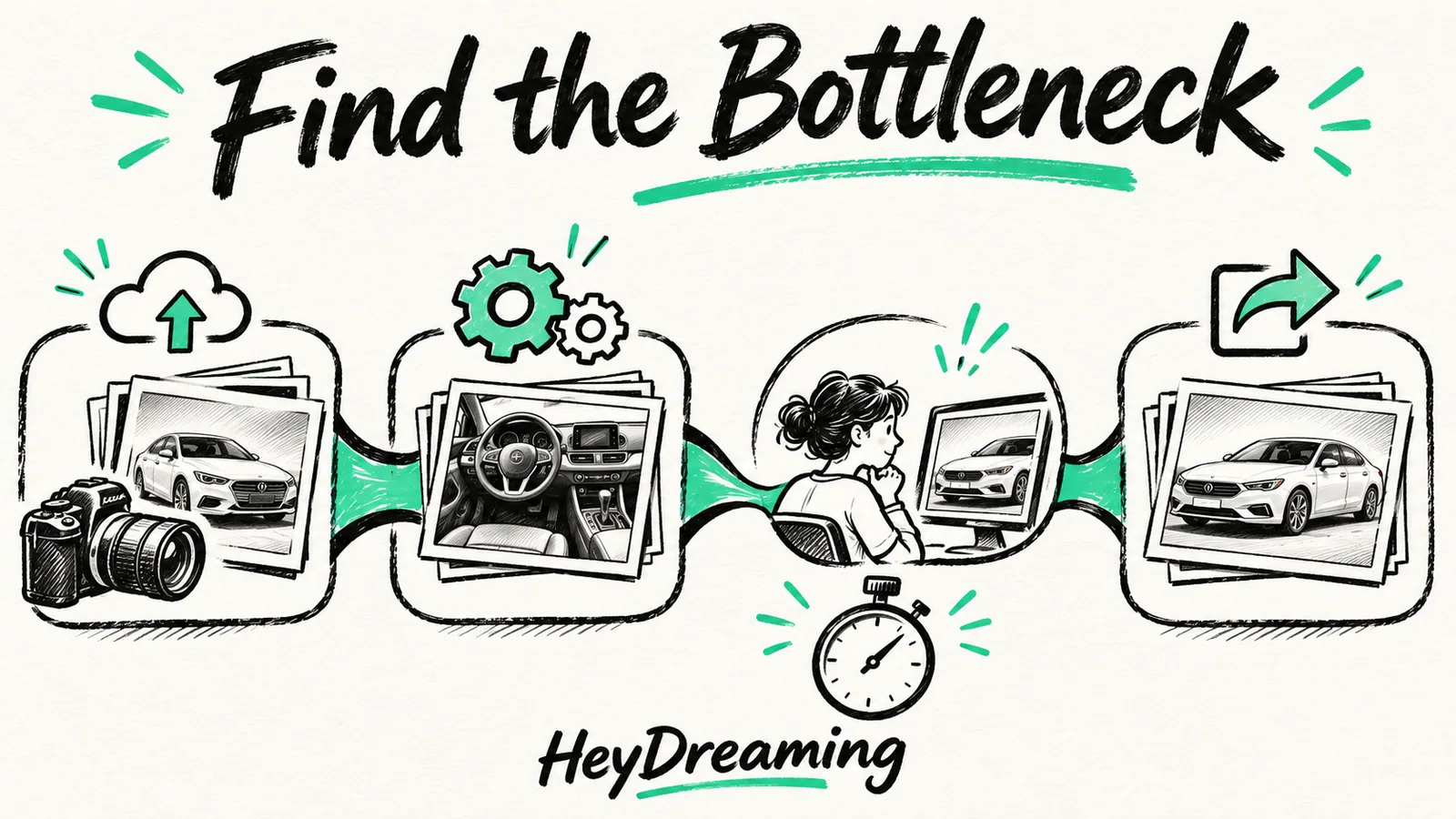
Measure nine stages from capture to destination preview. Separate active labor from waiting so an automated processing time is not mistaken for staff cost.
By HeyDreaming
Published by HeyDreaming, which supplies the tools described. Examples reuse dated internal QA on public-source images, not customer results. The worksheet is manual and does not add product functionality.
Diagnosing delays in vehicle merchandising requires tracking where minutes turn into idle hours. Identifying car photo workflow bottlenecks starts with measuring active operational time against passive queue delays across every handoff from the staging lot to the inventory feed. Record those stages separately before assigning a cause. The internal software example below did not measure a dealership's capture, staff review, reshoot or publishing time, so it cannot identify a business bottleneck by itself.
To evaluate overall pipeline efficiency in context, review our broader guide on car photo editing cost, alongside our comparisons on in-house vs outsourced car photo editing and the structured car photo editing time study.
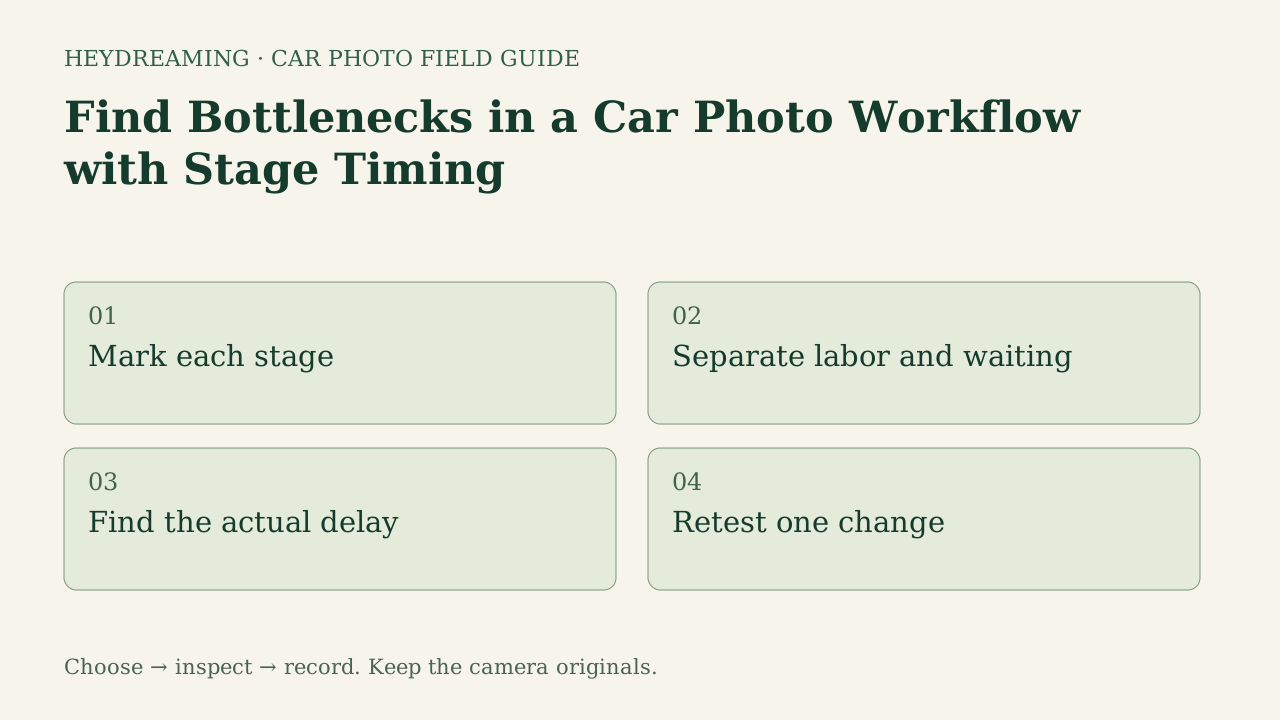
Open the four-step timing-method diagram (SVG)
Note: The diagram above is an explanatory workflow mapping operational handoffs, not a measured statistical chart.
The Nine Stages of Vehicle Photo Timing
Use the following nine worksheet stages as labels. Your actual observations determine which ones contribute time; the list is not a measured distribution of dealership delays:
- Capture: Moving the vehicle from storage to a photo bay or outdoor staging lane, positioning angles, and photographing exterior panels and interior details.
- Selection and preparation: Transferring camera storage media, culling blurry exposures, and re-encoding source files to acceptable upload dimensions.
- Upload: Transmitting image batches from a local workstation or mobile handset to the processing queue.
- Processing: Software background replacement, horizon leveling, and rendering composite output assets.
- Visual review: Inspecting output frames for cutout artifacts, haloing along vehicle contours, or reflection issues.
- Rework and reshoot: Correcting missed angles, submitting replacement jobs, or moving cars back to the staging bay for missing shots.
- Export and delivery: Saving the selected bundle and checking stock-number filenames. Archive untouched camera files separately; any VIN mapping is your own handoff task, not an automatic VIN feature here.
- Destination preview: Checking vehicle display pages (VDP) or syndication previews to confirm aspect ratios and display orders.
- Fee allocation: Tracking software credit usage, third-party contractor invoices, or internal labor charges per stock number.
Waiting and active handling are different measurements. Their relative size in your operation is unknown until recorded. If waiting occupies paid staff time, note that allocation; do not automatically treat it as free or double-count it as another active task.
One Automated QA Script and the Unmeasured Stages
HeyDreaming recorded twelve internal UI jobs on October 31, 2026, using public-source inputs. These are workflow observations, not a physical-dealership benchmark. A fully scripted end-to-end execution of a white 2010 Acura RDX test photo against a White sweep background completed in exactly 14.841 seconds.
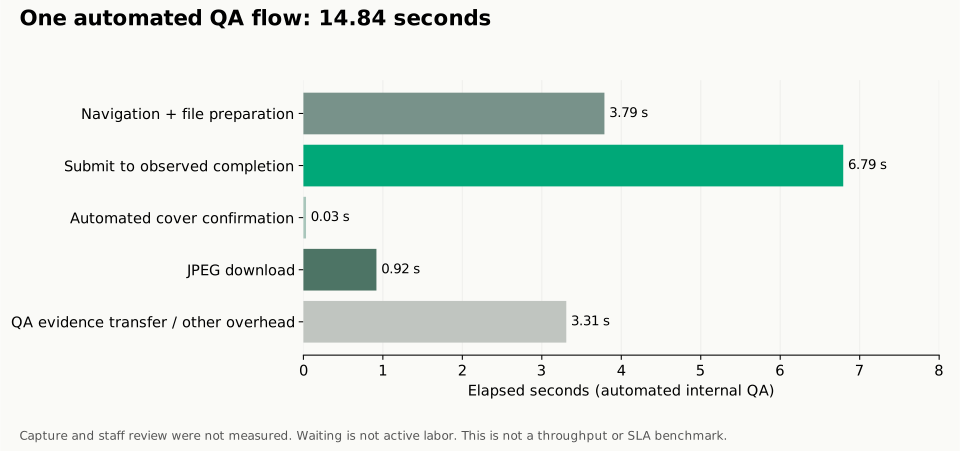
A timing chart represents an automated script, not staff labor. This recorded benchmark captures an end-to-end automated QA script run, not human dealership throughput.
The recorded 14.841-second automated sequence broke down into five measurable phases:
- Page and file preparation (3.788s): Page navigation and file preparation as grouped by the script; not a separately timed human task.
- Submit-to-observed-terminal (6.793s): A combined network/queue/worker/poll observation, not isolated GPU compute or upload duration. Across twelve recorded test jobs, this submit-to-completion window ranged between 5.588 and 7.686 seconds.
- Scripted cover confirmation (0.033s): A scripted UI cover-confirmation interaction, not a person inspecting the photo.
- JPEG download (0.919s): Pulling the rendered 1920x1440 image to local storage.
- QA transfer and logging (3.308s): QA evidence transfer and other overhead; this was not measured as a normal dealer handoff stage.
The 0.033-second confirmation was a scripted interaction, not human visual inspection. In a dealership environment, physical vehicle positioning, manual quality audits, lot coordination, and buyer-ready acceptance remain unmeasured human tasks. The raw timings from this test run are available in the internal timing example CSV.
Prepare one stock-number set
Sign in to create a vehicle, upload up to 50 photos and review the results before exporting. Daily editing allowances apply.
Comparing Automated Steps Against Dealership Touch Points
The table below contrasts what happens during automated execution versus the operational friction encountered by dealership teams:
| Worksheet stage | What this script measured | What remains to log in your operation |
|---|---|---|
| Capture | Unmeasured; used an existing photo | Vehicle preparation and actual capture time |
| Selection/preparation | 3.788s grouped page/file preparation | Actual selection and hands-on preparation |
| Upload | Not isolated from combined 6.793s window | Upload events and any staff handling |
| Processing | Combined6.793s until observed terminal; not GPU-only | Your recorded queue/processing observation |
| Visual review | Unmeasured; 0.033s was a scripted interaction | Actual human inspection and acceptance |
| Rework/reshoot | Unmeasured, not 0 | Any repeated work and outcome |
| Export/delivery | 0.919s JPEG save; 3.308s QA/other overhead separately | Actual file handoff, archive and staff time |
| Destination preview | Unmeasured | The chosen destination's real display/preview events |
| Fee allocation | No staff or subscription allocation measured | Actual or explicitly assumed fees with their basis |
The submit-to-observed-completion window was the largest recorded segment of this one script. That does not identify GPU capacity or any human stage as the constraint in a dealership operation.
Practical Tracking with the Workflow Bottlenecks Worksheet
To uncover where vehicles sit idle, teams can track representative stock batches using our standardized template:
Download the car photo workflow bottlenecks worksheet (CSV)
This manual tracking sheet provides nine standardized rows corresponding to each workflow stage, with blank columns for stock_number, started_at, finished_at, active_minutes, waiting_minutes, observed_delay, next_test, and notes. Because this template is a manual diagnostic tool, it does not automatically pull telemetry from dealer management systems or camera hardware. Start with a feasible set that represents the roles and failure cases you actually handle. Keep unknown values blank, define start/end events, and avoid summing overlapping stages as if they were consecutive elapsed time. Use the observations to propose one change and retest it; a small log does not by itself prove a cause.
Operational Boundaries and Tool Limitations
When designing a photo pipeline around automated tools, dealerships must account for platform-specific capabilities:
- Fixed background options: HeyDreaming provides four fixed backdrops: White sweep, Light grey, Dark grey, and Showroom soft. The tool does not generate custom architectural showrooms, remove vehicle dents, or relight vehicle paint.
- Image allowances and redos: The Vehicles tool supports up to 50 photos per car. Free tiers include 20 daily photo edits, while Pro ($29/month) and Max ($99/month) tiers provide 100 daily edits. Single-photo adjustments count against daily allowances, and Vehicles permits at most two redos per frame.
- Glass and reflections: The compositing pipeline preserves photographed reflections and views visible through window glass. It does not synthesize interior views or erase lot backgrounds seen through tinted glass.
- No listing publication: Tools do not publish finished assets directly to classified marketplaces. Save the files and use your chosen publishing path manually; this flow has no native DMS feed connector.
Frequently Asked Questions
Why does a 15-second software run not guarantee same-day listing updates?
The 14.841 seconds here covers page/file preparation, an observed job response, a scripted interaction, download and QA overhead. Capture, human inspection, reshoots and destination publication were not measured. You cannot derive same-day business turnaround from it.
How do rework cycles amplify workflow delays?
A failed frame can add capture, handling, communication or processing work. Log which step repeated, why, its actual duration and the final accepted view. This example did not measure a typical reshoot delay.
Should dealerships track every vehicle or sample batches?
Choose a feasible recording window and document which roles, staff and conditions it covers. Include unsuccessful or delayed cases, then extend the sample when important cases are missing. No fixed sample size or quarterly schedule was validated here.
Immediate Next Step
For one photo you have permission to use, record submission, observed completion and saved-file events in the AI car photo editor. Separately record any actual hands-on time. Then collect the missing capture, review and handoff observations before deciding which workflow change to test.
Prepare one stock-number set
Sign in to create a vehicle, upload up to 50 photos and review the results before exporting. Daily editing allowances apply.
Keep exploring