Honest Car Photo Editing: What to Change and What to Keep
Record which edits change presentation and which could hide condition. Keep camera references and inspect body details, glass, covers and selected corrections.
By HeyDreaming
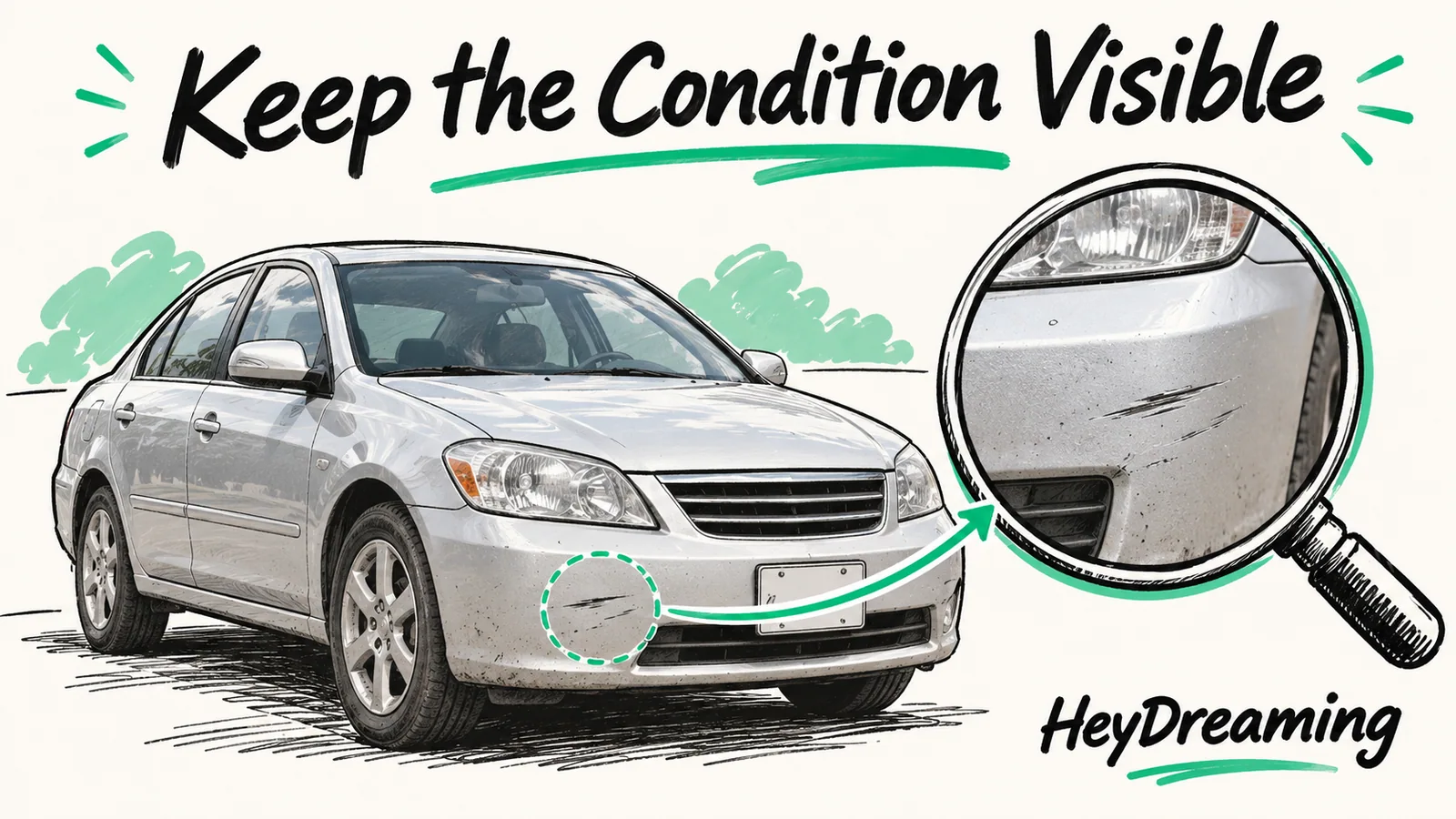
Published by HeyDreaming, which supplies the tools described. Examples reuse dated internal QA on public-source images, not customer results. The worksheet is manual and does not add product functionality.
A clean background should not come at the cost of missing condition details. However, using digital tools introduces an essential operational boundary: distinguishing between presentation enhancement and deceptive manipulation. Establishing standards for honest car photo editing makes a team’s decisions reviewable by recording exactly which visual elements may be changed and which physical details must remain unaltered.
To explore technical color correction controls and image inspection standards, consult our guide on car photo white balance, our troubleshooting reference on car background removal problems, and our 15-point car photo quality checklist.
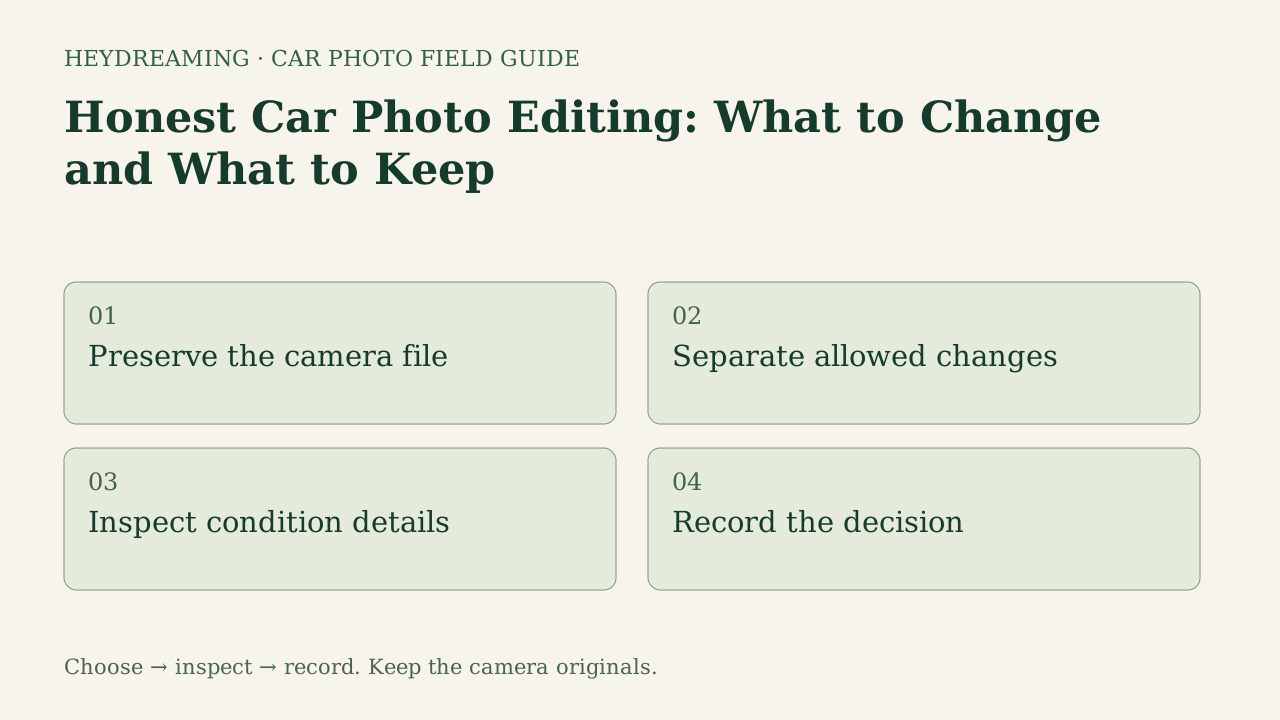
Open the full honest editing workflow diagram (SVG)
Note: The diagram above is an explanatory workflow mapping condition-preservation checkpoints, not a measured statistical chart.
The Boundary: Enhancing Presentation vs. Altering Reality
One purpose of background replacement is to remove distracting lot backgrounds—such as cracked asphalt, security fencing, or overcast skies—so prospective buyers focus on the vehicle itself. Ethical editing improves visual clarity while strictly preserving the vehicle's true physical condition.
A digital photograph cannot certify mechanical condition, verify frame alignment, or measure remaining tire tread depth. When dealerships apply software tools, review the source and output for obscured visible flaws. This guide proposes a photo-handling policy, not a certification of condition or a legal determination. An approved photo set cannot establish that every wear detail is visible.
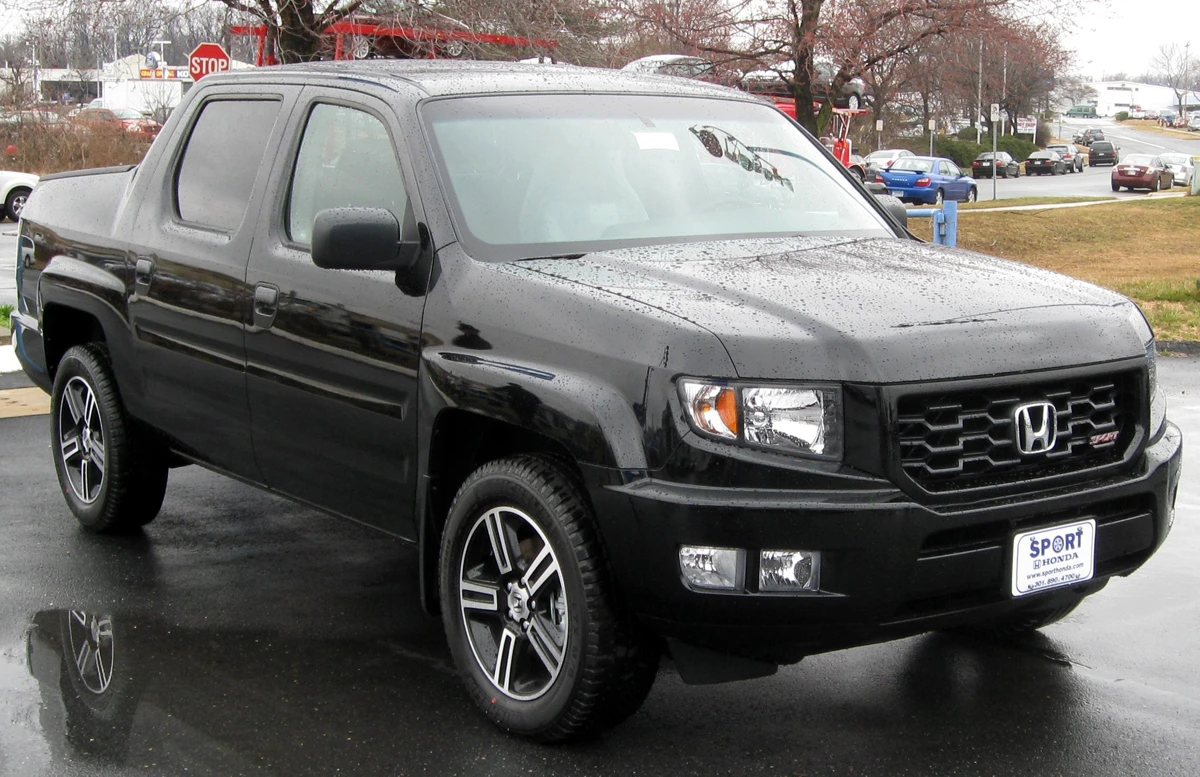
2012 Honda Ridgeline Sport photographed by IFCAR (Public domain). Source image re-encoded as a prepared upload preview for web display.

A source preview is a re-encoded prepared upload, not untouched camera file. In ethical condition review, untouched camera captures provide a comparison reference for what the image showed. They do not independently prove the vehicle’s full physical condition.
What to Consider: Presentation Changes to Record
Record the purpose and acceptance check for each selected action:
- Background composition: Replacing outdoor clutter with clean studio backdrops. HeyDreaming provides four fixed neutral presets: White sweep, Light grey, Dark grey, and Showroom soft.
- Plate coverage: Masking state registration numbers or previous owner identifiers using blur, pixelation, or solid branded inserts. Inspect the whole frame and box margins; masking is not an anonymity guarantee. Your logo and manual boxes are in the standalone plate tool, not the automotive preset picker.
- Global white balance: Reviewing optional global channel gains for a source cast. This changes vehicle color values and is not physical paint calibration. In HeyDreaming, optional white balance is off by default and applies a global mathematical transform across the image rather than selective brush edits.
- Horizon leveling: Reviewing an optional rotation suggestion for apparent camera tilt. It is off by default, can change orientation/framing, and is not a physical alignment measurement.
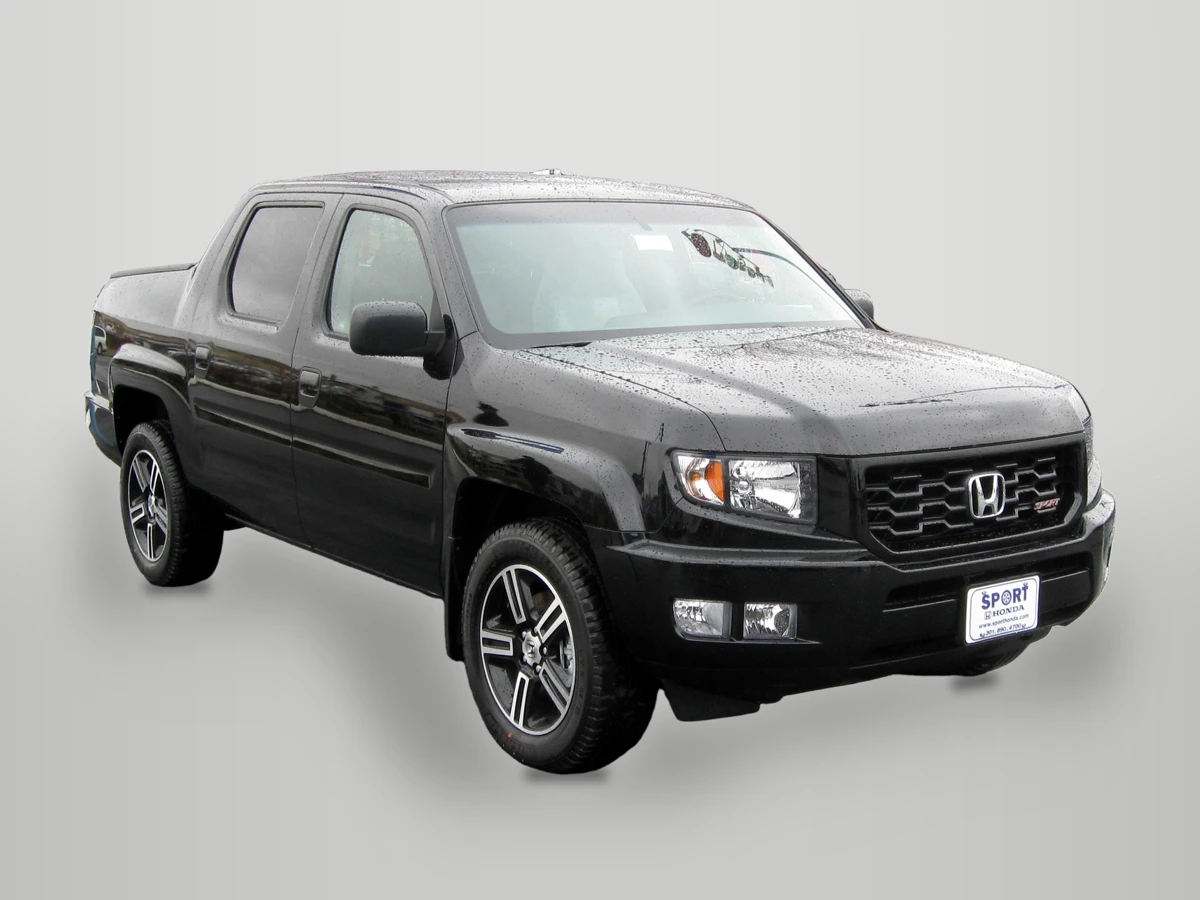
2012 Honda Ridgeline Sport photographed by IFCAR (Public domain). Output image generated with HeyDreaming Light grey preset; background replaced, scaled to 1920x1440, and re-encoded to WebP preview for web display.
WebP previews are compressed versions of actual downloads. This preview shows the Light grey preset applied to a dark truck, illustrating the line between replacing an outdoor background and checking visible body details, trim badges and retained glass reflections. These are internal public-source examples, not customer acceptance evidence.
What to Keep: Condition Details and Source References
To maintain transparency and trust, several physical vehicle characteristics must never be modified, erased, or covered:
- Body damage and cosmetic wear: Bumper scrapes, door dings, stone chips, scratched clear coat, and paint oxidation must remain visible. Generative erasure of scratches or artificial smoothing of dented sheet metal is outside this stated condition-preserving workflow.
- Factory emblems and trim badges: Badging identifies trim levels and engine options. Inpainting tools must never erase missing letters or alter manufacturer model designations.
- Glass and interior views: Window glass reflects ambient surroundings and reveals interior seating. HeyDreaming's compositing engine intentionally preserves photographed views and natural reflections visible through window glass rather than rendering artificial opaque panels.
- Mechanical indicators: Warning lights on instrument clusters, odometer readings, and tire wear indicators must never be altered or digitally replaced.
- Untouched camera originals: Keep untouched camera captures in your chosen archive. Browser upload preparation re-encodes source files and limits the longest dimension to 3000 pixels; keep those prepared files separate from the camera capture. A native camera JPEG is already compressed; neither it nor EXIF provides indisputable proof of physical condition.
Put your car on a clean background
20 free AI photo edits a day. Copy your source vehicle onto a fixed background, then check the outline and plate cover. Sign in to start; no credit card needed.
Condition Preservation Decision Matrix
The table below provides a reference for dealership staff evaluating the proposed allowed actions against out-of-scope changes:
| Category | Proposed Allowed Action | Out-of-Scope Change | Operational Verification Method |
|---|---|---|---|
| Backdrop | Replace lot with neutral preset | Synthesize fake dealership buildings | Compare against approved preset catalog |
| License Plate | Blur or apply branded plate box | Hide damaged bumper valance behind logo | Verify plate box bounds stay within plate holder |
| Lighting & Tilt | Global algorithmic color/level balance | Paint over scratches with color brush | Check that adjustment is global transform |
| Body Condition | None (preserve exact panel state) | Erase dings, rock chips, or dented creases | Cross-reference against raw camera original |
| Glass & Cabin | Preserve photographed window view | Render opaque white glass to hide interior | Inspect glass transparency at 100% zoom |
| Badging & Trim | None (preserve factory badging) | Digital cloning of missing trim emblems | Confirm all model and trim letters remain authentic |
Using the Honest Editing Worksheet
To record a condition-preserving photo policy across your team, download our manual operational worksheet:
Download the honest car photo editing worksheet (CSV)
The template provides seven standardized rows corresponding to key condition checks: camera archive, background composition, white balance, leveling, plate cover, visible condition, and occluded detail. Staff record stock_number, source_filename, observed_result, decision (Pass, Redo, or Hold), reviewer, next_action, and notes.
This worksheet is a manual decision aid. It does not interface automatically with dealer management systems or enforce automated software blocks. A lot manager or digital merchandiser manually inspects sample vehicles, verifies that body blemishes remain visible, confirms that camera originals are safely stored, and signs off before publishing assets online.
Tool Capabilities and Scope Limitations
When operating within HeyDreaming, consider these core system boundaries:
- Four fixed backdrop presets: The platform provides White sweep, Light grey, Dark grey, and Showroom soft. Switching presets changes the background canvas, but does not alter cutout boundaries or repair clipped edges.
- No manual retouching brushes: The software does not provide clone stamps, healing brushes, relighting tools, or selective dent removal. In the dated two-car/four-preset test, each car’s sampled core RGB values were equal across its four lossless masters. This narrow observation does not validate every outline or imply equality to camera files and JPEG downloads; optional corrections intentionally change values/orientation.
- Glass views remain visible: Background replacement isolates exterior sheet metal, but views and reflections captured through window glass are preserved.
- Export standards: Outputs can use the selectable 1920x1440 (4:3) option or prepared original dimensions. Upload preparation re-encodes files to JPEG; keep untouched camera originals independently from prepared uploads and exports.
Frequently Asked Questions
Does removing an outdoor background misrepresent a vehicle?
Describe that the backdrop was replaced and inspect its effect on visible details. A neutral backdrop can serve a presentation task, but this guide does not establish acceptability under every destination rule or context. Avoid implying a location, inspection or condition the photograph does not establish.
Can photo editors remove small rock chips from a car's hood?
Some editing tools can, but concealing those details is outside HeyDreaming’s stated car-photo workflow. Preserve the photographed wear and document any unresolved visibility problem; this internal test did not measure buyer behavior or sales.
Why should dealerships preserve raw camera originals locally?
Online tools downscale and compress images during upload preparation. The untouched capture helps compare what was photographed before editing. File timestamps and EXIF can be incomplete or changed, and a picture may omit damage; they are not definitive proof of physical condition or an inspection record.
Immediate Next Step
Choose a small practice set and record why it was selected; this is not a validated audit sample. Compare the published listing photos against the raw camera files stored on your local drive to verify that pre-existing scratches, bumper wear, and trim badges were fully preserved. Test a sample frame in the AI car photo editor to confirm your team understands the boundary between clean staging and honest representation.
Put your car on a clean background
20 free AI photo edits a day. Copy your source vehicle onto a fixed background, then check the outline and plate cover. Sign in to start; no credit card needed.
Keep exploring